
SF Integrated Modpack
A practical and high-performance modpack that significantly enhances the gaming experience, supporting most features while preserving the original game mechanics.
About this Modpack

About the SF Integrated Modpack
SF Integrated Modpack is a foundational modpack centered around assistive optimization, enhancing vanilla gameplay with various practical features while striving for better performance.
This modpack is licensed under the MIT License. You may modify it or create derivative works based on this modpack, but you must retain both the original author's copyright notice and the license text.
introduce
The modpack is divided into two main versions: [Neo]Forge and Fabric.
The [Neo]Forge version is catered towards gameplay with mods or serving as a foundation for creating derivative modpacks.The Fabric version is more focused on vanilla survival gameplay.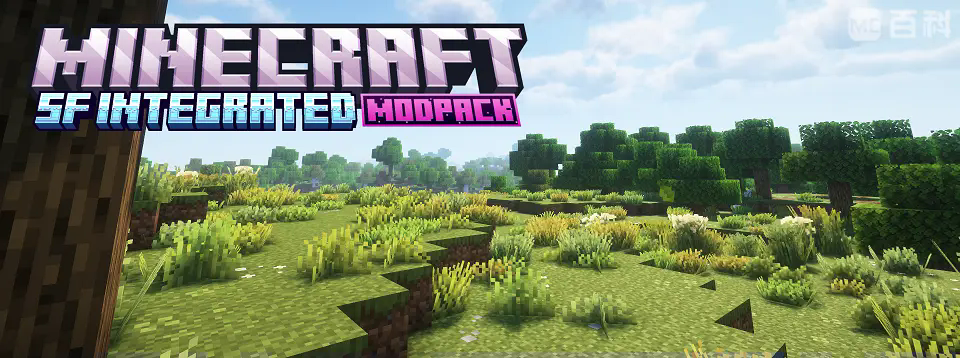
The SF Integrated Modpack incorporates numerous survival-assisting mods, while maintaining unchanged core game mechanics, thereby introducing extensive utility functions.Whether for vanilla survival, modded gameplay, or developing derivative modpacks, the SF Integrated Modpack can assist you.
Performance Aspects
The modpack incorporates optimization mods including Sodium and its forks, Lithium and its forks, Entity Culling, and ScalableLux, enhancing game performance while reducing stutter and increasing frame rates.
Concurrently, XaeroPlus is installed to enable the minimap's frame rate limiter feature, mitigating the minimap's impact on game frames.
Compared to other foundational modpacks, the SF Integrated Modpack delivers superior performance in benchmark tests: [Forest Biome Render Distance: 12, Simulation Distance: 8, Seed: -5764802906405568434].
| SF Integrated Fabric | SF Integrated NeoForge | XPlus 2.0 | Arcomua |
|---|---|---|---|
| 1200-1300FPS | 1300-1400FPS | 1000-1100FPS | 1000-1100FPS |
Assist and Repair
The modpack integrates key functional mods:
Xaero's Minimap for map;
JEI/REI for recipe viewing;
Jade for block information display;
Quick screenshot viewer and management within menus;
Cross-version server compatibility;
Peek for instant item data lookup;
BetterF3/riding HUDs/advancement/statistics interfaces, and similar utilities to streamline gameplay.
Concurrently, it incorporates fixes and optimizations:
Debugify resolves unresolved vanilla bugs.
Model Gap Fix eliminates white edges on tool textures.
Dynamic Lighting for adaptive illumination;
Universal Skin Fix for texture compatibility.
For technical players, essential mods include:
Tweakeroo, miniHUD, Litematica (schematic projection), and other core redstone/automation utilities.
Functionality and Visual Enhancements
The modpack integrates mods that restore most features of OptiFine—including connected textures, skybox rendering, entity model textures, and shader loading—through implementations such as CIT Resewn, Continuity, Entity Texture Features (ETF), and Entity Model Features (EMF).
Visual enhancements include:Dynamic crosshairs for aiming aesthetics;Seamless glass textures via connected resource packs;Partial shader support bundled by default.
Additionally, the modpack incorporates extensive supplementary functionality.
(Neo)Forge
- JEI Addons Integration:/
Enables quick lookup of creature breeding items, ore generation heights, and entity loot tables for efficient mod item discovery./
Implements Polymorph to resolve recipe conflicts across multiple mods./ - Attribute System Enhancements:/
Integrates AttributeFix to extend vanilla numerical limits./
Adds visually refined health/armor limit-breaking displays as groundwork for attribute-heavy mods./
Includes Enchantment Descriptions for clear modded enchantment effects./ - Exploration Utilities:/
Adds Explorer’s Compass and Biome Compass to facilitate locating specific structures or biomes in modded environments./
Important Notes
1.Mods like Tweakeroo and Litematica ship without preconfigured shortcuts. Users need manually bind keys to their preferred inputs./
2.The Fabric edition of the modpack will continuously synchronize with the latest Minecraft versions while providing backported versions for earlier releases. The [Neo]Forge edition receives updates exclusively for major mod revisions./
3.This modpack's optimization system builds upon rapid optimization modpacks. During development, reference was made to mods and configurations from modpacks including:XPlus,Arcomua,Fabulously Optimized\
The modpack Developed solely by one author, with gratitude to all participants in this modpack's testing.
Q&A
Q: Why is [XX feature] missing in some versions?
A: Due to version compatibility, loader support limitations, and the author's scope of expertise, certain features may be absent in specific versions. Please refer to each version's mod list for definitive details.
Q: Can I create new modpacks based on this one?
A: Absolutely! This modpack uses the MIT License. You may modify it or create derivative works, but you must preserve the original author's copyright and license notices.
Q: More questions? Or suggestions about the modpack?
A:Email: [email protected],The modpack's GitHub:SF-Integrated-Modpack
Available Versions
How to Set Up a SF Integrated Modpack Server
Order Server
Choose at least 4 GB RAM (6 GB recommended for SF Integrated Modpack). Based on player count: per 5 players.
Install Modpack in Dashboard
Open the modpack browser in the dashboard, search for "SF Integrated Modpack" and click "Install". The fabric loader and Minecraft 1.21.1 are configured automatically.
Start Server & Play
Start the server – all mods are loaded automatically. Share the server IP with friends and play together!
Frequently Asked Questions
SF Integrated Modpack server crashes or won't start – what to do?
Most common causes: insufficient RAM or wrong fabric loader. Check latest.log for "OutOfMemoryError" → increase RAM to at least 6 GB. For "Mixin" or "ClassNotFoundException" errors: modpack version and loader don't match. With Mado Hosting, loader and Minecraft version are auto-configured on modpack install – preventing most startup issues.
How much RAM does a SF Integrated Modpack server really need?
Minimum 4 GB, recommended 6 GB for stable performance. per 5 players. Important: Minecraft modpacks need more RAM than vanilla – plan extra per additional player. With Mado Hosting, you can scale RAM up live at any time without data loss (from €8/month).
Can I add custom mods to SF Integrated Modpack without conflicts?
Yes, but check compatibility: only use mods for the same loader (fabric) and same Minecraft version (1.21.1). Common issues: ID conflicts with recipe mods and incompatible coremod versions. The Mado dashboard mod browser only shows compatible mods and warns about known conflicts.
SF Integrated Modpack server lagging – performance tips
1) Increase RAM to 6 GB+. 2) Reduce server view-distance to 8 (server.properties). 3) Pre-generate chunks with the "Chunky" plugin. 4) Use /spark profiler to check which mods consume the most tick time. With Mado Hosting, all servers run on NVMe SSDs with dedicated CPU cores – eliminating hardware as a bottleneck.
Similar Modpacks

![Cobblemon Official Modpack [Fabric]](https://cdn.modrinth.com/data/5FFgwNNP/e7f9ee2e9d361623847853fe2ddce42f519ee64f.png)
![COBBLEVERSE - Pokemon Adventure [Cobblemon]](https://cdn.modrinth.com/data/Jkb29YJU/581ecf54530972afb18a04660afd820f2f24f6c7.png)
![Better MC [FABRIC] - BMC2](https://cdn.modrinth.com/data/shFhR8Vx/a19c2bcb51d38f32f138d3607e91cb2b7b8e387f_96.webp)


Rent SF Integrated Modpack Server
Start your own server with automatic modpack installation.
Supported Versions
Start your SF Integrated Modpack Server now
From €8.00/month with 6 GB RAM for the best performance.
Configure Server →