
Shadowfall - ALPHA
A dark horror fantasy modpack with a dash of magic and creatures from the depths
Screenshots
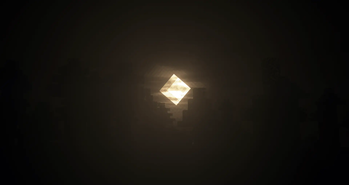
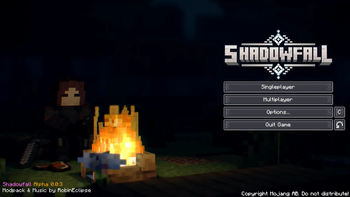
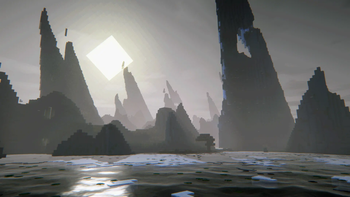
About this Modpack
Shadowfall
Plunge into a world where darkness seeps into every corner, and magic is both a gift and a curse.
Ancient ruins whisper forgotten secrets, eldritch horrors lurk in the shadows, and mighty dragons rule the skies.Reminder this pack is in Alpha, there will be lots of changes!
⚔️ Features:
- Master the Arcane - Harness the power of Botania, Blood Magic, and Iron’s Spells 'n Spellbooks.
- A World of Darkness - Survive in a medieval world enhanced with YUNG's structures, Medieval Deco, and Medieval Paintings.
- A Challenge Awaits - Face off against Ice and Fire's legendary dragons and other monstrous creatures.
- Immersive Horror - Insanity Shader and Sound Physics create a chilling, atmospheric experience.
- Survive or Succumb - Explore cursed dungeons, uncover forbidden knowledge, and wield magic to resist the creeping darkness.
- Quality of Life - Experience the new mobs and some quality of life features using Quark
- Extra Textures! - Enjoy the new look menu's and GUI's (still in the works cus alpha obviously)
For those who dare, Shadowfall blurs the line between nightmare and reality.
Will you master the darkness, or will it consume you?
Want to help me improve this project? Join my Discord server! https://discord.gg/FNucZGac4t
Available Versions
How to Set Up a Shadowfall - ALPHA Server
Order Server
Choose at least 6 GB RAM (8 GB recommended for Shadowfall - ALPHA). Based on player count: per 5 players.
Install Modpack in Dashboard
Open the modpack browser in the dashboard, search for "Shadowfall - ALPHA" and click "Install". The forge loader and Minecraft 1.20.1 are configured automatically.
Start Server & Play
Start the server – all mods are loaded automatically. Share the server IP with friends and play together!
Frequently Asked Questions
Shadowfall - ALPHA server crashes or won't start – what to do?
Most common causes: insufficient RAM or wrong forge loader. Check latest.log for "OutOfMemoryError" → increase RAM to at least 8 GB. For "Mixin" or "ClassNotFoundException" errors: modpack version and loader don't match. With Mado Hosting, loader and Minecraft version are auto-configured on modpack install – preventing most startup issues.
How much RAM does a Shadowfall - ALPHA server really need?
Minimum 6 GB, recommended 8 GB for stable performance. per 5 players. Important: Minecraft modpacks need more RAM than vanilla – plan extra per additional player. With Mado Hosting, you can scale RAM up live at any time without data loss (from €12/month).
Can I add custom mods to Shadowfall - ALPHA without conflicts?
Yes, but check compatibility: only use mods for the same loader (forge) and same Minecraft version (1.20.1). Common issues: ID conflicts with recipe mods and incompatible coremod versions. The Mado dashboard mod browser only shows compatible mods and warns about known conflicts.
Shadowfall - ALPHA server lagging – performance tips
1) Increase RAM to 8 GB+. 2) Reduce server view-distance to 8 (server.properties). 3) Pre-generate chunks with the "Chunky" plugin. 4) Use /spark profiler to check which mods consume the most tick time. With Mado Hosting, all servers run on NVMe SSDs with dedicated CPU cores – eliminating hardware as a bottleneck.
Similar Modpacks
![Cobblemon Official Modpack [Fabric]](https://cdn.modrinth.com/data/5FFgwNNP/e7f9ee2e9d361623847853fe2ddce42f519ee64f.png)
![COBBLEVERSE - Pokemon Adventure [Cobblemon]](https://cdn.modrinth.com/data/Jkb29YJU/581ecf54530972afb18a04660afd820f2f24f6c7.png)
![Better MC [FABRIC] - BMC2](https://cdn.modrinth.com/data/shFhR8Vx/a19c2bcb51d38f32f138d3607e91cb2b7b8e387f_96.webp)


![Better MC [FORGE] - BMC4](https://cdn.modrinth.com/data/4BV47HRn/7f5ef7cc61b2593609aabef3ed07a866a4f11b73_96.webp)
Rent Shadowfall - ALPHA Server
Start your own server with automatic modpack installation.
Supported Versions
Start your Shadowfall - ALPHA Server now
From €12.00/month with 8 GB RAM for the best performance.
Configure Server →