
Sharkingo!
Sharkingo!, the modpack for playing Bingo modes created by SharkySkuishy!
Screenshots
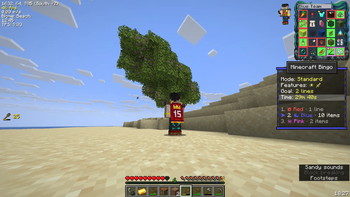
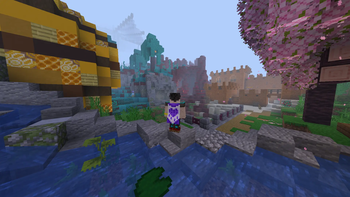
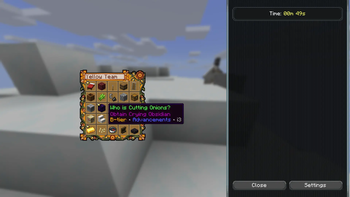
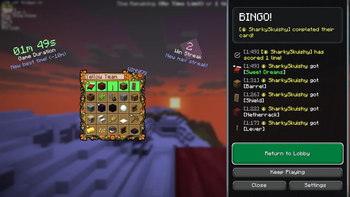
About this Modpack
Sharkingo!
Sharkingo! is a performance-focused Fabric modpack created to play the Bingo modes of the Yet Another Bingo mod
(Modrinth page) better.
It’s created by SharkySkuishy for smoother and better gameplay — especially when running on multiplayer servers.
Two Bingo servers are already set up and ready to join, and the whole thing is meant for friends of this Discord server, used to hang out, chat, report issues, or play.
✨ What this modpack offers
- Optimized performance thanks to a curated mix of client and engine mods (Sodium, Lithium, VMP, etc.).
- Visual polish without killing FPS: better animations, dynamic lights, smooth UI, improved textures.
- Quality of life boosts: better HUD, chat improvements, sorting tools, controller support, tooltips, and more.
- Replay-friendly experience thanks to ReplayMod support.
This works best when installed on both the server side and client side.
Huge thanks to all the amazing mod and resource pack creators listed below.
Without them, this pack simply wouldn’t exist. ❤️
📦 Included Mods
Mods (83):
- [EMF] Entity Model Features (by Traben)
- [ETF] Entity Texture Features (by Traben)
- Alternate Current (by Space Walker)
- Animatica (by FoundationGames)
- AppleSkin (by squeek502)
- BadOptimizations (by thosea)
- Better Mount HUD (by Lortseam)
- Blur+ (by Motschen)
- Capes (by caelthecolher)
- Chat Animation [Smooth Chat] (by Ezzenix)
- Chat Heads (by dzwdz)
- Chat Patches (by OBro1961)
- Chunks fade in (by kerudion)
- Cloth Config API (by shedaniel)
- Collective (by Serilum)
- Concurrent Chunk Management Engine (Fabric) (by ishland)
- Controlify (Controller support) (by isxander)
- Controlling (by jaredlll08)
- Crash Assistant (by KostromDan)
- Cubes Without Borders (by Kira-NT)
- Dynamic Crosshair (by Crendgrim)
- Dynamic Crosshair Compat (by Crendgrim)
- Dynamic FPS (by juliand665)
- Entity Culling (by tr7zw)
- Fabric API (by modmuss50)
- Fabric Language Kotlin (by modmuss50)
- Fabrishot (by ramidzkh)
- FerriteCore (by malte0811)
- Forge Config API Port (by Fuzs)
- FPS Reducer (by bre2el)
- ImmediatelyFast (by RaphiMC)
- InventoryHUD+ (by DmitryLovin)
- Iris Shaders (by coderbot)
- Jade 🔍 (by Snownee)
- Krypton (by astei)
- LambDynamicLights (by LambdAurora)
- Language Reload (by Jerozgen)
- lazy-language-loader (by chachy)
- Lithium (by CaffeineMC)
- Main Menu Credits (by isxander)
- MidnightLib (by Motschen)
- MixinTrace (by comp500)
- Mod Menu (by Terraformers)
- Model Gap Fix (by MehVahdJukaar)
- More Culling (by FX)
- Nemo's Inventory Sorting (by NemoNotFound)
- No Chat Reports (by Aizistral)
- No Telemetry (by kb1000)
- Not Enough Animations (by tr7zw)
- Optiboxes (by Legacy Visuals Project)
- OptiGUI (by opekope2)
- Particle Effects (by K-TEAM)
- Pick Up Notifier (by Fuzs)
- Ping Wheel (by Luken)
- Puzzle (by Motschen)
- Puzzles Lib (by Fuzs)
- Reese's Sodium Options (by FlashyReese)
- Remove Reloading Screen (by dima_dencep)
- RenderScale (by zolo101)
- ReplayMod (by Johni0702)
- Scoreboard Overhaul (by fennifith)
- Scribble (by chrrs)
- Searchables (by jaredlll08)
- Shulker Box Tooltip (by MisterPeModder)
- Simple HUD Enhanced (by SoRadGaming)
- Simple Menu (by Serilum)
- Simple Voice Chat (by henkelmax)
- Skin Restorer (by Lionarius)
- Smooth Gui (by Ezzenix)
- Smooth Scrolling (by SmajloSlovakian)
- Smooth Scrolling Refurbished (by JustAlittleWolf)
- Sodium (by CaffeineMC)
- Sodium Extra (by FlashyReese)
- Sound Physics Remastered (by henkelmax)
- spark (by lucko)
- Text Placeholder API (by Patbox)
- Third Person Death (by cintlex)
- TT20 (TPS Fixer) (by JXSnack)
- Very Many Players (Fabric) (by ishland)
- Wavey Capes (by tr7zw)
- Yet Another Bingo (by fennifith)
- YetAnotherConfigLib (YACL) (by isxander)
- Zoomify (by isxander)
🎨 Resource Packs (9):
- Allure Emoji Pack (by P4ncake)
- Chat Reporting Helper (by Fabulously Optimized)
- Low Fire (by Oculie)
- Low Shield (by Oculie)
- Motschen's Better Leaves (by Motschen)
- PvP Utils (by SoGuy)
- Qrafty’s Capitalized Font (by Qrafty)
- Translations for Sodium (by robotkoer)
- Visuals (by thanos)
Iris-compatible shaders (already installed) can also be used.
🇮🇹 Italiano
Sharkingo! è un modpack Fabric incentrato sulle prestazioni, creato per giocare meglio alla modalità Bingo della mod Yet Another Bingo
(pagina Modrinth).
È stato creato da SharkySkuishy per un gameplay fluido e migliore, specialmente quando si gioca su server multiplayer.
Due server Bingo sono già stati configurati e sono pronti per essere utilizzati. Il tutto è destinato agli amici di questo server Discord, utilizzato per incontrarsi, chattare, segnalare problemi o giocare.
✨ Cosa offre questo modpack
- Prestazioni ottimizzate grazie a un mix curato di mod client e engine (Sodium, Lithium, VMP, ecc.).
- Rifiniture visive senza compromettere gli FPS: animazioni migliori, luci dinamiche, interfaccia utente fluida, texture migliorate.
- Miglioramenti della qualità della vita: HUD migliore, miglioramenti alla chat, strumenti di ordinamento, supporto per controller, suggerimenti e altro ancora.
- Esperienza di gioco riproducibile grazie al supporto di ReplayMod.
Funziona al meglio se installato sia sul lato server che sul lato client.
Un enorme grazie a tutti i fantastici creatori di mod e pacchetti di risorse elencati di seguito.
Senza di loro, questo pacchetto semplicemente non esisterebbe. ❤️
Available Versions
How to Set Up a Sharkingo! Server
Order Server
Choose at least 4 GB RAM (6 GB recommended for Sharkingo!). Based on player count: per 8 players.
Install Modpack in Dashboard
Open the modpack browser in the dashboard, search for "Sharkingo!" and click "Install". The fabric loader and Minecraft 1.21.10 are configured automatically.
Start Server & Play
Start the server – all mods are loaded automatically. Share the server IP with friends and play together!
Frequently Asked Questions
Sharkingo! server crashes or won't start – what to do?
Most common causes: insufficient RAM or wrong fabric loader. Check latest.log for "OutOfMemoryError" → increase RAM to at least 6 GB. For "Mixin" or "ClassNotFoundException" errors: modpack version and loader don't match. With Mado Hosting, loader and Minecraft version are auto-configured on modpack install – preventing most startup issues.
How much RAM does a Sharkingo! server really need?
Minimum 4 GB, recommended 6 GB for stable performance. per 8 players. Important: Minecraft modpacks need more RAM than vanilla – plan extra per additional player. With Mado Hosting, you can scale RAM up live at any time without data loss (from €8/month).
Can I add custom mods to Sharkingo! without conflicts?
Yes, but check compatibility: only use mods for the same loader (fabric) and same Minecraft version (1.21.10). Common issues: ID conflicts with recipe mods and incompatible coremod versions. The Mado dashboard mod browser only shows compatible mods and warns about known conflicts.
Sharkingo! server lagging – performance tips
1) Increase RAM to 6 GB+. 2) Reduce server view-distance to 8 (server.properties). 3) Pre-generate chunks with the "Chunky" plugin. 4) Use /spark profiler to check which mods consume the most tick time. With Mado Hosting, all servers run on NVMe SSDs with dedicated CPU cores – eliminating hardware as a bottleneck.
Similar Modpacks

![COBBLEVERSE - Pokemon Adventure [Cobblemon]](https://cdn.modrinth.com/data/Jkb29YJU/581ecf54530972afb18a04660afd820f2f24f6c7.png)




Rent Sharkingo! Server
Start your own server with automatic modpack installation.
Supported Versions
Start your Sharkingo! Server now
From €8.00/month with 6 GB RAM for the best performance.
Configure Server →