
Simply Craftmine
Simply Craftmine is an optimization modpack for 25w14craftmine, the April Fools snapshot for the never-released Craftmine Update.
Screenshots
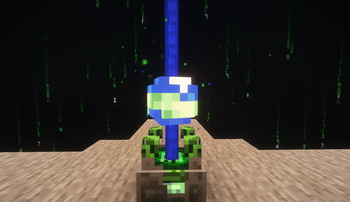
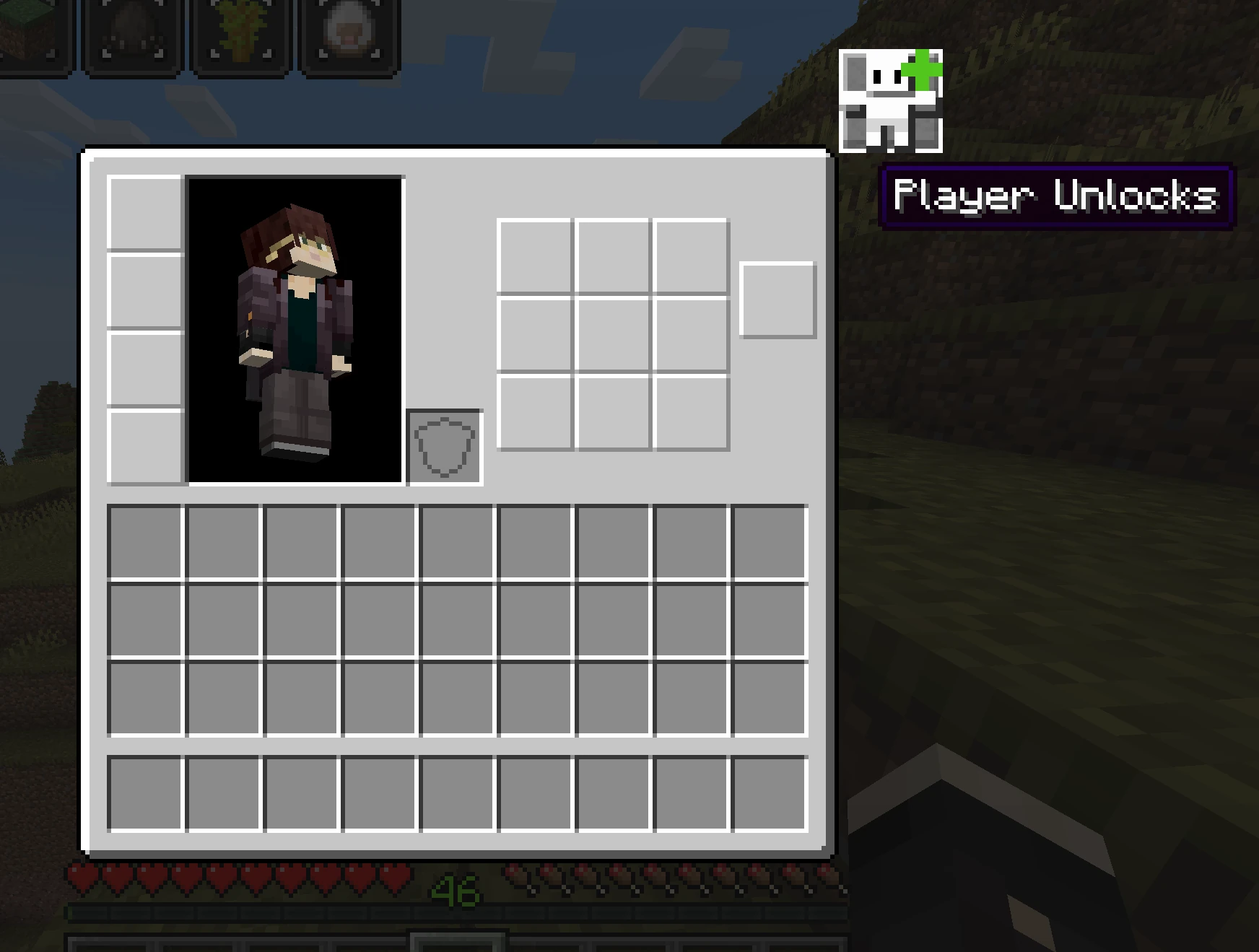
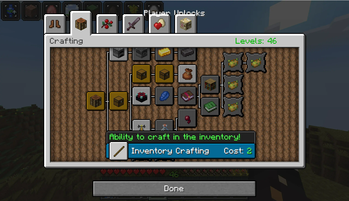
About this Modpack

Simply Craftmine is an optimization modpack for 25w14craftmine, the April Fools snapshot for the never-released Craftmine Update.
It's recommended to launch this with Prism Launcher! Modrinth App occassionally fails to launch the pack.
What is 25w14craftmine?

25w14craftmine is one of the yearly April Fools updates for Minecraft, in which normal progression has been replaced by the new Mine Crafter block, which allows players to progress through custom dimensions (called Mines), slowly levelling up over time.
Running a Mine
In a Mine, you must survive long enough to reach the exit. Time spent in the mine gathering resources can be used to level up your player through a new skill tree system. Over time, you'll also find new mine ingredients which can be used to customize the generated mines.
Mod List + Mod Licenses
Every mod in this pack has been handpicked to be compatible with 25w14craftmine, including some custom ports. If you know/have made any mods that would fit in the pack, send them my way! Looking to develop mods for Craftmine? Try my fork of the Fabric Example Mod.
- AppleSkin by squeek502, from Modrinth.
- Architectury API by shedaniel, from Modrinth
- BugMine by Mikarific, from Modrinth.
- Client Sort by TerminalMC, from Modrinth.
- Cloth Config by shedaniel, from Modrinth.
- Complementary Shaders by IMS21, released as an unstable build by ims21 in the Iris Discord server- distributed in accordance with its LGPL License.
- Concurrent Chunk Management Engine (C2ME) by ishland, from Modrinth.
- Connected Doors by Domi, from Modrinth
- CraftMineFix by DialingSpoon527, from Modrinth
- CraftMine Biome Fix by JoshuaBradbury, from Modrinth.
- Ender Christmas Plus by cassiancc, from Modrinth.
- Exchange Value Tracker by haykam, from Modrinth.
- Fabric API by modmuss50, from Modrinth
- Fabric Language Kotlin by modmuss50, from Modrinth.
- FerriteCore from malte0811.
- I Can't Believe It's Not 1.21.5 by Chocohead, from Modrinth.
- Item Descriptions by cassiancc, from Modrinth
- Immersive Overlays by cassiancc, from Modrinth.
- Iris by IMS21, released as an unstable build by ims21 in the Iris Discord server - distributed in accordance with its LGPL License.
- Jade by Snownee, from Modrinth.
- JourneyMap by mysticdrew, from Modrinth.
- LambDynamicLights by LambdAurora, from Modrinth.
- Logical Zoom by LogicalGeekBoy, from Modrinth
- MidnightControls by Motschen, from Modrinth.
- Mod Menu by Prospector, from Modrinth.
- Mouse Tweaks by YaLTeR, from Modrinth.
- Raised by yurisuika, from Modrinth.
- Reliable Recipe Viewer by cassiancc, from Modrinth.
- Screenshot to Clipboard by comp500, using a custom fork by cassiancc and distributed under its MIT License.
- Sodium by jellysquid3, using a fork by Mikarific released on GitHub- distributed in accordance with its Polyform Shield License.
- Text Placeholder API by Patbox, from Modrinth
- ToolTipFix by kyrptonaught, using an updated fork by BlueStaggo and distributed under its MIT License.
- YACL by isxander, from Modrinth.
Available Versions
How to Set Up a Simply Craftmine Server
Order Server
Choose at least 4 GB RAM (6 GB recommended for Simply Craftmine). Based on player count: per 8 players.
Install Modpack in Dashboard
Open the modpack browser in the dashboard, search for "Simply Craftmine" and click "Install". The fabric loader and Minecraft 25w14craftmine are configured automatically.
Start Server & Play
Start the server – all mods are loaded automatically. Share the server IP with friends and play together!
Frequently Asked Questions
Simply Craftmine server crashes or won't start – what to do?
Most common causes: insufficient RAM or wrong fabric loader. Check latest.log for "OutOfMemoryError" → increase RAM to at least 6 GB. For "Mixin" or "ClassNotFoundException" errors: modpack version and loader don't match. With Mado Hosting, loader and Minecraft version are auto-configured on modpack install – preventing most startup issues.
How much RAM does a Simply Craftmine server really need?
Minimum 4 GB, recommended 6 GB for stable performance. per 8 players. Important: Minecraft modpacks need more RAM than vanilla – plan extra per additional player. With Mado Hosting, you can scale RAM up live at any time without data loss (from €8/month).
Can I add custom mods to Simply Craftmine without conflicts?
Yes, but check compatibility: only use mods for the same loader (fabric) and same Minecraft version (25w14craftmine). Common issues: ID conflicts with recipe mods and incompatible coremod versions. The Mado dashboard mod browser only shows compatible mods and warns about known conflicts.
Simply Craftmine server lagging – performance tips
1) Increase RAM to 6 GB+. 2) Reduce server view-distance to 8 (server.properties). 3) Pre-generate chunks with the "Chunky" plugin. 4) Use /spark profiler to check which mods consume the most tick time. With Mado Hosting, all servers run on NVMe SSDs with dedicated CPU cores – eliminating hardware as a bottleneck.
Similar Modpacks

![Cobblemon Official Modpack [Fabric]](https://cdn.modrinth.com/data/5FFgwNNP/e7f9ee2e9d361623847853fe2ddce42f519ee64f.png)
![COBBLEVERSE - Pokemon Adventure [Cobblemon]](https://cdn.modrinth.com/data/Jkb29YJU/581ecf54530972afb18a04660afd820f2f24f6c7.png)
![Better MC [FABRIC] - BMC2](https://cdn.modrinth.com/data/shFhR8Vx/a19c2bcb51d38f32f138d3607e91cb2b7b8e387f_96.webp)


Rent Simply Craftmine Server
Start your own server with automatic modpack installation.
Details
- License
- GNU Lesser General Public License v3.0 or later
- Server-side
- Optional
- Client-side
- Optional
Supported Versions
Start your Simply Craftmine Server now
From €8.00/month with 6 GB RAM for the best performance.
Configure Server →