
Simply Fabulous
A perfect balance of performance and graphics, including various quality-of-life improvements.
Screenshots
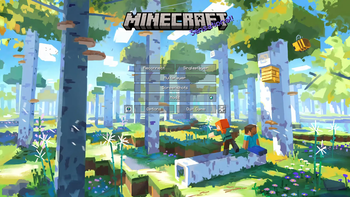
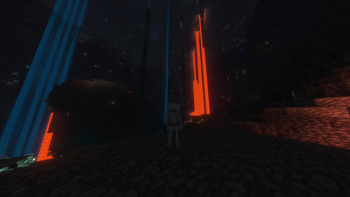
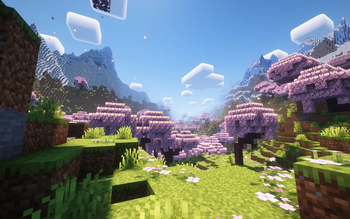
About this Modpack
This modpack aims for the best minecraft vanilla experience while keeping performance in mind.
Performance
Mods such as Sodium, Indium, Lithium, and many others significantly enhance performance, benefiting both low- and high-end systems. Achieve a guaranteed 60 fps on nearly any device, or enjoy playing with shaders and a render distance of 50 chunks at over 300 fps on modern computers. Additionally, these mods optimize server performance, reduce the boot-up time, cap fps when in the background, and offer various other enhancements.
Performance Mods
- Sodium
- Indium
- Lithium
- Noxesium
- Nvidium
- Starlight
- Entity Culling
- ...
Graphics
While retaining the vanilla aesthetics, the use of shaders and minor tweaks to resource packs enhances the game's visual appeal without fundamentally altering its appearance.
Shaders
- BSL
- Complementary Reimagined
- Make Up
- Solas Shader
Resource Packs
- Stay True
- Dark GUI
- Fresh Animations
- Enhanced Book Entities
- ...
Visual Mods
- Iris Shaders
- Visuality
- Better Third Person
- Eating Animation
- Falling Leaves
- More Animations
- 3D Skin Layers
- ...
Quality of Life
Quality of life mods for more information, better sound, more visibility and easier controls.
Quality of Life
- Full bright
- Zoom
- Passive shield
- Dark mode
- Better F3
- Food and enchantment informations
- Auto run
- World map
- Inventory sorting and helpful features
- Screenshot viewer
- ...
Extras
Extra features for improved aesthetics or added enjoyment.
Extras
- Capes
- Custom menus
- Custom armor bar
- More resource packs and shaders from within the game
- OG crafting table logo
- ...
All Mods
All Mods
- 3D Skin Layers
- AmbientSounds
- AppleSkin
- Architectury API
- AutoRun
- Better End Sky
- Better Ping Display [Fabric]
- Better Statistics Screen
- Better Third Person
- BetterF3
- BetterHandBobbing
- Bobby
- CIT Resewn JSONLagPatch
- Capes
- ClearDespawn
- Cloth Config API
- Collective
- CompleteConfig
- Concurrent Chunk Management Engine (Fabric)
- Continue Button
- Controlling
- CreativeCore
- DamageVignette
- Dark Loading Screen
- Detail Armor Bar
- Draggable Lists
- Dynamic FPS
- Dynamic Fullbright
- Eating Animation
- Elytra Physics
- EnchantmentDescriptions
- Entity Culling
- Exordium
- Fabric API
- Fabric Language Kotlin
- Falling Leaves
- FancyMenu
- Faster Random
- Flow
- Food Effect Tooltips
- Game Menu Remove GFARB
- Gamma Utils (Fullbright)
- Idwtialsimmoedm
- ImmediatelyFast
- ImmersiveThunder
- Indium
- InvMove
- Iris Shaders
- JourneyMap
- Konkrete
- LazyDFU
- Lithium
- Load My Resources
- M.R.U
- Make Bubbles Pop
- MinecraftCapes
- Mod Menu
- ModernFix
- More Chat History
- MoreBeeInfo
- Mouse Wheelie
- No Chat Reports
- No Jump Delay
- No More Useless Keys - NMUK
- NoNarrator
- Not Enough Animations
- Not Enough Crashes
- Noxesium
- Nvidium
- Ok Boomer
- Old MC Logo
- Particle Tweaks
- Passive Shield
- Presence Footsteps
- Raised
- Reese's Sodium Options
- Resourcify
- Screenshot Viewer
- Seamless
- Seamless Loading Screen
- Searchables
- Server Pinger Fixer
- Shulker Box Tooltip
- Sodium
- Sodium Extra
- Sodium Shadowy Path Blocks
- Sort
- Sound Physics Remastered
- Starlight (Fabric)
- Status Effect Bars
- Visuality
- Wavey Capes
- YetAnotherConfigLib
- [EMF] Entity Model Features
- [ETF] Entity Texture Features
- libIPN
- oωo (owo-lib)
Available Versions
How to Set Up a Simply Fabulous Server
Order Server
Choose at least 4 GB RAM (6 GB recommended for Simply Fabulous). Based on player count: per 8 players.
Install Modpack in Dashboard
Open the modpack browser in the dashboard, search for "Simply Fabulous" and click "Install". The fabric loader and Minecraft 1.21.10 are configured automatically.
Start Server & Play
Start the server – all mods are loaded automatically. Share the server IP with friends and play together!
Frequently Asked Questions
Simply Fabulous server crashes or won't start – what to do?
Most common causes: insufficient RAM or wrong fabric loader. Check latest.log for "OutOfMemoryError" → increase RAM to at least 6 GB. For "Mixin" or "ClassNotFoundException" errors: modpack version and loader don't match. With Mado Hosting, loader and Minecraft version are auto-configured on modpack install – preventing most startup issues.
How much RAM does a Simply Fabulous server really need?
Minimum 4 GB, recommended 6 GB for stable performance. per 8 players. Important: Minecraft modpacks need more RAM than vanilla – plan extra per additional player. With Mado Hosting, you can scale RAM up live at any time without data loss (from €8/month).
Can I add custom mods to Simply Fabulous without conflicts?
Yes, but check compatibility: only use mods for the same loader (fabric) and same Minecraft version (1.21.10). Common issues: ID conflicts with recipe mods and incompatible coremod versions. The Mado dashboard mod browser only shows compatible mods and warns about known conflicts.
Simply Fabulous server lagging – performance tips
1) Increase RAM to 6 GB+. 2) Reduce server view-distance to 8 (server.properties). 3) Pre-generate chunks with the "Chunky" plugin. 4) Use /spark profiler to check which mods consume the most tick time. With Mado Hosting, all servers run on NVMe SSDs with dedicated CPU cores – eliminating hardware as a bottleneck.
Similar Modpacks

![Cobblemon Official Modpack [Fabric]](https://cdn.modrinth.com/data/5FFgwNNP/e7f9ee2e9d361623847853fe2ddce42f519ee64f.png)
![COBBLEVERSE - Pokemon Adventure [Cobblemon]](https://cdn.modrinth.com/data/Jkb29YJU/581ecf54530972afb18a04660afd820f2f24f6c7.png)
![Better MC [FABRIC] - BMC2](https://cdn.modrinth.com/data/shFhR8Vx/a19c2bcb51d38f32f138d3607e91cb2b7b8e387f_96.webp)


Rent Simply Fabulous Server
Start your own server with automatic modpack installation.
Supported Versions
Start your Simply Fabulous Server now
From €8.00/month with 6 GB RAM for the best performance.
Configure Server →