
简单优化整合包 for Bilicraft
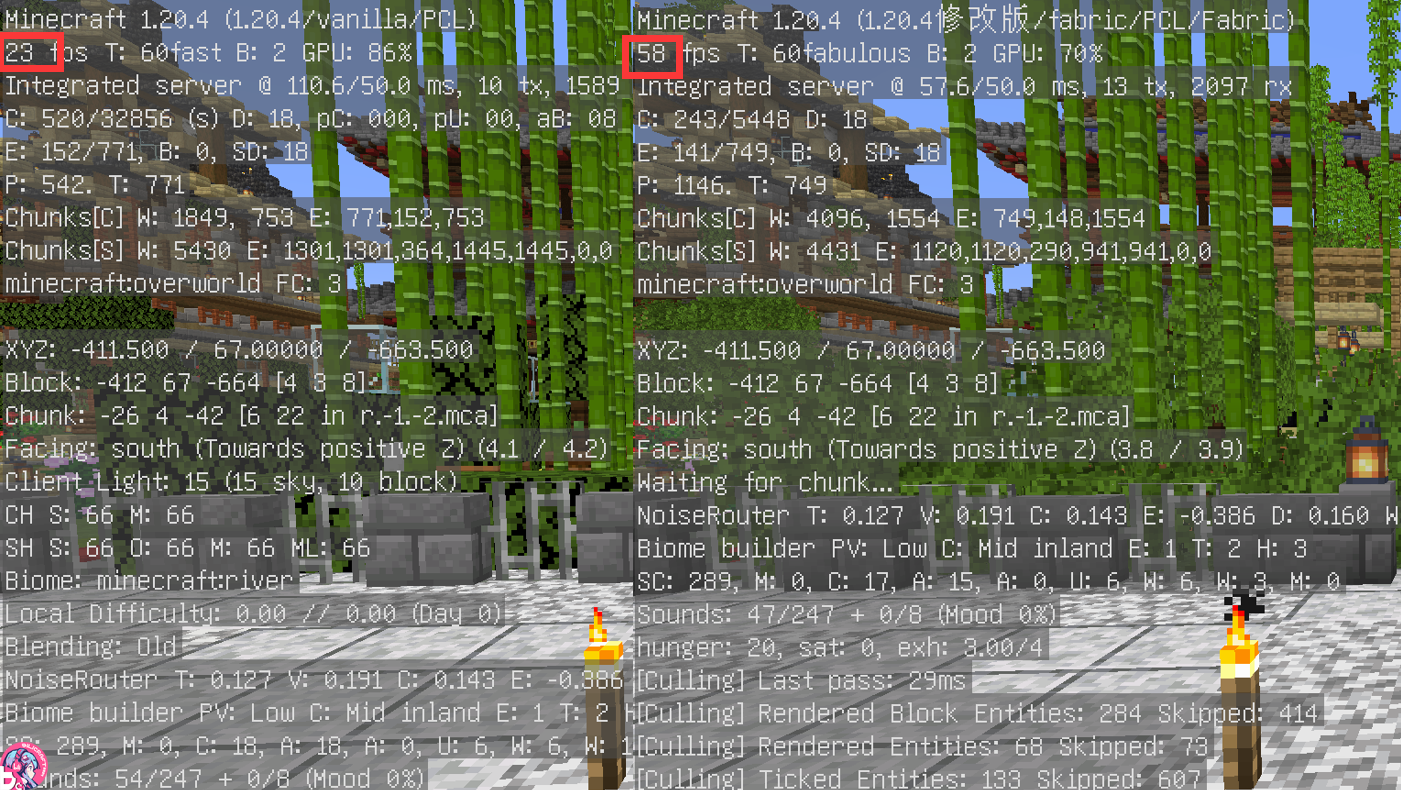
Improved your game experience and performance on vanilla multiplayer server.
Screenshots
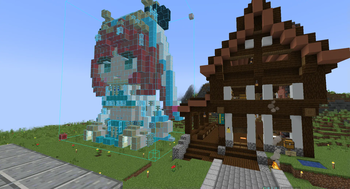
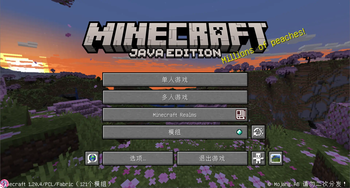
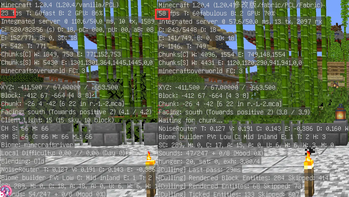
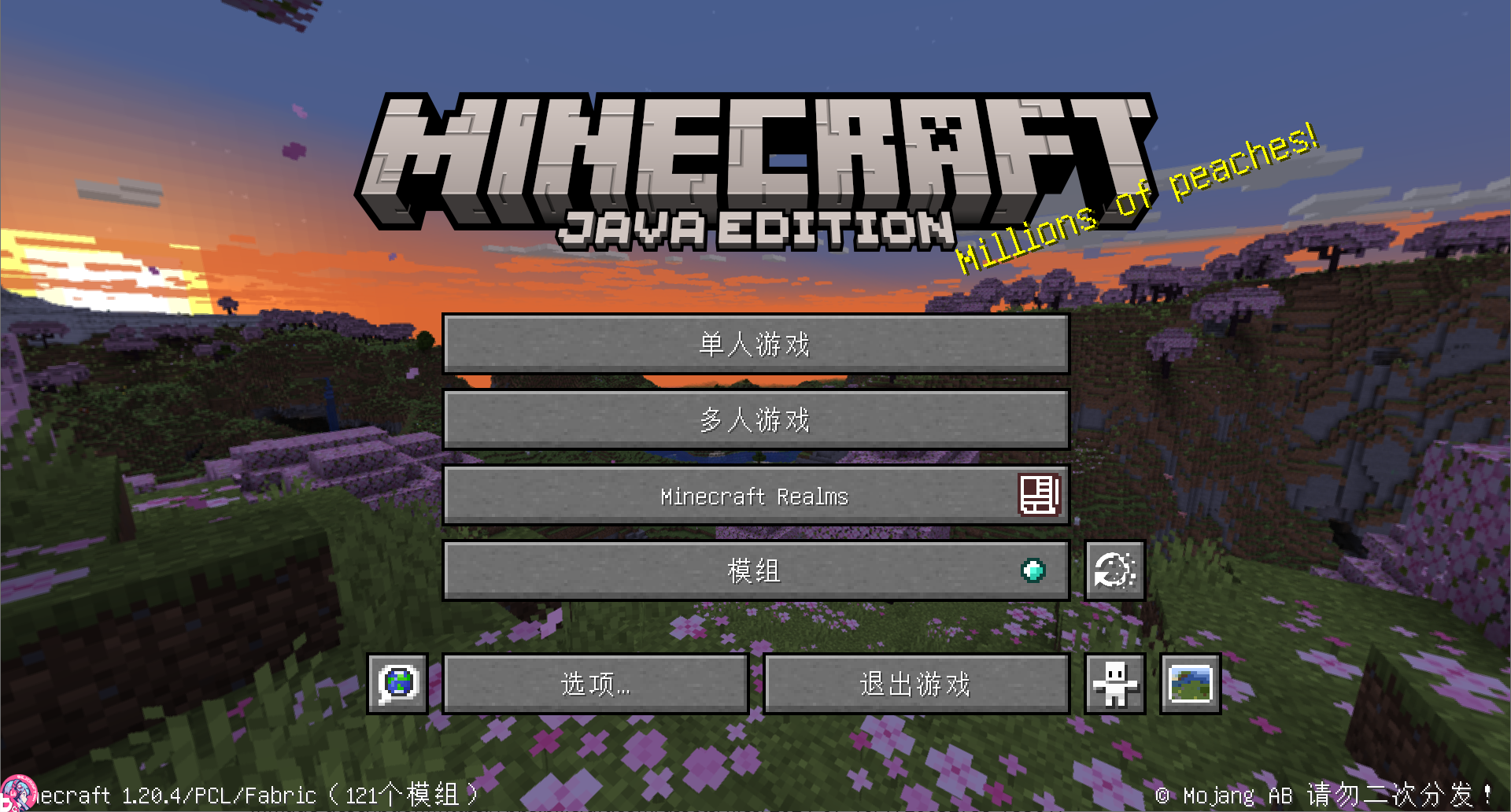
About this Modpack
这是我为Bilicraft服务器制作的一个原版整合包,其中集成了提高流畅度和改善游戏体验的模组以及一些光影和资源包,你也可以在本整合包的基础上添加更多的模组来丰富游戏。祝你玩的开心!
This is a Vanilla-based modpack I created for the Bilicraft server. It integrates mods that improve game smoothness and enhance the gameplay experience, along with some shaders and resource packs. You're also welcome to add more mods to this pack to further enrich your game. Have fun!
整合包中使用的模组 Mods used in Modpack
整合包模组一览(v1.2.1)
| 模组名称Mod Name | 附加名称Another Name | 版本Version | 前置模组Requires Mod | 介绍Description |
|---|---|---|---|---|
| fabric api | 0.97.2 | - | 提供一些基础的接口,允许其它模组注册物品、方块、模型、界面等 | |
| I18nUpdateMod | 自动汉化更新 | 3.5.5 | - | 唯一真神,为各类模组提供汉化支持 |
| Skin Layers 3D | 3D皮肤层 | 1.6.7 | - | 以 3D 立体的方式渲染玩家皮肤的第二层,使皮肤看起来更为立体并充满质感 |
| Xaero's Minimap | Xaero的小地图 | 24.4.0 | - | 用于 Minecraft 的旋转方形小地图 |
| Xaero's World Map | Xaero的世界地图 | 1.39.0 | - | 为游戏添加一个自动缓存的全屏地图 |
| AppleSkin | 苹果皮 | 2.5.1 | - | 添加了各种与食物和饥饿机制相关的 HUD 改进 |
| Just Enough Items | JEI物品管理器 | 17.3.1.4 | - | 是一个用于查看物品及配方的模组 |
| Just Enough Resources | JEI拓展 | 1.5.1.9 | JEI | 为JEI增加查看生物掉落,矿石层数,宝箱物品几率等功能 |
| Mod Menu | 模组菜单 | 9.2.0 | Text Placeholder API | 添加了一个可用于查看模组的列表 |
| Text Placeholder API | 文本占位符 API | 2.4.0 | - | 支持库 |
| Chat Heads | 聊天头像 | 0.13.3 | - | 在玩家所发送的信息前显示其皮肤头像 |
| ChatAnimation | 聊天动画 | 1.0.5 | - | 为聊天栏消息添加了淡入效果,并移除了消息指示器 |
| No Chat Reports | 禁用聊天举报 | 2.6.1 | - | 移除微软附加在每条聊天信息上的加密签名。移除这些签名后,微软就无法追踪你的聊天信息 |
| Replay Mod | 录像回放 | 2.6.14 | - | 记录、重温和分享你的游戏体验 |
| ContingameIME | 游戏内输入法续更版 | 1.0.7 | Fabric Language Kotlin、Cloth Config API、Architectury API | 使MC能够正常显示输入法候选条等叠加界面,省去玩家按“win+空格”输入汉字的烦恼 |
| Fabric Language Kotlin | 1.12.2 | - | 支持库 | |
| Cloth Config API | 13.0.138 | - | 支持库 | |
| Architectury API | 11.1.17 | - | 支持库 | |
| Sodium | 钠 | 0.5.8 | - | 渲染引擎暨优化模组,在修复一些图形问题的同时大大提高了渲染性能 |
| Iris Shaders | 光影 | 1.7.2 | Sodium | 光影渲染模组 |
| Sodium Extra | 钠·拓展 | 0.5.4 | Sodium | 增加多数opt的视效功能到钠中并修复一些错误 |
| Reese's Sodium Options | Reese的钠视频界面 | 1.7.2 | Sodium | 替换了 钠 (Sodium) 的选项屏幕 |
| LambDynamicLights | Lambd 的动态光源 | 2.3.4 | - | 为 Quilt 和 Fabric 开发的动态光源模组 |
| Clean F3 | 简洁F3 | 0.4.7 | MidnightLib | 移除游戏内调试界面的一些无用信息,使其更清晰明了,观感更好 |
| MidnightLib | 1.5.3 | - | 支持库 | |
| Dynamic FPS | 动态 FPS | 3.7.3 | - | 在游戏处于后台或最小化时降低游戏帧数减轻电脑负载 |
| Server Resourcepack Checker | 服务器资源包检查 | 1.2.2 | - | 在客户端已经加载服务端提供的资源包的情况下,在加入服务器时跳过加载服务器资源包这一过程 |
| MaLiLib | Masa's Litemod Library | 0.18.3 | - | Masa系列模组的前置支持库 |
| Tweakeroo | 0.19.3 | MaLiLib | 包含多种对原版游戏的优化、降低客户端卡顿、灵魂出窍,左右键连点等功能 | |
| TweakerMore | 3.21.0 | MaLiLib | 客户端微调工具箱,旨在提高游戏体验 | |
| TweakMyClient | 3.6.416(beta) | MaLiLib、MagicLib | ||
| MagicLib | 魔法类库 | 0.8.585 | - | 支持库 |
| Litematica | 投影 | 0.17.3 | MaLiLib | 可以通过投影来创建一个全息蓝图以帮助建造建筑或机器 |
| WorldEdit | 创世神 | 7.3.0 | - | 广受好评的建筑辅助插件 WorldEdit 创世神的模组版本 |
| WorldEditCUI | 创世神CUI | 1.20.3 | - | 将创世神确定的选区用彩色线条描出来,从而直观地反映选区边界 |
| Screenshot to Clipboard | 截图到剪贴板 | 1.0.9 | - | 玩家在游戏中的截图都会被自动复制到剪切板上 |
| Screenshot Viewer | 截图查看器 | 1.3.1 | - | 通过单击游戏标题屏幕或暂停菜单上的按钮来便捷地访问截图管理界面 |
| Noxesium | 多人游戏优化 | 1.2.2 | - | 能让玩家在大型多人服务器上游玩时获得显著的 FPS 提升 |
| Enhanced Block Entities | 方块实体优化 | 0.10.1 | - | 提高渲染方块实体的性能,并可通过资源包自定义方块实体 |
| Indium | 铟 | 1.0.31 | - | 支持库 |
| Controlling | 键位冲突显示 | 15.0.5 | Searchables | 添加了在控制菜单按名称搜索键位的功能,便于玩家查找键位,以及只显示冲突键位的功能 |
| Searchables | 1.0.6 | - | 支持库 | |
| Memory Leak Fix | 内存泄漏修复 | 1.1.5 | - | 修复了 Minecraft 中的多个内存泄漏问题 |
| ToroHealth Damage Indicators | 伤害显示续更版 | 1.20.2 | - | |
| Entity Culling | 实体渲染机制优化 | 1.7.0 | - | 使用异步路径跟踪跳过渲染不可见的实体和方块实体 |
| Pick Up Notifier | 拾取提示 | 20.4.2 | Forge Config API Port、Puzzles Lib | 提示包括你一段时间内拾起的所有物品和经验球,默认在屏幕右下角显示 |
| Forge Config API Port | 20.4.3 | - | 支持库 | |
| Puzzles Lib | 20.4.52 | - | 支持库 | |
| FerriteCore | 铁氧体磁芯 | 6.0.3 | - | 以几种不同的优化方式减少内存占用 |
| ModernFix | 现代化修复 | 5.17.0 | - | 一款集各类功能于一身的性能优化模组,可以提高性能、降低内存占用并修复MC中的许多问题 |
| Inventory Profiles Next | 一键背包整理Next | 1.10.10 | Fabric Language Kotlin、libIPN | 提供一键整理背包,替换损坏工具等功能 |
| libIPN | 1.20.4 | Fabric Language Kotlin | 一键背包整理 Next 的支持库 | |
| Remove Reloading Screen | 移除重载界面 | 4.0.3 | Cloth Config API | 移除了烦人的资源重载界面,让你能够在其重载时继续进行游戏 |
| Jade | 玉 | 13.3.1 | - | 提供信息HUD显示 |
| Tips | 提示 | 15.0.4 | Bookshelf | 在加载屏幕和其他界面左下角显示一些游戏提示 |
| Bookshelf | 23.1.11 | - | 支持库 |
整合包中使用的光影 Shaders used in Modpack
| Shaders 光影 | License 许可证 |
|---|---|
| ComplementaryReimagined_r5.3 | https://github.com/ComplementaryDevelopment/ComplementaryReimagined/blob/main/License.txt |
| photon_v1.0a | MIT |
| Bliss_v2.0.4 | https://github.com/X0nk/Bliss-Shader/blob/main/LICENSE.md |
| MakeUp-UtraFast-9.0.c | GNU Lesser General Public License v3 |
Available Versions
How to Set Up a 简单优化整合包 for Bilicraft Server
Order Server
Choose at least 4 GB RAM (6 GB recommended for 简单优化整合包 for Bilicraft). Based on player count: per 8 players.
Install Modpack in Dashboard
Open the modpack browser in the dashboard, search for "简单优化整合包 for Bilicraft" and click "Install". The fabric loader and Minecraft 1.20.4 are configured automatically.
Start Server & Play
Start the server – all mods are loaded automatically. Share the server IP with friends and play together!
Frequently Asked Questions
简单优化整合包 for Bilicraft server crashes or won't start – what to do?
Most common causes: insufficient RAM or wrong fabric loader. Check latest.log for "OutOfMemoryError" → increase RAM to at least 6 GB. For "Mixin" or "ClassNotFoundException" errors: modpack version and loader don't match. With Mado Hosting, loader and Minecraft version are auto-configured on modpack install – preventing most startup issues.
How much RAM does a 简单优化整合包 for Bilicraft server really need?
Minimum 4 GB, recommended 6 GB for stable performance. per 8 players. Important: Minecraft modpacks need more RAM than vanilla – plan extra per additional player. With Mado Hosting, you can scale RAM up live at any time without data loss (from €8/month).
Can I add custom mods to 简单优化整合包 for Bilicraft without conflicts?
Yes, but check compatibility: only use mods for the same loader (fabric) and same Minecraft version (1.20.4). Common issues: ID conflicts with recipe mods and incompatible coremod versions. The Mado dashboard mod browser only shows compatible mods and warns about known conflicts.
简单优化整合包 for Bilicraft server lagging – performance tips
1) Increase RAM to 6 GB+. 2) Reduce server view-distance to 8 (server.properties). 3) Pre-generate chunks with the "Chunky" plugin. 4) Use /spark profiler to check which mods consume the most tick time. With Mado Hosting, all servers run on NVMe SSDs with dedicated CPU cores – eliminating hardware as a bottleneck.
Similar Modpacks

![Cobblemon Official Modpack [Fabric]](https://cdn.modrinth.com/data/5FFgwNNP/e7f9ee2e9d361623847853fe2ddce42f519ee64f.png)
![COBBLEVERSE - Pokemon Adventure [Cobblemon]](https://cdn.modrinth.com/data/Jkb29YJU/581ecf54530972afb18a04660afd820f2f24f6c7.png)
![Better MC [FABRIC] - BMC2](https://cdn.modrinth.com/data/shFhR8Vx/a19c2bcb51d38f32f138d3607e91cb2b7b8e387f_96.webp)


Rent 简单优化整合包 for Bilicraft Server
Start your own server with automatic modpack installation.
Supported Versions
Start your 简单优化整合包 for Bilicraft Server now
From €8.00/month with 6 GB RAM for the best performance.
Configure Server →