
Simply Wynncraft
A simple and lightweight Wynncraft modpack
Screenshots
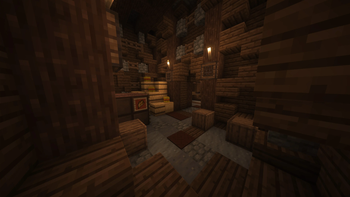
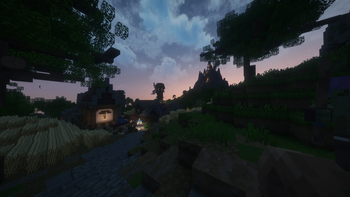

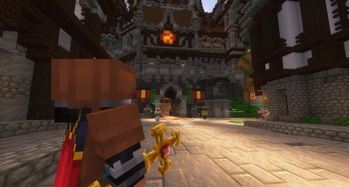
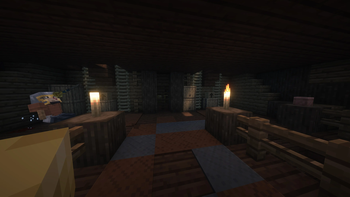
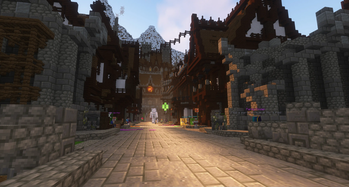
About this Modpack
Simply Wynncraft
UPDATED TO WYNNCRAFT: REKINDLED WORLD UPDATE 🔥🔥🔥
Currently on Minecraft 1.21.
A lightweight, Fabric-based modpack that includes essential performance related additions, as well as a few cosmetic changes that aim to enhance your experience in Wynncraft.
This modpack is meant for Wynncraft only.
Key Features
- Sodium and a suite of performance mods
- Wynntils the essential Wynncraft companion mod
- CameraOverhaul and Camera Utils for a more immersive experience
- Complementary Shaders - Reimagined edited with performance in mind
- Distant Horizons for increased render distance on the server
Installation
REQUIRES JAVA 21
Use your preferred MC launcher. Instructions here
Changelist
Version 2.0.0 Changes
Changes
- Updated to Minecraft version 1.21 to keep up with Wynntils
Added
- Concurrent Chunk Management Engine
- Controlling
- Distant Horizons
- Fzzy Config
- Indium
- Inventory Essentials
- kennytvs epic force close loading screen mod for fabric
- Krypton
- ModernFix
- Searchables
Removed
- Better Beds
- Bobby
- Borderless Mining
- Chunks Fade In
- ClickThrough
- Cull Less Leaves
- Drip Sounds
- FabricSkyBoxes
- FastAnim
- Forge Config API Port
- Global Packs
- LazyDFU
- Memory Leak Fix
- Mouse Wheelie
- Smooth Swapping
Version 1.2.0 Changes
Changes
- Updated to Minecraft version 1.20.2 to keep up with Wynntils
- Moved to Fabric from Quilt
Added
- Better Third Person
- Enhanced Block Entities
- Fabric API
- Fabric Language Kotlin
- Particle Core
Removed
- Better Biome Blend
- Clear Skies
- DashLoader
- Equipment Compare
- Extra Sounds (Ported)
- Fastload
- InvMove
- Legendary Tooltips
- Quilted Fabric API
- Smooth Boot
- Sound Categories (Ported)
- Starlight
Version 1.1.0 Changes
Added
- AmbientSounds
- Balm
- ClickThrough
- CreativeCore
- Debugify
- Default Options
- Drip Sounds
- Equipment Compare
- Extra Sounds (Ported)
- Forge Config API Port
- Global Packs
- Iceberg
- InvMove
- Language Reload
- Legendary Tooltips
- MoreChatHistory
- Mouse Wheelie
- PaperDoll
- Prism
- Sound Categories (Ported)
- Tiny Item Animations
- Wavey Capes
Removed
- AntiGhost
- Continuity
- Entity Collision FPS Fix
- FabricSkyBoxes Interop
- Indium
- Lazy Language Loader
- Fast Better Grass
Version 1.0.0 Changes
Initial release.
Disclaimer
I cannot guarantee that the mods in this list may or may not be compliant with the terms of the Wynncraft server.
Github not listed yet, join the Discord to address any issues.
Credits & Modlist
Credits 2.0.0
Mods
- 3D Skin Layers
- AmbientSounds
- Balm
- Better Third Person
- CameraOverhaul
- Camera Utils
- Cloth Config API
- Concurrent Chunk Management Engine
- Controlling
- CreativeCore
- Debugify
- Default Options
- Distant Horizons
- Dynamic FPS
- Eating Animation
- Enhanced Block Entities
- EntityCulling
- Fabric API
- Fabric Language Kotlin
- Falling Leaves
- FerriteCore
- First-person Model
- Fzzy Config
- Iceberg
- Forge Config API Port
- ImmediatelyFast
- Indium
- Inventory Essentials
- Iris
- kennytvs-epic-force-close-loading-screen-mod-for-fabric
- Krypton
- Language Reload
- Lithium
- Mod Menu
- ModernFix
- Model Gap Fix
- MoreChatHistory
- No Chat Reports
- Not Enough Animations
- PaperDoll
- Particle Core
- Presence Footsteps
- Prism
- Reese's Sodium Options
- Searchables
- Sodium
- Sodium Extra
- Tiny Item Animations
- Very Many Players
- Visuality
- Wavey Capes
- Wynntils
- YetAnotherConfigLib
If I am missing any additional credits, please reach out to me so I can fix that.
I acknowledge that any problems arising from the usage of this modpack are my responsibility.
Resource Packs
Shader Packs
- Complementary Shaders - Reimagined by EminGT
Credits 1.2.0
Mods
- 3D Skin Layers
- AmbientSounds
- Balm
- Better Beds
- Better Third Person
- Bobby
- Borderless Mining
- CameraOverhaul
- Camera Utils
- Chunks Fade In
- ClickThrough
- Cloth Config API
- CreativeCore
- Cull Less Leaves
- Debugify
- Default Options
- Drip Sounds
- Dynamic FPS
- Eating Animation
- Enhanced Block Entities
- EntityCulling
- Fabric API
- Fabric Language Kotlin
- FabricSkyBoxes
- Falling Leaves
- FastAnim
- FerriteCore
- First-person Model
- Global Packs
- Iceberg
- Forge Config API Port
- ImmediatelyFast
- Iris
- Language Reload
- LazyDFU
- Lithium
- Memory Leak Fix
- Mod Menu
- Model Gap Fix
- MoreChatHistory
- Mouse Wheelie
- No Chat Reports
- Not Enough Animations
- PaperDoll
- Particle Core
- Presence Footsteps
- Prism
- Reese's Sodium Options
- Smooth Swapping
- Sodium
- Sodium Extra
- Tiny Item Animations
- Very Many Players
- Visuality
- Wavey Capes
- Wynntils
- YetAnotherConfigLib
If I am missing any additional credits, please reach out to me so I can fix that.
I acknowledge that any problems arising from the usage of this modpack are my responsibility.
Resource Packs
Shader Packs
- Complementary Shaders by EminGT
- Complementary Shaders - Reimagined by EminGT
Credits 1.0.0 - 1.1.0
Mods
- 3D Skin Layers
- AmbientSounds
- Balm
- Better Beds
- Better Biome Blend
- Bobby
- Borderless Mining
- CameraOverhaul
- Camera Utils
- Chunks Fade In
- Clear Skies
- ClickThrough
- Cloth Config API
- CreativeCore
- Cull Less Leaves
- DashLoader
- Debugify
- Default Options
- Drip Sounds
- Dynamic FPS
- Eating Animation
- EntityCulling
- Equipment Compare
- Extra Sounds (ported)
- FabricSkyBoxes
- Falling Leaves
- Fastload
- FastAnim
- FerriteCore
- First-person Model
- Global Packs
- Iceberg
- Forge Config API Port
- ImmediatelyFast
- InvMove
- Iris
- Language Reload
- LazyDFU
- Legendary Tooltips
- Lithium
- Memory Leak Fix
- Mod Menu
- Model Gap Fix
- MoreChatHistory
- Mouse Wheelie
- No Chat Reports
- Not Enough Animations
- PaperDoll
- Presence Footsteps
- Prism
- Quilted Fabric API
- Reese's Sodium Options
- Smooth Boot
- Smooth Swapping
- Sodium
- Sodium Extra
- Sound Categories (ported)
- Starlight
- Tiny Item Animations
- Very Many Players
- Visuality
- Wavey Capes
- Wynntils
- YetAnotherConfigLib
If I am missing any additional credits, please reach out to me so I can fix that.
I acknowledge that any problems arising from the usage of this modpack are my responsibility.
Resource Packs
Shader Packs
Available Versions
How to Set Up a Simply Wynncraft Server
Order Server
Choose at least 6 GB RAM (8 GB recommended for Simply Wynncraft). Based on player count: per 5 players.
Install Modpack in Dashboard
Open the modpack browser in the dashboard, search for "Simply Wynncraft" and click "Install". The fabric loader and Minecraft 1.21 are configured automatically.
Start Server & Play
Start the server – all mods are loaded automatically. Share the server IP with friends and play together!
Frequently Asked Questions
Simply Wynncraft server crashes or won't start – what to do?
Most common causes: insufficient RAM or wrong fabric loader. Check latest.log for "OutOfMemoryError" → increase RAM to at least 8 GB. For "Mixin" or "ClassNotFoundException" errors: modpack version and loader don't match. With Mado Hosting, loader and Minecraft version are auto-configured on modpack install – preventing most startup issues.
How much RAM does a Simply Wynncraft server really need?
Minimum 6 GB, recommended 8 GB for stable performance. per 5 players. Important: Minecraft modpacks need more RAM than vanilla – plan extra per additional player. With Mado Hosting, you can scale RAM up live at any time without data loss (from €12/month).
Can I add custom mods to Simply Wynncraft without conflicts?
Yes, but check compatibility: only use mods for the same loader (fabric) and same Minecraft version (1.21). Common issues: ID conflicts with recipe mods and incompatible coremod versions. The Mado dashboard mod browser only shows compatible mods and warns about known conflicts.
Simply Wynncraft server lagging – performance tips
1) Increase RAM to 8 GB+. 2) Reduce server view-distance to 8 (server.properties). 3) Pre-generate chunks with the "Chunky" plugin. 4) Use /spark profiler to check which mods consume the most tick time. With Mado Hosting, all servers run on NVMe SSDs with dedicated CPU cores – eliminating hardware as a bottleneck.
Rent Simply Wynncraft Server
Start your own server with automatic modpack installation.
Supported Versions
Start your Simply Wynncraft Server now
From €12.00/month with 8 GB RAM for the best performance.
Configure Server →