
Simply Multiplayer
a Modpack for optimization and multiplayer! 1.20.2 Support!
Screenshots
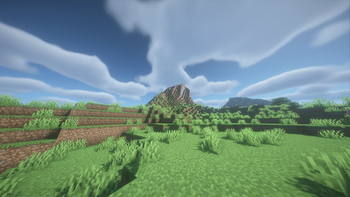
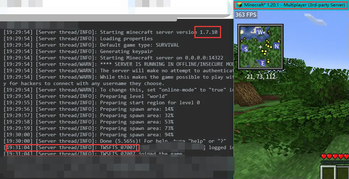
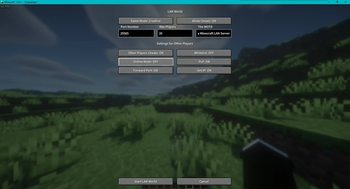
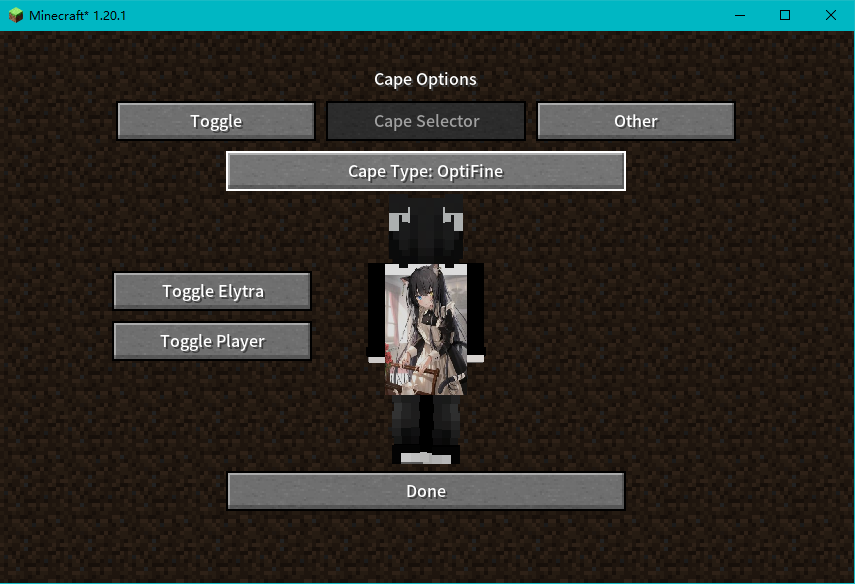
About this Modpack
English Description
WARNING:
Please try to play Simply Multiplayer on devices with NVIDIA graphics cards installed to achieve better optimization and stability. This optimization theory supports NVIDIA GeForce GT 1030 and above graphics cards.
If you want import modpack in yourself launcher,please use support import MultiMC Format's Launcher.(such as Hello! Minecraft Launcher)all of version have a MultiMC Format zip archive in version changelog.
Download "Hello! Minecraft Launcher" in Github repo
NOTE:
The English version of this content is provided by the machine, and there may be some differences in the description between it and the Chinese version. Please understand.
This Modpack already comes with its own configuration file, and you can also custom the configuration file through the Mod Menu.
Summary
Modpack based on Fabric/Qulit is generally suitable for survival mode or Redstone Technology servers.
Thanks to MODs such as Sodium and Lithium, the extremely unstable frame count of the original version can be increased to 100 or even 200 FPS! This will greatly enhance your Redstone technology or survival experience.
Shader compatibility
Based on Iris are open source, free, and more modern features, more and more light and shadow devices are gradually supporting Iris. Compared to OptiFine, Iris is lighter in player experience and has better compatibility, making it easier for developers to make rendering adaptations or light and shader support. You can search for Shaders that support Iris on Modrinth.
Lightweight
This Modpack is based on Fabric/Qulit Loader, which is lighter for Forge and theoretically has a much faster loading speed. Now, the slow loading speed has become a thing of the past!
中文介绍
警告:
请尽量在安装了 NVIDIA 显卡的设备上游玩该整合包,以达到更好的性能及稳定性。该优化效果理论支持 NVIDIA GeForce GT 1030 及以上的显卡。
如果你想在自己的启动器中导入整合包,请务必使用支持导入 MultiMC 格式的启动器。例如:Hello! Minecraft Launcher(即 HMCL)或 Plain Craft Launcher 2(即 PCL2)。任何一个版本都拥有自己的 MultiMC 格式文件下载地址,一般链接会写在 ChangeLog 中。对于部分网络不友好的用户来说,请务必使用魔法上网,因为文件存储在 Goolgle Drive 当中。
注意:
此整合包已经自带了配置文件,你也可以使用模组菜单自定义配置文件。
简介
该整合包基于 Fabric/Qulit,可用于生存或红石生电服务器。
得益于 Sodium 和 Lithium 等 MOD,原版极其不稳定的帧数可以稳定到到 100 甚至 200 FPS!这将大大增加游玩红石生电或生存服务器的游戏体验。
光影兼容性
基于开源、免费、更现代化的 Iris,因为其开源的特性,越来越多的光影正在逐步支持 Iris。与 OptiFine 相比,Iris 的体验上是更轻量,兼容性更好,使开发者更容易调试渲染以及支持光影。你可以在 Modrinth 上寻找支持 Iris 的光影。
轻量
此整合包基于 Fabric 与 Qulit,相对于 Forge 来说更轻量,理论上加载速度更快。现在,缓慢的加载速度已经成为了过去式!
Available Versions
How to Set Up a Simply Multiplayer Server
Order Server
Choose at least 4 GB RAM (6 GB recommended for Simply Multiplayer). Based on player count: per 8 players.
Install Modpack in Dashboard
Open the modpack browser in the dashboard, search for "Simply Multiplayer" and click "Install". The fabric loader and Minecraft 1.20.2 are configured automatically.
Start Server & Play
Start the server – all mods are loaded automatically. Share the server IP with friends and play together!
Frequently Asked Questions
Simply Multiplayer server crashes or won't start – what to do?
Most common causes: insufficient RAM or wrong fabric loader. Check latest.log for "OutOfMemoryError" → increase RAM to at least 6 GB. For "Mixin" or "ClassNotFoundException" errors: modpack version and loader don't match. With Mado Hosting, loader and Minecraft version are auto-configured on modpack install – preventing most startup issues.
How much RAM does a Simply Multiplayer server really need?
Minimum 4 GB, recommended 6 GB for stable performance. per 8 players. Important: Minecraft modpacks need more RAM than vanilla – plan extra per additional player. With Mado Hosting, you can scale RAM up live at any time without data loss (from €8/month).
Can I add custom mods to Simply Multiplayer without conflicts?
Yes, but check compatibility: only use mods for the same loader (fabric) and same Minecraft version (1.20.2). Common issues: ID conflicts with recipe mods and incompatible coremod versions. The Mado dashboard mod browser only shows compatible mods and warns about known conflicts.
Simply Multiplayer server lagging – performance tips
1) Increase RAM to 6 GB+. 2) Reduce server view-distance to 8 (server.properties). 3) Pre-generate chunks with the "Chunky" plugin. 4) Use /spark profiler to check which mods consume the most tick time. With Mado Hosting, all servers run on NVMe SSDs with dedicated CPU cores – eliminating hardware as a bottleneck.
Similar Modpacks

![Cobblemon Official Modpack [Fabric]](https://cdn.modrinth.com/data/5FFgwNNP/e7f9ee2e9d361623847853fe2ddce42f519ee64f.png)
![COBBLEVERSE - Pokemon Adventure [Cobblemon]](https://cdn.modrinth.com/data/Jkb29YJU/581ecf54530972afb18a04660afd820f2f24f6c7.png)
![Better MC [FABRIC] - BMC2](https://cdn.modrinth.com/data/shFhR8Vx/a19c2bcb51d38f32f138d3607e91cb2b7b8e387f_96.webp)


Rent Simply Multiplayer Server
Start your own server with automatic modpack installation.
Supported Versions
Start your Simply Multiplayer Server now
From €8.00/month with 6 GB RAM for the best performance.
Configure Server →