
Sintiponium
A mod pack aimed at optimizing and improving the gameplay
Screenshots

About this Modpack
[ENG]
Syntiponium is a mod pack aimed at optimizing and improving the gameplay. You can use it for both singleplayer and servers.
Visual and other improvements:
- ImmersiveUI (Inventory and hotbar improvements)
- Legendary Tooltips (beautiful tooltips)
- Blur+ (improved blur)
- Better Clouds (improved clouds)
- Camera overhaul (improved camera)
- Chat Heads (player heads in chat)
- Chat Animation (smooth chat)
- Fog (improved fog)
- Explosive Enhancement (improved explosions)
- Particle Rain (improved rain)
- Presence Footsteps (improved walking sounds)
- Sounds (various sounds for interfaces)
- Smooth Gui (smooth interface appearance)
- Smooth Scrolling Refurbished (smooth scrolling)
Features from Optifine:
- Zoomify (zoom)
- RyoamicLights (dynamic lighting)
- Continuity (connection, glow and random blocks)
- CIT Resewn (custom textures, models for items)
- Entity Model Features & EntityTexture Features (emissive, glowing, custom, random textures and models for mobs/players)
QoL mods:
- Action Bar info (coordinates above the inventory)
- Durability Tooltip (show durability without extended tooltips)
- Custom Scoreboard (settings for score boards)
- Crosshair Tweaks (settings for the crosshair)
- Freecam (Modrinth Edition) (free camera but without block collision)
- Gamma Utils (custom gamma)
- Inventory Profiles Next (sorting inventory, replenishing blocks, etc.)
- Mouse Tweaks (improved cursor functionality)
- Shuffle (random installation of blocks)
- Shulker Box Tooltip (quick view of contents in shulker)
- ShutUpDeadEntities (silences mobs after killing them, for example, the cry of the ender man)
- Totem Small pop (small totem animation)
- Xaero's World Map (world map)
- Stendhal (emoticons in chat, books, on signs, text formatting)
Useful mods for builders:
- Litematica
- Axiom
- WorldEdit
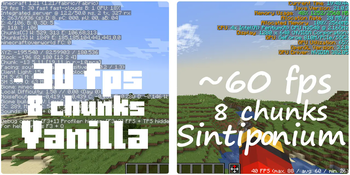
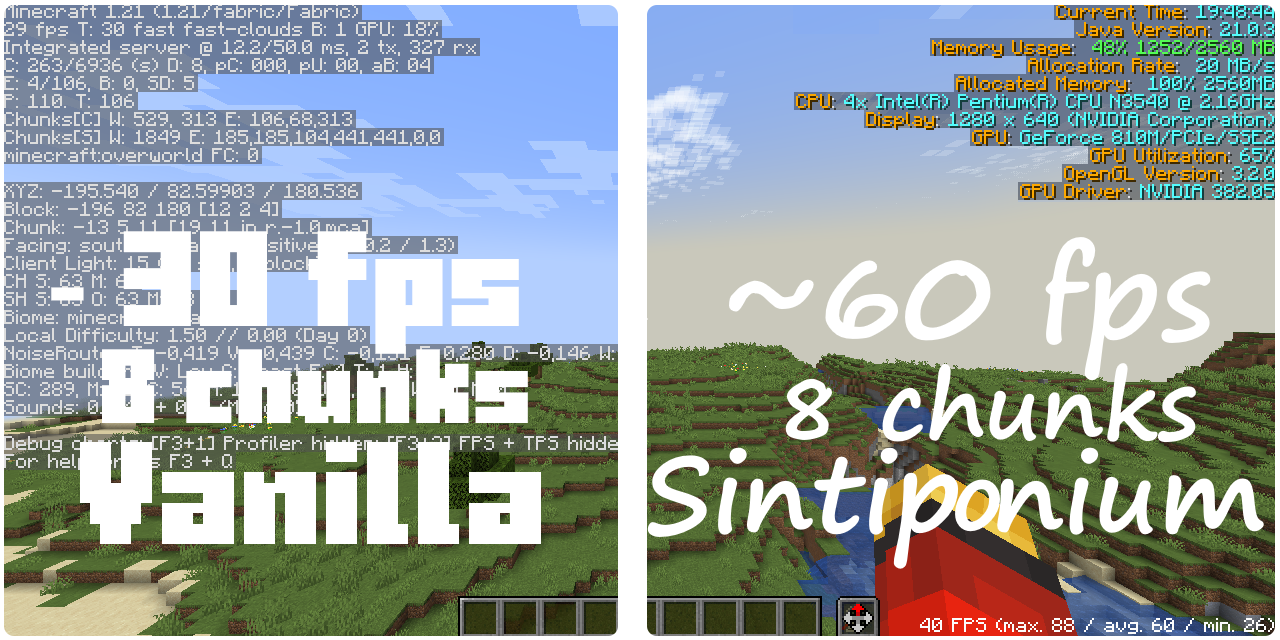
In game test (potato PC)
There is also a custom Minecraft title.
[RU]
Синтипониум - это мод пак нацеленный на оптимизацию и улучшение игрового процесса. Вы можете его использовать как для одиночной игры, так и для серверов.
Визуальные и не только улучшения:
- ImmersiveUI (Улучшения для инвентаря и хот бара)
- Legendary Tooltips (красивые подсказки к предметам)
- Blur+ (улучшенный блюр)
- Better Clouds (улучшенные облока)
- Camera overhaul (улучшенная камера)
- Chat Heads (головы игроков в чате)
- Chat Animation (плавный чат)
- Fog (улучшенный туман)
- Explosive Enhancement (улучшенные взрывы)
- Particle Rain (улучшенный дождь)
- Presence Footsteps (улучшенные звуки ходьбы)
- Sounds (различные звуки для интерфейсов)
- Smooth Gui (плавное появление интерфейсов)
- Smooth Scrolling Refurbished (плавный скроллинг)
Фичи из Optifine:
- Zoomify (зум)
- RyoamicLights (динамическое освещение)
- Continuity (соединение, свечение и случайные блоки)
- CIT Resewn (установка кастомных тексур, моделей для предметов при помощи ресурс паков)
- Entity Model Features & Entity Texture Features (светящейся, сияющие, кастомные, рандомные текстурки и модельки для мобов/игроков)
QoL дополнения:
- Action Bar info (координаты над инвентарём)
- Durability Tooltip (показ прочности без расширенных подсказок)
- Custom Scoreboard (настройки для скор бордов)
- Crosshair Tweaks (настройки для прицела)
- Freecam(Modrinth Edition) (свободная камера но без коллизии блоков)
- Gamma Utils (настраиваемая гамма)
- Inventory Profiles Next (сортировка инвентаря, пополнение блоков и т.д.)
- Mouse Tweaks (улучшенный функционал курсора)
- Shuffle (рандомная установка блоков)
- Shulker Box Tooltip (быстрый просмотр содержимого в шалкере)
- ShutUpDeadEntities (заставляет замолчать мобов после их убийства, к примеру, крик эндер мена)
- Totem Small pop (маленькая анимация тотема)
- Xaero's World Map (карта мира)
- Stendhal (смайлики в чате, книжках, на табличках, форматирование текста)
Полезные моды для строителей:
- Litematica
- Axiom
- WorldEdit
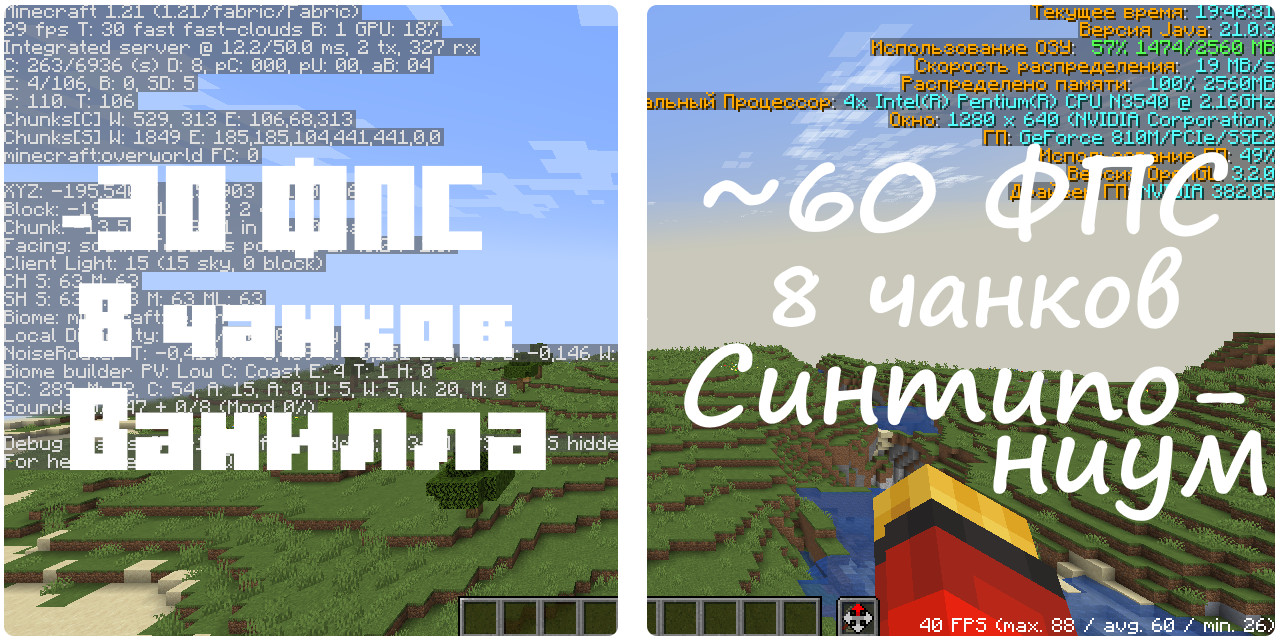
Тест в игре (комп-картошка)
Также присутствует кастомный Майнкрафт тайтл.
Available Versions
How to Set Up a Sintiponium Server
Order Server
Choose at least 4 GB RAM (6 GB recommended for Sintiponium). Based on player count: per 8 players.
Install Modpack in Dashboard
Open the modpack browser in the dashboard, search for "Sintiponium" and click "Install". The fabric loader and Minecraft 1.21 are configured automatically.
Start Server & Play
Start the server – all mods are loaded automatically. Share the server IP with friends and play together!
Frequently Asked Questions
Sintiponium server crashes or won't start – what to do?
Most common causes: insufficient RAM or wrong fabric loader. Check latest.log for "OutOfMemoryError" → increase RAM to at least 6 GB. For "Mixin" or "ClassNotFoundException" errors: modpack version and loader don't match. With Mado Hosting, loader and Minecraft version are auto-configured on modpack install – preventing most startup issues.
How much RAM does a Sintiponium server really need?
Minimum 4 GB, recommended 6 GB for stable performance. per 8 players. Important: Minecraft modpacks need more RAM than vanilla – plan extra per additional player. With Mado Hosting, you can scale RAM up live at any time without data loss (from €8/month).
Can I add custom mods to Sintiponium without conflicts?
Yes, but check compatibility: only use mods for the same loader (fabric) and same Minecraft version (1.21). Common issues: ID conflicts with recipe mods and incompatible coremod versions. The Mado dashboard mod browser only shows compatible mods and warns about known conflicts.
Sintiponium server lagging – performance tips
1) Increase RAM to 6 GB+. 2) Reduce server view-distance to 8 (server.properties). 3) Pre-generate chunks with the "Chunky" plugin. 4) Use /spark profiler to check which mods consume the most tick time. With Mado Hosting, all servers run on NVMe SSDs with dedicated CPU cores – eliminating hardware as a bottleneck.
Similar Modpacks


![Cobblemon Official Modpack [Fabric]](https://cdn.modrinth.com/data/5FFgwNNP/e7f9ee2e9d361623847853fe2ddce42f519ee64f.png)
![COBBLEVERSE - Pokemon Adventure [Cobblemon]](https://cdn.modrinth.com/data/Jkb29YJU/581ecf54530972afb18a04660afd820f2f24f6c7.png)
![Better MC [FABRIC] - BMC2](https://cdn.modrinth.com/data/shFhR8Vx/a19c2bcb51d38f32f138d3607e91cb2b7b8e387f_96.webp)

Rent Sintiponium Server
Start your own server with automatic modpack installation.
Supported Versions
Start your Sintiponium Server now
From €8.00/month with 6 GB RAM for the best performance.
Configure Server →