
Skyblock Customized
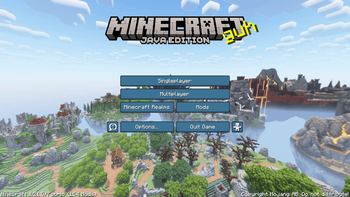
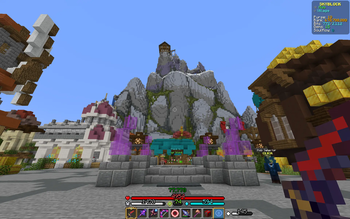
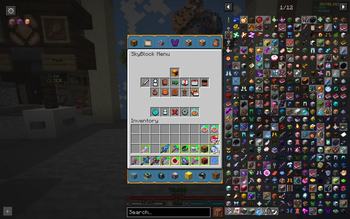
A pre-configured Hypixel Skyblock modpack for the newer minecraft versions! Comes with a list of all settings and changes for every update.
Screenshots
About this Modpack
All use of modifications on Hypixel is at your own risk! Hypixel Allowed Modifications
The modpack includes (as of version 1.6.4) In-Game Account Swithcer. If used, NEVER send the folder listed as "_IAS_ACCOUNTS_DO_NOT_SEND_TO_ANYONE" to ANYONE. If you do, they have information on how to secure your account, "Stolen Accounts".
You should never store your accounts unencrypted.
Skyblock Customized is a fully customized and pre-configured modpack designed to simplify the process of setting up mods for Hypixel Skyblock players on 1.21.5. It includes all essential settings pre-selected and documented in a sheet, offering a seamless, ready-to-use experience with everything needed for optimal gameplay right from the start. This project was created to save players the frustration and time of manual mod setup, given the recent Foraging Update, which has started pushing players to move to 1.21.5.
The google drive folder for the project can be found here.
The data sheet of all toggled settings in the most recent version can also be found in the google drive folder.
Please respect individual mod licenses!
Project Versioning
Project versions: x.y.z
(x) For large changes and releases
(y) For mod updates
(z) For setting updates
Modpack Setup Steps
How to fully set up the modpack:
Download and run the modpack
Customize your Minecraft settings
Open the skyblocker config menu in Mods -> Skyblocker -> Other Locations -> The rift
Input your McGrubber Stacks number. If you do not know what that is, leave it at 0.
When using the rift, go to Mods -> Skycubed -> Hidden action bar elements and turn on Mana.
Check the message remover under Mods -> Skycubed -> Chat -> Messages to clean. These messages get removed from chat. This section is set up using Regular expressions. https://regex101.com/ can be used to make more.
Custom Keybonds and Commands
/dh - warps to the Dungeon Hub
F1 while hovering on an item - Opens the wiki page for that item in your browser
F6 while hovering on an item - Searches the auction house or bazaar for the item
Middle mouse click on chat - Copy hovered message
Buttons in inventory are under Mods -> Skyblocker -> Quick Navigation
Credits:
Furfsky Reborn: https://furfsky.net/
Vanilla Tweaks: https://vanillatweaks.net/
Available Versions
How to Set Up a Skyblock Customized Server
Order Server
Choose at least 6 GB RAM (10 GB recommended for Skyblock Customized). Based on player count: per 4 players.
Install Modpack in Dashboard
Open the modpack browser in the dashboard, search for "Skyblock Customized" and click "Install". The fabric loader and Minecraft 1.21.5 are configured automatically.
Start Server & Play
Start the server – all mods are loaded automatically. Share the server IP with friends and play together!
Frequently Asked Questions
Skyblock Customized server crashes or won't start – what to do?
Most common causes: insufficient RAM or wrong fabric loader. Check latest.log for "OutOfMemoryError" → increase RAM to at least 10 GB. For "Mixin" or "ClassNotFoundException" errors: modpack version and loader don't match. With Mado Hosting, loader and Minecraft version are auto-configured on modpack install – preventing most startup issues.
How much RAM does a Skyblock Customized server really need?
Minimum 6 GB, recommended 10 GB for stable performance. per 4 players. Important: Minecraft modpacks need more RAM than vanilla – plan extra per additional player. With Mado Hosting, you can scale RAM up live at any time without data loss (from €12/month).
Can I add custom mods to Skyblock Customized without conflicts?
Yes, but check compatibility: only use mods for the same loader (fabric) and same Minecraft version (1.21.5). Common issues: ID conflicts with recipe mods and incompatible coremod versions. The Mado dashboard mod browser only shows compatible mods and warns about known conflicts.
Skyblock Customized server lagging – performance tips
1) Increase RAM to 10 GB+. 2) Reduce server view-distance to 8 (server.properties). 3) Pre-generate chunks with the "Chunky" plugin. 4) Use /spark profiler to check which mods consume the most tick time. With Mado Hosting, all servers run on NVMe SSDs with dedicated CPU cores – eliminating hardware as a bottleneck.
Rent Skyblock Customized Server
Start your own server with automatic modpack installation.
Supported Versions
Start your Skyblock Customized Server now
From €12.00/month with 10 GB RAM for the best performance.
Configure Server →