
SBModernized (SkyBlock)
Experience Hypixel SkyBlock with optimization, beauty, and quality-of-life
Screenshots
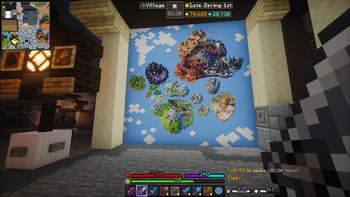
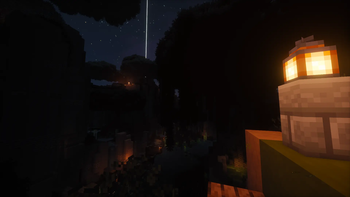


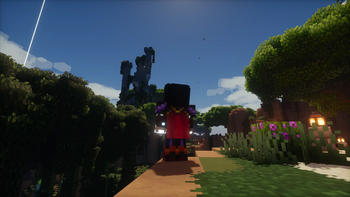
About this Modpack
[ PROJECT DISCONTINUED ]
I've left Skyblock and don't plan on maintaining this modpack. The license is just a slightly modified MIT License, you can use this project however you like.
SBModernized
A modpack designed specifically for Hypixel SkyBlock on modern versions.
Goodbye, 1.8.9, you will be missed...
The SBModernized mod-pack will be developed over time to be optimized, pretty, and modifiable.
Bellow is a list of all mods and resource-packs that are purely visual which you may disable, from most potential performance impact to least (not everyone has a great PC).
Purely Cosmetic Mods and Resource-Packs
Note: Iris Shaders is not included as the shaders are disabled by default in-game.
High Performance Impact
- Detailed Animations (res)
- Sound Physics Remastered
- Particular Reforged
- Particle Rain
Partial Performance Impact
- Bobby
- Cool Rain
- Visuality
- Essential
- FA: Spiders (res)
- Furfsky Reborn (res)
- SkyCubed
Miniscular Performance Impact
- AmbientSounds
- Better Clouds
- Chat Heads
- FancyMenu
- Model Gap Fix
- Mod Menu
- Sodium Extra
How to Use
This modpack is intended to be out-of-box play, but here I'll have helpful tips and potential issues you may run into.
Requirements
- Memory:
- [Minimum] 6 GB RAM (3 GB Allocated)
- [Recommended] 12 GB RAM (6 GB Allocated)
- Storage: 1 GB available storage
Setup
- Open this page in the Modrinth App or Prism Launcher and install your desired version of the pack.
- Set allocated memory to at least 2.5 GB, or use the recommended settings. Be sure to not set it too high and that third-party applications aren't taking too much of your memory (common culprits are browsers and Discord).
- Modrinth App:
Gear Icon > Java and Memory > Memory allocated - Prism Launcher:
Edit > Settings > Java > Memory - 2560 MB Minimum Allocated
- 6-8 GB RAM: 3 GB Allocated
- 12-16 GB RAM: 6 GB Allocated
- 24-32 GB RAM: 8 GB Allocated
- Modrinth App:
- You can also set a custom window size or set fullscreen if desired, then start the game.
- Before joining Hypixel, you should go to
Options > Resource Packs, optionally enabled/disable any you like or dislike, then clickDoneto be sure all the resource packs load properly. - You can change some settings before starting, but to change certain settings involving UI for mods like Skyblocker, SkyHanni, etc. you must join Hypixel SkyBlock.
Now you should be ready to just play! If you are playing in a resolution other than 1920x1080 you can change the UI as you go, referring to the below tips if needed.
Resource Packs
It's recommended that you keep all the packs as-is, but here are the purposes of some of the packs.
- FurfSky Reborn, Sophie's Enchant Books, and Arkudii's Detailed Skyblock are all highly recommended (if you have poor performance, please try disabling other visual mods or packs first). FurfSky is one of the largest SkyBlock item resource packs with textures for almost every custom item in SkyBlock. Sophie's Enchant Books help distinguish enchantment books' textures, making organization much easier. Arkudii's Detailed Skyblock is smaller, but adds some additional improvements to the environments that I believe will be well appreciated.
- FreshAnimations and its add-ons are for more lively mob animations. Pretty well optimized and should work fine in most situations. This is purely preference.
- Detailed Animations has beautiful player animations, which also apply to NPCs and some enemies. Not as optimized as other packs, disable if needed.
- Crops & Foliage Variations is for prettier crops. May have a performance hit on the garden or farm, but it seems to be well optimized.
- Serified Font is another preference thing. Has no performance impact and functions perfectly in all the UIs, and to some may look a lot better than Vanilla.
Try to keep the resource packs in their default order.
Visuals & Audio
Resolution
Because SBModernized was made for 1920x1080 monitors and optimized for my mid-level PC, other resolutions and PCs may need many changes to the HUD and graphics settings.
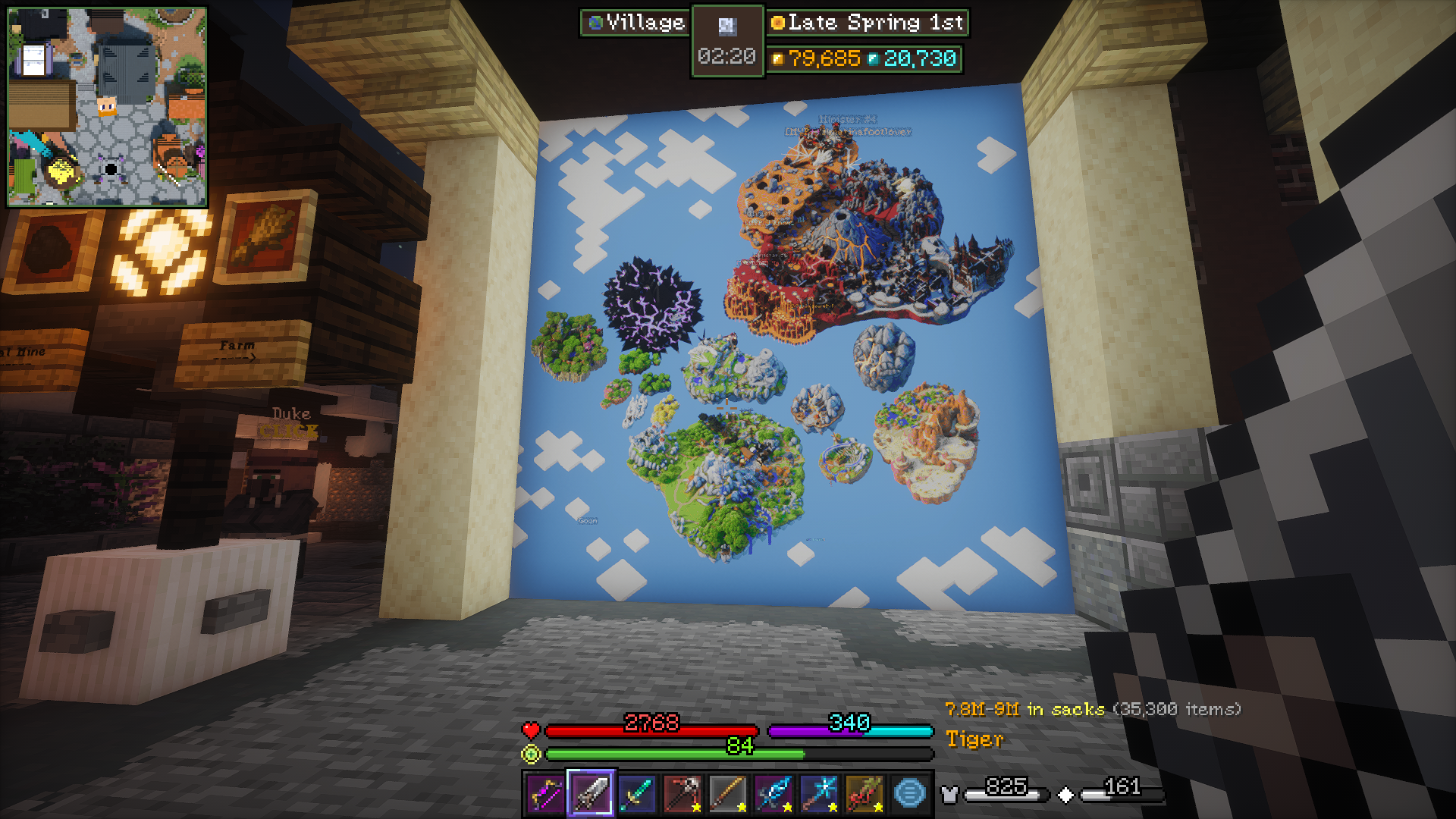
There will be screenshots of different areas of the game with notes on which parts of the HUD are from what mods.
Shaders
They work with a good PC; not high-end level but better than most.
If the shaders don't run well for you, I recommend primarily playing with them off, then toggling the shaders with K when you want some nicer scenery while Fishing, Foraging, or Hunting.
Clouds
For optimization, clouds are disabled on all the default shaders and we instead use Better Clouds, which still look good without being taxing on performance.
Sound Physics
One included mod, Sound Physics, will not be for everyone. Set Friendly Mob and Hostile Mob sounds to 40%, then disable Sound Physics if you don't like the audio (you can do this in the config or in the modrinth content menu).
User-Interface
SkyHanni: Use key Backslash in-game to modify some of the hud. This will likely need lots of editing if you use a resolution other than 1920x1080. It's UI includes the Custom Scoreboard, Sacks value display, location pathing, and more.
SkyBlocker: Use command /widget to modify SkyBlocker's Tablist widgets and some of its hud. Also /skyblocker for several other options, including /skyblocker bars for customizing the bars above the hotbar.
SkyCubed: Use command /skycubed to access SkyCubed's settings. You can also drag its map and info display (box with current time) by opening chat.
Controls
Common Keybinds: Go to Options > Controls > Key Binds then use the search bar to find specific binds or browse all.
SkyBlocker Shortcuts: Use command /skyblocker shortcuts then scroll down to change any keybinds you wish to, including adding or removing any (note: press 'Esc' after setting any keybind).
Below are some notable keybinds (_all command binds are in SkyBlocker).
- M: Open Map (Skycubed)
- Left Alt (hold): Show tab secondary view (Skyblocker)
- C: Equipment Menu
/equipment - G: Bags Menu
/bags - H: Hunting Box
/huntingbox - B: Booster Cookie Menu
/boostercookie - U: Wardrobe Menu
/wardrobe - I: Storage Menu
/storage - P: Pets Menu
/pets - Backslash (\): Modify Skyhanni HUD
- Numpad 0: Warp Menu
/warp - Numpad Period: Warp to Hub
/hub
See all default keybinds in the Default Options config
More Info
Please report any issues you have to the GitHub page with details on how they may have occured, how to recreate the issue, what configs you've modified, etc. Please be sure you're on the latest version, that the issue isn't already submitted, and that the issue isn't exclusive to a single mod (in which case you must open an issue on the mod's page not SBM's).
Available Versions
How to Set Up a SBModernized (SkyBlock) Server
Order Server
Choose at least 6 GB RAM (10 GB recommended for SBModernized (SkyBlock)). Based on player count: per 4 players.
Install Modpack in Dashboard
Open the modpack browser in the dashboard, search for "SBModernized (SkyBlock)" and click "Install". The fabric loader and Minecraft 1.21.10 are configured automatically.
Start Server & Play
Start the server – all mods are loaded automatically. Share the server IP with friends and play together!
Frequently Asked Questions
SBModernized (SkyBlock) server crashes or won't start – what to do?
Most common causes: insufficient RAM or wrong fabric loader. Check latest.log for "OutOfMemoryError" → increase RAM to at least 10 GB. For "Mixin" or "ClassNotFoundException" errors: modpack version and loader don't match. With Mado Hosting, loader and Minecraft version are auto-configured on modpack install – preventing most startup issues.
How much RAM does a SBModernized (SkyBlock) server really need?
Minimum 6 GB, recommended 10 GB for stable performance. per 4 players. Important: Minecraft modpacks need more RAM than vanilla – plan extra per additional player. With Mado Hosting, you can scale RAM up live at any time without data loss (from €12/month).
Can I add custom mods to SBModernized (SkyBlock) without conflicts?
Yes, but check compatibility: only use mods for the same loader (fabric) and same Minecraft version (1.21.10). Common issues: ID conflicts with recipe mods and incompatible coremod versions. The Mado dashboard mod browser only shows compatible mods and warns about known conflicts.
SBModernized (SkyBlock) server lagging – performance tips
1) Increase RAM to 10 GB+. 2) Reduce server view-distance to 8 (server.properties). 3) Pre-generate chunks with the "Chunky" plugin. 4) Use /spark profiler to check which mods consume the most tick time. With Mado Hosting, all servers run on NVMe SSDs with dedicated CPU cores – eliminating hardware as a bottleneck.
Similar Modpacks
![Cobblemon Official Modpack [Fabric]](https://cdn.modrinth.com/data/5FFgwNNP/e7f9ee2e9d361623847853fe2ddce42f519ee64f.png)
![COBBLEVERSE - Pokemon Adventure [Cobblemon]](https://cdn.modrinth.com/data/Jkb29YJU/581ecf54530972afb18a04660afd820f2f24f6c7.png)
![Better MC [FABRIC] - BMC2](https://cdn.modrinth.com/data/shFhR8Vx/a19c2bcb51d38f32f138d3607e91cb2b7b8e387f_96.webp)


![Better MC [FORGE] - BMC4](https://cdn.modrinth.com/data/4BV47HRn/7f5ef7cc61b2593609aabef3ed07a866a4f11b73_96.webp)
Rent SBModernized (SkyBlock) Server
Start your own server with automatic modpack installation.
Supported Versions
Start your SBModernized (SkyBlock) Server now
From €12.00/month with 10 GB RAM for the best performance.
Configure Server →