
SmoothCraft
A fast and simple modpack to boost your fps and enhance your gameplay.
Screenshots
About this Modpack
SmoothCraft
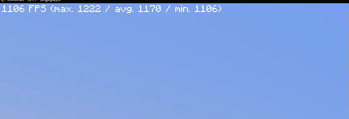
The SmoothCraft mod pack is meticulously designed to deliver an optimized Minecraft experience, focusing on enhancing performance and ensuring smooth gameplay. Through extensive research and testing, SmoothCraft consistently outperforms many other optimization solutions, making it a top choice for players seeking a seamless experience.
SmoothCraft prioritizes maintainability and simplicity, which means it does not include unnecessary quality-of-life or visual enhancements by default. Players are encouraged to add any additional mods they desire to customize their experience.
This design allows for rapid updates, ensuring the mod pack can incorporate the latest performance enhancements and quickly adapt to new Minecraft versions, often within hours of their release. I am dedicated to keeping SmoothCraft at the forefront of optimization.
Included Mods (29)
- AppleSkin - Visualizes hunger and saturation levels for better food management.
- BadOptimizations - Reduces unnecessary calculations to enhance performance.
- BetterF3 - Customizes the F3 debug screen for improved readability.
- C2ME - Optimizes chunk rendering and loading for better performance.
- Cloth Config - Provides configuration settings for other mods.
- Clumps - Merges XP orbs into clumps, reducing lag.
- Continuity - Adds support for connected textures, enhancing visuals.
- Distant Horizons - Enables LOD rendering for distant terrain.
- Enhanced Block Entities - Optimizes block entity rendering for performance.
- Entity Culling - Culls entities outside the player’s view to boost FPS.
- Entity Texture Features - Supports additional textures for mobs and entities.
- FerriteCore - Reduces RAM usage for block states, optimizing memory.
- ImmediatelyFast - Enhances performance by optimizing immediate mode rendering.
- Indium - Improves rendering support for Sodium and Iris mods.
- Iris - Adds stunning shader support to enhance visuals.
- Lithium - Enhances server-side physics and game logic for better performance.
- ModernFix - Optimizes chunk loading and game internals.
- ModMenu - Adds a mod options menu for better mod management.
- More Culling - Extends culling optimizations for efficient rendering.
- NoChatReports - Disables chat reporting for enhanced privacy.
- OkZoomer - Provides customizable zoom functionality.
- Reese's Sodium Options - Customizes Sodium mod settings.
- Sodium - Significantly improves rendering performance.
- Sodium Extra - Adds extra performance improvements to Sodium.
- Sodium Culling - Optimizes chunk and entity culling further.
- Sound Physics Remastered - Enhances sound propagation for realism.
- ThreadTweak - Optimizes multi-threading for better performance.
- VMP - Boosts chunk rendering performance in multiplayer.
- Yet Another Config Lib - Lightweight configuration library for various mods.
Installation Guide for SmoothCraft
There are two easy ways to install the SmoothCraft mod pack:
Method 1: Using Modrinth
Download the Modrinth App
- Visit the Modrinth website and download the Modrinth app.
Open the SmoothCraft MRPack
- Launch the Modrinth app and open the SmoothCraft.mrpack file.
Run the Instance
- After the pack is loaded, run the instance directly through the Modrinth app. You're good to go! Enjoy your optimized Minecraft experience!
Method 2: Using ZIP Conversion
Convert MRPack to ZIP
- Go to Jamie's MRPack to ZIP converter and upload your SmoothCraft.mrpack file.
Download the Converted ZIP
- After the conversion is complete, download the ZIP file.
Install the Mods
- Extract the contents of the downloaded ZIP file.
- Drag and drop the mods, configs, and other necessary files into your Minecraft folder (typically located at
C:\Users\<YourUsername>\AppData\Roaming\.minecrafton Windows).
Launch Minecraft
- Start Minecraft and enjoy your optimized gameplay with the SmoothCraft mod pack!
Available Versions
How to Set Up a SmoothCraft Server
Order Server
Choose at least 4 GB RAM (6 GB recommended for SmoothCraft). Based on player count: per 8 players.
Install Modpack in Dashboard
Open the modpack browser in the dashboard, search for "SmoothCraft" and click "Install". The fabric loader and Minecraft 1.21.1 are configured automatically.
Start Server & Play
Start the server – all mods are loaded automatically. Share the server IP with friends and play together!
Frequently Asked Questions
SmoothCraft server crashes or won't start – what to do?
Most common causes: insufficient RAM or wrong fabric loader. Check latest.log for "OutOfMemoryError" → increase RAM to at least 6 GB. For "Mixin" or "ClassNotFoundException" errors: modpack version and loader don't match. With Mado Hosting, loader and Minecraft version are auto-configured on modpack install – preventing most startup issues.
How much RAM does a SmoothCraft server really need?
Minimum 4 GB, recommended 6 GB for stable performance. per 8 players. Important: Minecraft modpacks need more RAM than vanilla – plan extra per additional player. With Mado Hosting, you can scale RAM up live at any time without data loss (from €8/month).
Can I add custom mods to SmoothCraft without conflicts?
Yes, but check compatibility: only use mods for the same loader (fabric) and same Minecraft version (1.21.1). Common issues: ID conflicts with recipe mods and incompatible coremod versions. The Mado dashboard mod browser only shows compatible mods and warns about known conflicts.
SmoothCraft server lagging – performance tips
1) Increase RAM to 6 GB+. 2) Reduce server view-distance to 8 (server.properties). 3) Pre-generate chunks with the "Chunky" plugin. 4) Use /spark profiler to check which mods consume the most tick time. With Mado Hosting, all servers run on NVMe SSDs with dedicated CPU cores – eliminating hardware as a bottleneck.
Similar Modpacks

![Cobblemon Official Modpack [Fabric]](https://cdn.modrinth.com/data/5FFgwNNP/e7f9ee2e9d361623847853fe2ddce42f519ee64f.png)
![COBBLEVERSE - Pokemon Adventure [Cobblemon]](https://cdn.modrinth.com/data/Jkb29YJU/581ecf54530972afb18a04660afd820f2f24f6c7.png)
![Better MC [FABRIC] - BMC2](https://cdn.modrinth.com/data/shFhR8Vx/a19c2bcb51d38f32f138d3607e91cb2b7b8e387f_96.webp)


Rent SmoothCraft Server
Start your own server with automatic modpack installation.
Supported Versions
Start your SmoothCraft Server now
From €8.00/month with 6 GB RAM for the best performance.
Configure Server →