
Snack
A versatile modpack that speed up the game and add various useful features (without Sodium)
Screenshots
About this Modpack
THE MODPACK WILL BE REVISED. Please do not download this version, as it is not up to standards. Await the global update.
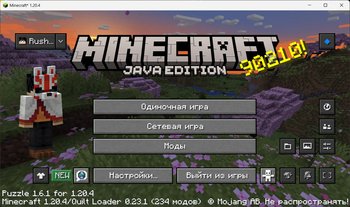
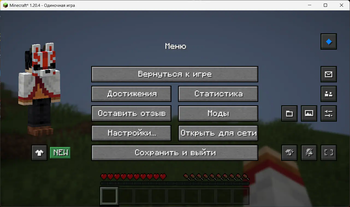
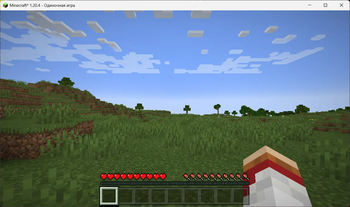
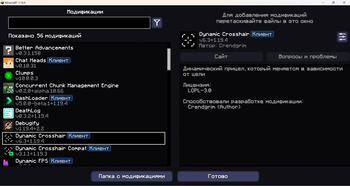
Snack is a versatile modpack that speeds up the game and adds various useful features. There is no Sodium in the pack, because I wanted to avoid the chunk rendering problems it causes. And in some ways it became a feature of this pack. This pack can't promise fantastic optimization compared to other packs that have Sodium, but thanks to it you can see how much you can optimize the game without Sodium.
📋 Mods (29—77)
🧵 Quilt (64—77)
1.20 Q (77)
📚 Libraries (10)
- AlinLib
- AshAPI
- Cloth Config
- CreativeCore
- Fabric API
- Fabric Language Kotlin
- Forge Config API Port
- oωo
- Puzzles Lib
- YetAnotherConfigLib
🔥 Optimizations (36)
- BadOptimizations
- Blocky Bubbles
- Clumps
- Concurrent Chunk Management Engine (Fabric)
- Dynamic FPS
- Exordium
- FastQuit
- FerriteCore
- FPS Reducer
- Icterine
- Idle Tweaks
- ImmediatelyFast
- kennytvs-epic-force-close-loading-screen-mod-for-fabric
- Krypton
- Language Reload
- lazy-language-loader
- LazyDFU
- Leaves Be Gone
- Let Me Despawn
- Lithium
- Memory Leak Fix
- Methane
- Mineblock's Repeated Utilities
- Modern UI
- ModernFix
- NarrusYeetus
- No Chat Reports
- Noisium
- Packet Fixer
- QuickBench
- Remove Reloading Screen
- Ruthenium
- ServerCore
- StutterFix
- ThreadTweak
- Very Many Players (Fabric)
🎲 Misc (31)
- Bedrockify
- Better Advancements
- Bobby
- Centered Crosshair
- Chat Animation
- Chat Heads
- Chest Tracker
- Compact Chat
- DeathLog
- Dynamic Crosshair
- Ears
- EMI
- EMI Trades
- EnhancedVisuals
- Entity Model Features
- Entity Texture Features
- ESSENTIAL Mod
- Fabrication
- Jade
- Mod Menu
- More Chat History
- More MCMETA
- Mouse Tweaks
- MultiRecipe
- Puzzle
- Raised
- Seamless Loading Screen
- SimplyStatus
- Stonecutter GUI Remastered
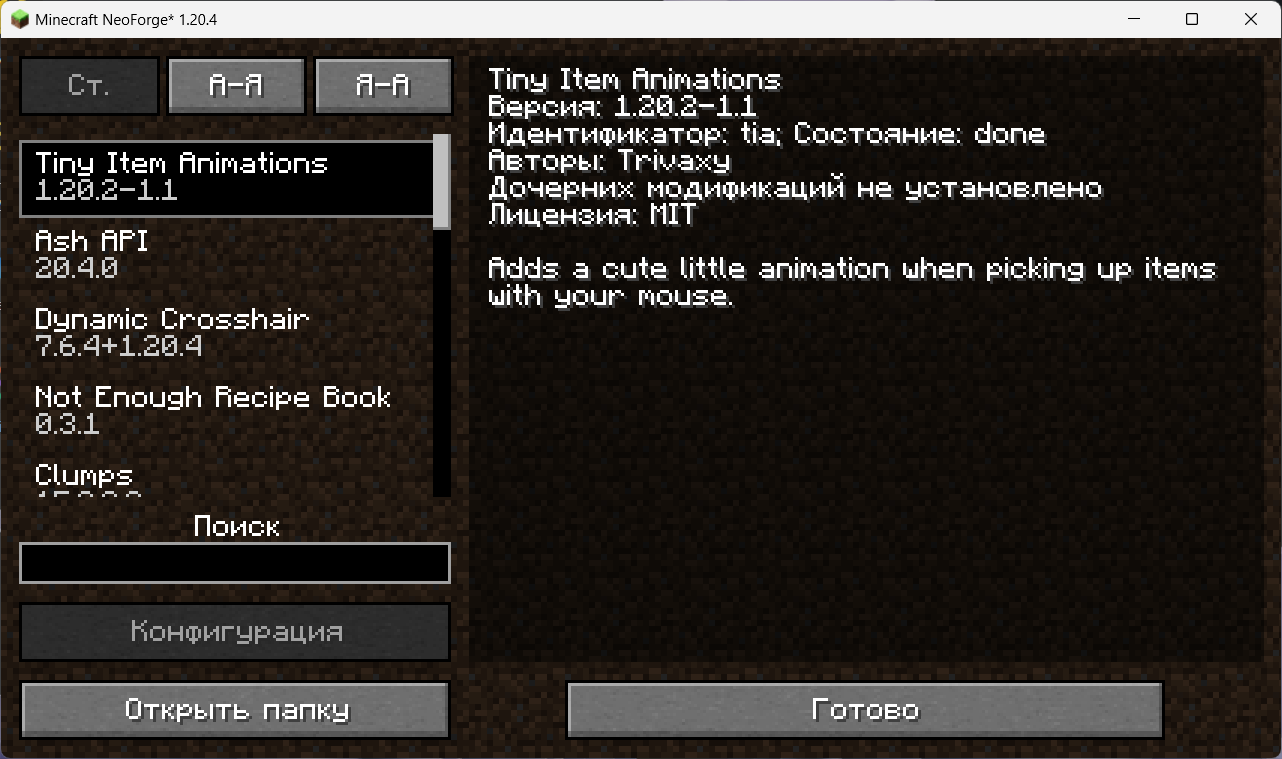
- Tiny Item Animations
- Transparent
1.19 Q (74)
- Alternate Current
- Animatica
- AshAPI
- BadOptimizations
- Bedrockify
- Better Advancements
- Bobby
- Chat Heads
- Chest Tracker
- CIT Resewn
- Cloth Config
- Clumps
- Concurrent Chunk Management Engine (Fabric)
- CreativeCore
- DashLoader
- DeathLog
- Distant Horizons
- Dynamic Crosshair
- Dynamic Crosshair Compat
- Dynamic FPS
- e4mc
- Ears
- EMI
- EMI Addon: Extra Mod Integrations
- EMI Loot
- EnhancedVisuals
- Entity Model Features
- Entity Texture Features
- Essential Dependencies
- ESSENTIAL Mod
- Extra Mod Integrations
- Fabrication
- Farsight
- FastQuit
- FerriteCore
- FPS Reducer
- Highlight
- Idle Tweaks
- ImmediatelyFast
- Inspecio
- Jade
- kennytvs-epic-force-close-loading-screen-mod-for-fabric
- Krypton
- Language Reload
- lazy-language-loader
- LazyDFU
- Leaves Be Gone
- Let Me Despawn
- Lithium
- Memory Leak Fix
- Methane
- Mod Menu
- Model Gap Fix
- ModernFix
- More Chat History
- More MCMETA
- Mouse Tweaks
- Music Notification
- No Chat Reports
- oωo
- Packet Fixer
- Puzzle
- Puzzles Lib
- Quilted Fabric API
- Remove Reloading Screen
- Ruthenium
- ServerCore
- SimplyStatus
- Smooth Boot (Fabric)
- Smooth Swapping
- Starlight (Fabric)
- Tiny Item Animations
- Transparent
- Very Many Players (Fabric)
1.18 Q (64)
- Alternate Current
- Animatica
- Bedrockify
- Better Advancements
- Bobby
- Chat Heads
- CIT Resewn
- Cloth Config
- Clumps
- Concurrent Chunk Management Engine (Fabric)
- DeathLog
- Distant Horizons
- Dynamic Crosshair
- Dynamic Crosshair Compat
- Dynamic FPS
- e4mc
- Ears
- EMI
- EMI Addon: Extra Mod Integrations
- EMI Loot
- EMI Trades
- EMICompat
- EnhancedVisuals
- Entity Model Features
- Entity Texture Features
- ESSENTIAL Mod
- Exordium
- Extra Mod Integrations
- Fabric API
- Fabrication
- Farsight
- FastQuit
- FerriteCore
- FPS Reducer
- ImmediatelyFast
- Jade
- Jade Addons
- kennytvs-epic-force-close-loading-screen-mod-for-fabric
- Krypton
- Language Reload
- lazy-language-loader
- LazyDFU
- Leaves Be Gone
- Let Me Despawn
- Lithium
- Mod Menu
- Model Gap Fix
- ModernFix
- More Chat History
- More MCMETA
- Mouse Tweaks
- Packet Fixer
- Puzzle
- Puzzles Lib
- Remove Reloading Screen
- Seamless Loading Screen
- ServerCore
- SimplyStatus
- Smooth Boot (Fabric)
- Smooth Swapping
- Starlight (Fabric)
- Tiny Item Animations
- Transparent
- Very Many Players (Fabric)
🦊 Forge (29—51)
1.20 N (29)
📚 Libraries (3)
- AshAPI
- CreativeCore
- YetAnotherConfigLib
🔥 Optimizations (15)
- Clumps
- FerriteCore
- FPS Reducer
- Icterine
- ImmediatelyFast
- Let Me Despawn
- Modern UI
- Packet Fixer
- Remove Reloading Screen
- ServerCore
- AI Improvements
- Alternate Current
- Model Gap Fix
- Starlight (NeoForge)
- Not Enough Recipe Book [NERB]
🎲 Misc (11)
- Better Advancements
- Chat Heads
- Dynamic Crosshair
- EMI
- EMI Trades
- EnhancedVisuals
- Entity Model Features
- Entity Texture Features
- Seamless Loading Screen
- Tiny Item Animations
- Transparent
1.19 F (51)
- AI Improvements
- Alternate Current
- AshAPI
- BadOptimizations
- Better Advancements
- Canary
- Catalogue
- Chat Heads
- Cloth Config
- Clumps
- Configured
- CreativeCore
- Distant Horizons
- Dynamic Crosshair
- e4mc
- Ears
- EMI
- EnhancedVisuals
- Entity Model Features
- Entity Texture Features
- ESSENTIAL Mod
- Farsight
- FerriteCore
- Forgery
- FPS Reducer
- Highlight
- ImmediatelyFast
- Jade
- Kotlin for Forge
- Leaves Be Gone
- Memory Leak Fix
- Model Gap Fix
- Modern UI
- ModernFix
- More MCMETA
- MoreChatHistory Reforged
- Mouse Tweaks
- No Chat Reports
- Noisium (Unofficial forge port)
- Packet Fixer
- Puzzles Lib
- Remove Reloading Screen
- Saturn
- Seamless Loading Screen
- ServerCore
- Smooth Boot (Reloaded)
- Smooth Swapping
- Starlight (Forge)
- Tiny Item Animations
- Transparent
- Very Many Players (Forge)
СБОРКА БУДЕТ ПЕРЕДЕЛАНА. Не скачивайте эту версию сборки, она плоха. Ожидайте глобального обновления.
Сырок — разносторонняя сборка модификаций, ускоряющая игру и добавляющая различные полезные функции. В сборке нет Sodium, потому что я хотел избежать проблем с отрисовыванием чанков, которые она вызывает. Но это и в некотором роде стало особенностью этой сборки. Фантастическую оптимизацию по сравнению с другими сборками, на которых есть Sodium, эта сборка не обещает, но благодаря ней можно посмотреть, насколько можно оптимизировать игру, не применяя Sodium.
Спойлер сверху содержит список и количество модификаций, включённых в сборку.
Available Versions
How to Set Up a Snack Server
Order Server
Choose at least 4 GB RAM (6 GB recommended for Snack). Based on player count: per 5 players.
Install Modpack in Dashboard
Open the modpack browser in the dashboard, search for "Snack" and click "Install". The quilt loader and Minecraft 1.20.4 are configured automatically.
Start Server & Play
Start the server – all mods are loaded automatically. Share the server IP with friends and play together!
Frequently Asked Questions
Snack server crashes or won't start – what to do?
Most common causes: insufficient RAM or wrong quilt loader. Check latest.log for "OutOfMemoryError" → increase RAM to at least 6 GB. For "Mixin" or "ClassNotFoundException" errors: modpack version and loader don't match. With Mado Hosting, loader and Minecraft version are auto-configured on modpack install – preventing most startup issues.
How much RAM does a Snack server really need?
Minimum 4 GB, recommended 6 GB for stable performance. per 5 players. Important: Minecraft modpacks need more RAM than vanilla – plan extra per additional player. With Mado Hosting, you can scale RAM up live at any time without data loss (from €8/month).
Can I add custom mods to Snack without conflicts?
Yes, but check compatibility: only use mods for the same loader (quilt) and same Minecraft version (1.20.4). Common issues: ID conflicts with recipe mods and incompatible coremod versions. The Mado dashboard mod browser only shows compatible mods and warns about known conflicts.
Snack server lagging – performance tips
1) Increase RAM to 6 GB+. 2) Reduce server view-distance to 8 (server.properties). 3) Pre-generate chunks with the "Chunky" plugin. 4) Use /spark profiler to check which mods consume the most tick time. With Mado Hosting, all servers run on NVMe SSDs with dedicated CPU cores – eliminating hardware as a bottleneck.
Rent Snack Server
Start your own server with automatic modpack installation.
Supported Versions
Start your Snack Server now
From €8.00/month with 6 GB RAM for the best performance.
Configure Server →