
{ SP } OwerWorld
This build was primarily created for SP (Survival Multiplayer) servers and includes exclusive mods/resource packs that are used exclusively on these servers.
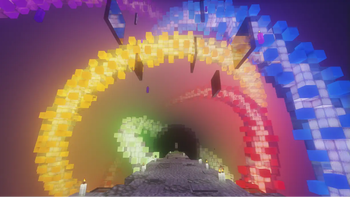
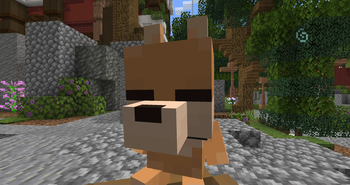
Screenshots
About this Modpack
RUS
RUS
Эта сборка была создана преимущественно для серверов СП
Но также может использоваться на других РП или ванильных серверах.
Основное внимание уделено оптимизации и улучшению впечатлений от игрового процесса.
ВАЖНО
- Необходимо понимать, что не все моды, зависящие друг от друга, обновляются одновременно, что может привести к ошибкам и крашам игры.
- Я буду редактировать сборку и адаптировать её под новые версии в будущем, поэтому просто дождитесь обновлений или обратитесь на Discord сервере в канал вопросов, где вы получите рекомендации по дальнейшим действиям.
Для контент-креаторов
В сборке есть несколько модификаций, которые могут облегчить их работу.
- Camera Utils – для улучшенного управления камерой игрока
- Perspective Enhancements – для расширенного поля зрения, где ваше тело не следует за камерой
- FlashBack – для записи игрового процесса
- Screenshot to Clipboard – для сохранения скриншотов прямо в буфер обмена
Для серверов
В сборке есть несколько полезных модов, которые улучшат ваши впечатления от игры.
- Cherished Worlds – закрепляет любимые серверы в начале списка
- Chat Heads – отображает головы игроков рядом с их сообщениями
- Plasmo Voice – добавляет голосовой чат на серверах, где он установлен
- Too Many Players – помогает оптимизировать большие скопления игроков
- ViaFabricPlus - Для игры на серверах, где требуется другая версия игры
Для клиента
- Armor Indicator – отображает состояние брони
- Better Statistics Screen – обновленное окно статистики
- BetterF3 – улучшенное окно F3
- ClickThrough – позволяет открывать сундуки через таблички и рамки
- Continuity – заменяет старые соединения блоков на новые, более красивые
- Don't Clear Chat History – отключает очистку истории чата
- Dynamic Crosshair – уникальный прицел в зависимости от различных действий
- Ears – позволяет добавить к своему скину элементы вроде ушей и хвоста
- Falling Leaves – добавляет падающие листья с деревьев
- ItemPhysic – добавляет физику падения и броска предметов
- Dynamic Lights – добавляет динамическое освещение
- Language Reload – переработанное окно смены языка
- Litematica – позволяет удобно перестраивать постройки по схематике
- Map Tooltip – отображает содержимое карты при наведении на неё курсора
- Model Gap Fix – исправляет нестыкающиеся текстуры предметов и инструментов
- Mouse Tweaks – улучшает управление мышью, добавляя новые функции
- RP Renames – добавляет книгу с возможностью переименования предметов в наковальне
- Recipe Book is Pain – перерабатывает меню книги рецептов для удобства
- Remove Reloading Screen – убирает экран загрузки при смене ресурспаков
- Roughly Enough Items – отображает список всех предметов игры, а также их рецепты и применение
- Shulker Box Tooltip – отображает содержимое шалкеров
- Status Effect Bars – переработанный внешний вид эффектов зелий
- Visuality – добавляет блеск от брони и других предметов
- Wakes – добавляет волны от лодок / игроков во время плавания
- Xaero's World Map – добавляет большую карту мира для мира
- Ok Zoomer – улучшенная функция приближения камеры
Паки Эмоций
Здесь вы можете установить паки эмоций для Emotecraft
Обратите внимание, что существует официальный СП пак эмоций, а также дополнительные паки, которые могут быть менее качественными, без изображений или на другом языке. Эти дополнительные эмоции были добавлены для большего разнообразия в вашей игре.
Gogle Disk
Ресурс паки
Шейдеры
Сборка уже включает 13 шейдеров, чтобы сэкономить ваше время и усилия.
СП моды
Если вы не играете на серверах СП, то можете удалить их из сборки.
- #SP Wallet – отображение баланса карты с сайта
ENG
ENG
This modpack was primarily created for SP servers
But can also be used on other RP or vanilla servers.
The main focus is on optimization and improving the gameplay experience.
IMPORTANT
- It's important to understand that not all interdependent mods update simultaneously, which can lead to errors and game crashes.
- I will be editing the modpack and adapting it to new versions in the future, so please wait for updates or reach out on the Discord server in the questions channel for further guidance.
For content creators
Modpack includes several modifications that can make their work easier.
- Camera Utils – for improved player camera control
- Perspective Enhancements – for an extended field of view where your body doesn’t follow the camera
- FlashBack – for recording your gameplay
- Screenshot to Clipboard – for saving your screenshots directly to the clipboard
Servers
Pack includes several useful mods to enhance your gaming experience.
- Cherished Worlds – pins your favorite servers at the top of the list
- Chat Heads – displays player heads next to their messages
- Plasmo Voice – adds voice chat to servers that have it installed
- Too Many Players – helps optimize large player gatherings
- ViaFabricPlus - Allows playing on servers that require different game versions
Client
- Armor Indicator – shows armor durability
- Better Statistics Screen – updated statistics screen
- BetterF3 – improved F3 screen
- ClickThrough – allows opening chests through signs and item frames
- Continuity – replaces old block connections with new, more beautiful ones
- Don't Clear Chat History – prevents clearing chat history
- Dynamic Crosshair – unique crosshair based on different actions
- Ears – allows adding items like ears and tails to your skin
- Falling Leaves – adds falling leaves from trees
- ItemPhysic – adds item fall and throw physics
- Dynamic Lights – adds dynamic lighting
- Language Reload – redesigned language selection screen
- Litematica – makes rebuilding structures from schematics easier
- Map Tooltip – shows map contents when hovering over them
- Model Gap Fix – fixes mismatched textures on items and tools
- Mouse Tweaks – enhances mouse control with additional features
- RP Renames – adds a book with renaming options in anvils
- Recipe Book is Pain – redesigns the recipe book menu to be more user-friendly
- Remove Reloading Screen – removes the loading screen when changing resource packs
- Roughly Enough Items (REI) – displays a list of all game items and their crafting/uses
- Shulker Box Tooltip – shows the contents of Shulker Boxes
- Status Effect Bars – redesigns the appearance of status effects
- Visuality – adds sparkles from armor and more
- Wakes – adds waves from boats when sailing
- Xaero's World Map – adds a large world map for servers or single-player worlds
- Ok Zoomer – improved camera zoom feature
Emotion Packs
Here you can install emotion packs for Emotecraft. Please note that there is an official SMP emotion pack, as well as additional packs, which may be of lower quality, lack images, or be in another language. These extra emotions were added to provide more variety in your game.
Gogle Disk
Resource Packs
Shaders
The modpack already includes 13 shaders to save you time and effort.
SP Mods
If you don't play on SP servers, you can remove them from the modpack.
- #SP Wallet – displays card balance from the website
Available Versions
How to Set Up a { SP } OwerWorld Server
Order Server
Choose at least 4 GB RAM (6 GB recommended for { SP } OwerWorld). Based on player count: per 8 players.
Install Modpack in Dashboard
Open the modpack browser in the dashboard, search for "{ SP } OwerWorld" and click "Install". The fabric loader and Minecraft 1.21.1 are configured automatically.
Start Server & Play
Start the server – all mods are loaded automatically. Share the server IP with friends and play together!
Frequently Asked Questions
{ SP } OwerWorld server crashes or won't start – what to do?
Most common causes: insufficient RAM or wrong fabric loader. Check latest.log for "OutOfMemoryError" → increase RAM to at least 6 GB. For "Mixin" or "ClassNotFoundException" errors: modpack version and loader don't match. With Mado Hosting, loader and Minecraft version are auto-configured on modpack install – preventing most startup issues.
How much RAM does a { SP } OwerWorld server really need?
Minimum 4 GB, recommended 6 GB for stable performance. per 8 players. Important: Minecraft modpacks need more RAM than vanilla – plan extra per additional player. With Mado Hosting, you can scale RAM up live at any time without data loss (from €8/month).
Can I add custom mods to { SP } OwerWorld without conflicts?
Yes, but check compatibility: only use mods for the same loader (fabric) and same Minecraft version (1.21.1). Common issues: ID conflicts with recipe mods and incompatible coremod versions. The Mado dashboard mod browser only shows compatible mods and warns about known conflicts.
{ SP } OwerWorld server lagging – performance tips
1) Increase RAM to 6 GB+. 2) Reduce server view-distance to 8 (server.properties). 3) Pre-generate chunks with the "Chunky" plugin. 4) Use /spark profiler to check which mods consume the most tick time. With Mado Hosting, all servers run on NVMe SSDs with dedicated CPU cores – eliminating hardware as a bottleneck.
Similar Modpacks


![Cobblemon Official Modpack [Fabric]](https://cdn.modrinth.com/data/5FFgwNNP/e7f9ee2e9d361623847853fe2ddce42f519ee64f.png)
![COBBLEVERSE - Pokemon Adventure [Cobblemon]](https://cdn.modrinth.com/data/Jkb29YJU/581ecf54530972afb18a04660afd820f2f24f6c7.png)
![Better MC [FABRIC] - BMC2](https://cdn.modrinth.com/data/shFhR8Vx/a19c2bcb51d38f32f138d3607e91cb2b7b8e387f_96.webp)

Rent { SP } OwerWorld Server
Start your own server with automatic modpack installation.
Details
- License
- LicenseRef-All-Rights-Reserved
- Server-side
- Unsupported
- Client-side
- Required
Supported Versions
Start your { SP } OwerWorld Server now
From €8.00/month with 6 GB RAM for the best performance.
Configure Server →