
Speedrunning
A modpack with all the legal mods for popular categories of Minecraft speedrunning
Screenshots
About this Modpack
Speedrunning
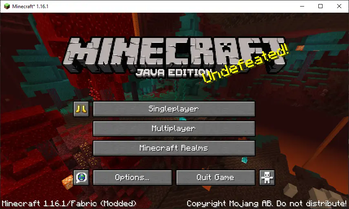
This modpack contains all legal speedrunning mods for the most popular category of Minecraft speedrunning. All mods are verified on speedrun.com. Just install the modpack for the version of Minecraft you want to speedrun and you're all set to start speedrunning.
Speedrun Categories
RSG (Random Seed Glitchless):
The player speedruns Minecraft using a random seed and without any glitches. The world record for this category is 6m 50s 359ms set by lowkey using Minecraft 1.16.1.
SSG (Set Seed Glitchless):
The player speedruns Minecraft using a specific seed and without any glitches. The world record for this category is 0m 52s 719ms set by nightilis using Minecraft 1.12.2.
Mod List (1.16.1 RSG)
- Antigone - Fixes a rare server deadlock in Minecraft 1.16.1
- AntiResourceReload - Disables the monitored reload upon world creation
- Atum - Mod to automatically reset RSG and SSG
- Chunkumulator - This mod accumulates a list of chunks it needs to send to each player and sends them in chunks of chunks!
- FastReset - Skips saving worlds to reset faster
- Force Port Mod - Forces the port of open to lan to be 25565 and increases the player limit of open to lan to as large as it can be
- Krypton - A Fabric mod that optimizes the Minecraft networking stack and entity tracker
- LazyDFU - Makes DataFixerUpper more lazy
- Lazystronghold - Speeds up stronghold generation through lazy evaluation of strongholds combined with multithreading
- Lithium - Lithium is a free and open-source optimization mod for Minecraft which makes a wide range of performance improvements to the game
- SeedQueue - Generates worlds in the background for faster resetting
- SleepBackground - My instances are looks want to sleep
- Sodium - Sodium is a powerful rendering engine for Minecraft which greatly improves frame rates and micro-stutter, while fixing many graphical issues
- Speedrun API - API for MCSR mods, providing a Config API, selected Fabric API modules and MixinExtras
- SpeedRunIGT - Displays the timer with RTA, IGT in Minecraft
- StandardSettings - Resetting Mod for Minecraft Speedrunning
- Starlight - Rewrites the light engine to fix lighting performance and lighting errors
- State Output - World Preview state file functionality but without World Preview
- Voyager - Take a voyage into modern java versions. (Fixes (MC-149777), a rare ConcurrentModificationException in StructureManager, when using a Java Runtime Environment of 11 or above)
- WorldPreview - Makes you reset block game fast
Are these mods necessary to speedrun Minecraft?
No, they're not necessary. You can still speedrun Minecraft without them, but these mods are recommended for better performance, faster resetting, higher FPS, etc. They do not add any new content to the game.
Additional Resources
Getting Started: https://www.minecraftspeedrunning.com/home
Allowed Speedrunning Mods: https://mods.tildejustin.dev/
Speedrun Leaderboards: https://www.speedrun.com/mc
Stronghold Calculator: https://github.com/Ninjabrain1/Ninjabrain-Bot
Alternative Speedrun Timer (LiveSplit): https://livesplit.org/
Recommended Screen Recorder (OBS): https://obsproject.com/
Check out my other projects here.
Available Versions
How to Set Up a Speedrunning Server
Order Server
Choose at least 4 GB RAM (6 GB recommended for Speedrunning). Based on player count: per 8 players.
Install Modpack in Dashboard
Open the modpack browser in the dashboard, search for "Speedrunning" and click "Install". The fabric loader and Minecraft 1.16.1 are configured automatically.
Start Server & Play
Start the server – all mods are loaded automatically. Share the server IP with friends and play together!
Frequently Asked Questions
Speedrunning server crashes or won't start – what to do?
Most common causes: insufficient RAM or wrong fabric loader. Check latest.log for "OutOfMemoryError" → increase RAM to at least 6 GB. For "Mixin" or "ClassNotFoundException" errors: modpack version and loader don't match. With Mado Hosting, loader and Minecraft version are auto-configured on modpack install – preventing most startup issues.
How much RAM does a Speedrunning server really need?
Minimum 4 GB, recommended 6 GB for stable performance. per 8 players. Important: Minecraft modpacks need more RAM than vanilla – plan extra per additional player. With Mado Hosting, you can scale RAM up live at any time without data loss (from €8/month).
Can I add custom mods to Speedrunning without conflicts?
Yes, but check compatibility: only use mods for the same loader (fabric) and same Minecraft version (1.16.1). Common issues: ID conflicts with recipe mods and incompatible coremod versions. The Mado dashboard mod browser only shows compatible mods and warns about known conflicts.
Speedrunning server lagging – performance tips
1) Increase RAM to 6 GB+. 2) Reduce server view-distance to 8 (server.properties). 3) Pre-generate chunks with the "Chunky" plugin. 4) Use /spark profiler to check which mods consume the most tick time. With Mado Hosting, all servers run on NVMe SSDs with dedicated CPU cores – eliminating hardware as a bottleneck.
Similar Modpacks

![COBBLEVERSE - Pokemon Adventure [Cobblemon]](https://cdn.modrinth.com/data/Jkb29YJU/581ecf54530972afb18a04660afd820f2f24f6c7.png)




Rent Speedrunning Server
Start your own server with automatic modpack installation.
Supported Versions
Start your Speedrunning Server now
From €8.00/month with 6 GB RAM for the best performance.
Configure Server →