
Spyro Modpack
The modpack that Spyro uses in their Hypixel Skyblock YouTube videos.
Screenshots
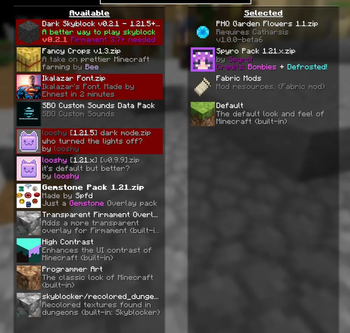
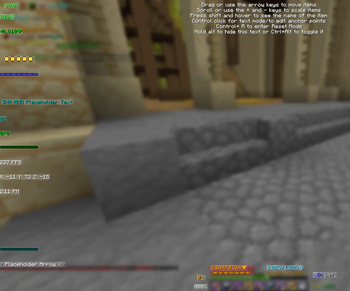
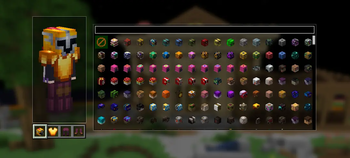
About this Modpack
Spyro's Hypixel Skyblock Modpack
This modpack was created and is owned by the YouTuber Spyro. It includes all resource packs, mods, and configurations that they use for their videos and streams. If you have questions, please don't hesitate to ask Spyro in their Discord.
What this modpack includes:
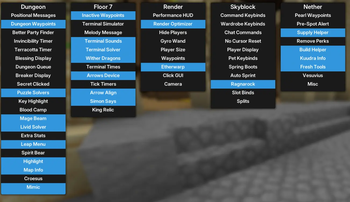
This modpack includes various QOL mods for the gamemode Skyblock on the server Hypixel. It features 50+ mods that help to make the experience of playing Skyblock much more seemless and easier to comprehend. It includes mods such as Skyblocker and Firmament which help to add overlays for events and stats in the game and solvers for many of the puzzles and tasks that are scattered around the world of Skyblock. Additional mods such as Odin help to make dungeons a much more playable experience with solvers for terminals and puzzles to help optimize your dungeon routes and understand the gameplay loop of dungeons a lot quicker.
The mod Skyhanni is the single greatest Skyblock mod made by Hannibal that was created for the sole purpose of adding many useful features to Hypixel Skyblock. This mod accounts for the bulk of configurations and adds helpful guis of information, chat messages to explain events and tasks that are happening, highlighters to help you identify items in your inventory or mobs in the world, and customizable displays to show your own stats, events happening, or anything else you would like to show on your screen. Skyhanni is extremely configurable and helps to make the Hypixel Skyblock experience much cleaner and easier for the average person.
Why you should download this modpack:
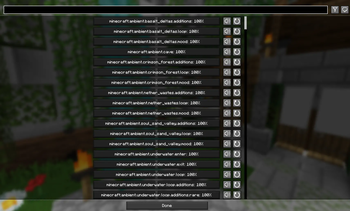
This modpack is extremely beginner friendly and helps to add overlays and statistics so you can better understand what is happening without overwhelming the player. There are many toggles in all of the mods and I highly suggest going through them and enabling what you think you might need. Due to the configurations being included within this modpack, the settings that Spyro utilizes in their videos is included upon download. If you do not wish to edit your mods and want to leave the configurations unchanged, that is perfectly fine.
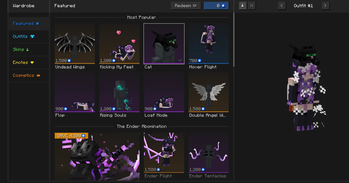
Custom Texture Pack
Currently my custom 'Spyro Pack' texture pack is only available seperately on my Discord server (hopefully available here on Modrinth soon!) so join that if you would like to use it!
If you have any additional questions, feel free to reach out!
Have fun!
All rights go to the respective mod creators.
Available Versions
How to Set Up a Spyro Modpack Server
Order Server
Choose at least 4 GB RAM (6 GB recommended for Spyro Modpack). Based on player count: per 8 players.
Install Modpack in Dashboard
Open the modpack browser in the dashboard, search for "Spyro Modpack" and click "Install". The fabric loader and Minecraft 1.21.11 are configured automatically.
Start Server & Play
Start the server – all mods are loaded automatically. Share the server IP with friends and play together!
Frequently Asked Questions
Spyro Modpack server crashes or won't start – what to do?
Most common causes: insufficient RAM or wrong fabric loader. Check latest.log for "OutOfMemoryError" → increase RAM to at least 6 GB. For "Mixin" or "ClassNotFoundException" errors: modpack version and loader don't match. With Mado Hosting, loader and Minecraft version are auto-configured on modpack install – preventing most startup issues.
How much RAM does a Spyro Modpack server really need?
Minimum 4 GB, recommended 6 GB for stable performance. per 8 players. Important: Minecraft modpacks need more RAM than vanilla – plan extra per additional player. With Mado Hosting, you can scale RAM up live at any time without data loss (from €8/month).
Can I add custom mods to Spyro Modpack without conflicts?
Yes, but check compatibility: only use mods for the same loader (fabric) and same Minecraft version (1.21.11). Common issues: ID conflicts with recipe mods and incompatible coremod versions. The Mado dashboard mod browser only shows compatible mods and warns about known conflicts.
Spyro Modpack server lagging – performance tips
1) Increase RAM to 6 GB+. 2) Reduce server view-distance to 8 (server.properties). 3) Pre-generate chunks with the "Chunky" plugin. 4) Use /spark profiler to check which mods consume the most tick time. With Mado Hosting, all servers run on NVMe SSDs with dedicated CPU cores – eliminating hardware as a bottleneck.
Similar Modpacks

![Better MC [FABRIC] - BMC2](https://cdn.modrinth.com/data/shFhR8Vx/a19c2bcb51d38f32f138d3607e91cb2b7b8e387f_96.webp)
![Better MC [FORGE] - BMC4](https://cdn.modrinth.com/data/4BV47HRn/7f5ef7cc61b2593609aabef3ed07a866a4f11b73_96.webp)


Rent Spyro Modpack Server
Start your own server with automatic modpack installation.
Supported Versions
Start your Spyro Modpack Server now
From €8.00/month with 6 GB RAM for the best performance.
Configure Server →