
Sqeeze's Create
Modpack with mods for playing survival or creative
Screenshots
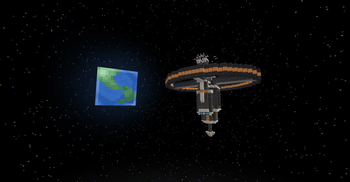
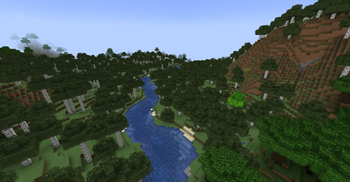
About this Modpack
Description in English:
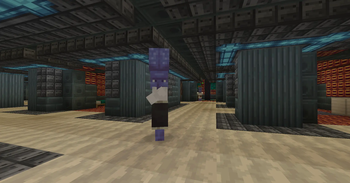
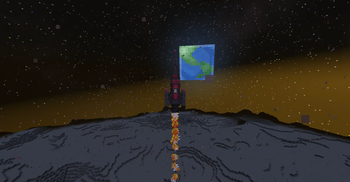
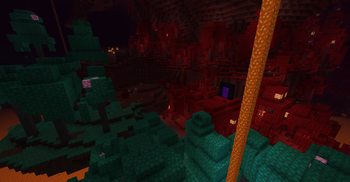
Sqeeze's Create is the perfect blend of automation, immersive worldbuilding, and natural beauty.
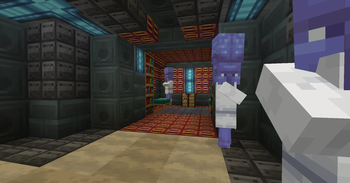
🧬 Right from the start, you get to choose your race, each with unique traits and gameplay mechanics.
🚂 Build complex factories with Create, decorate cozy towns, ride working trains, craft custom brews, and explore countless new biomes and mobs.
🌿 From farming and furniture to roleplay mechanics and gorgeous environmental improvements - every mod has a purpose here.
💡 This isn't just another modpack. It's a carefully curated experience that feels alive, optimized and deeply creative.
🎮 Over 200 mods. Rich visuals. Voice chat. Lightweight performance.
🌎 Sqeeze's Create - craft, survive, decorate, explore.
Описание на русском:
Sqeeze's Create — это идеальное сочетание автоматизации, глубокого мира и природной красоты.
🧬 С самого начала вы выбираете свою расу — каждая с уникальными чертами и механиками: будь то человек, эльф или нечто более необычное.
🚂 Стройте сложные фабрики с модом Create, украшайте уютные города, управляйте поездами, создавайте уникальные блюда и напитки, исследуйте множество новых биомов и существ.
🌿 От мебели и фермерства до ролевых механик и визуальных улучшений — здесь у каждого мода есть своя роль.
💡 Это не просто набор модов. Это продуманный опыт, который чувствуется живым, оптимизированным и творческим.
🎮 Более 200 модов. Богатая графика. Голосовой чат. Оптимизированная производительность.
🌎 Sqeeze's Create — создавайте, выживайте, украшайте, исследуйте.
Available Versions
How to Set Up a Sqeeze's Create Server
Order Server
Choose at least 6 GB RAM (8 GB recommended for Sqeeze's Create). Based on player count: per 5 players.
Install Modpack in Dashboard
Open the modpack browser in the dashboard, search for "Sqeeze's Create" and click "Install". The fabric loader and Minecraft 1.20.1 are configured automatically.
Start Server & Play
Start the server – all mods are loaded automatically. Share the server IP with friends and play together!
Frequently Asked Questions
Sqeeze's Create server crashes or won't start – what to do?
Most common causes: insufficient RAM or wrong fabric loader. Check latest.log for "OutOfMemoryError" → increase RAM to at least 8 GB. For "Mixin" or "ClassNotFoundException" errors: modpack version and loader don't match. With Mado Hosting, loader and Minecraft version are auto-configured on modpack install – preventing most startup issues.
How much RAM does a Sqeeze's Create server really need?
Minimum 6 GB, recommended 8 GB for stable performance. per 5 players. Important: Minecraft modpacks need more RAM than vanilla – plan extra per additional player. With Mado Hosting, you can scale RAM up live at any time without data loss (from €12/month).
Can I add custom mods to Sqeeze's Create without conflicts?
Yes, but check compatibility: only use mods for the same loader (fabric) and same Minecraft version (1.20.1). Common issues: ID conflicts with recipe mods and incompatible coremod versions. The Mado dashboard mod browser only shows compatible mods and warns about known conflicts.
Sqeeze's Create server lagging – performance tips
1) Increase RAM to 8 GB+. 2) Reduce server view-distance to 8 (server.properties). 3) Pre-generate chunks with the "Chunky" plugin. 4) Use /spark profiler to check which mods consume the most tick time. With Mado Hosting, all servers run on NVMe SSDs with dedicated CPU cores – eliminating hardware as a bottleneck.
Similar Modpacks
![Cobblemon Official Modpack [Fabric]](https://cdn.modrinth.com/data/5FFgwNNP/e7f9ee2e9d361623847853fe2ddce42f519ee64f.png)
![COBBLEVERSE - Pokemon Adventure [Cobblemon]](https://cdn.modrinth.com/data/Jkb29YJU/581ecf54530972afb18a04660afd820f2f24f6c7.png)
![Better MC [FABRIC] - BMC2](https://cdn.modrinth.com/data/shFhR8Vx/a19c2bcb51d38f32f138d3607e91cb2b7b8e387f_96.webp)


![Better MC [FORGE] - BMC4](https://cdn.modrinth.com/data/4BV47HRn/7f5ef7cc61b2593609aabef3ed07a866a4f11b73_96.webp)
Rent Sqeeze's Create Server
Start your own server with automatic modpack installation.
Supported Versions
Start your Sqeeze's Create Server now
From €12.00/month with 8 GB RAM for the best performance.
Configure Server →