
Start Making
Mod-pak which will help in the creation of maps, datapaks. This mod-pack contains useful and optimized mods. This mod-pack in alpha version.
Screenshots
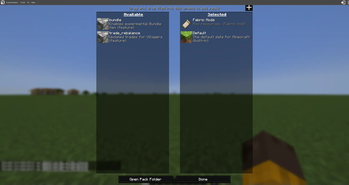

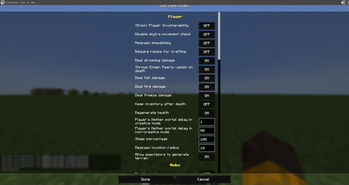
About this Modpack
Description
Start Making is unique mod-pack created to simplify the process of developing maps and datapacks in Minecraft, as well as partially resource packs. It includes a number of powerful tools and mods to help you focus on your creativity and quickly create interesting content.
Why Start Making is worth downloading.
This mod pack offers unique tools that greatly simplify content creation in Minecraft. If you want to focus on creativity and quickly develop maps and datapacks, “Start Making” is the perfect solution for you.
Main Functions:
- There is a menu with web generators and one built-in one
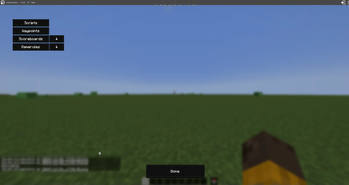
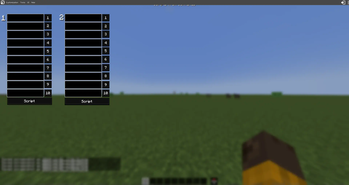
- In the inventory there are Advanced World Settings, there you can prescribe Waypoint, Script from commands, Import scorbords and game rules.
- Notes in which you can write your plans for the day or tips as notes appear in pause and many other menus (selected randomly).
- In the worlds menu there is a button to select the folder where the worlds are saved.
- Textures of the game you can change in the game itself!
- There is an error display datapacks
- There is a template datapack and resource-pack
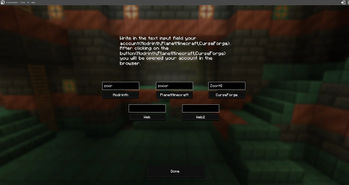
- There is a menu where you can write your nickname (From Modrinth,CurseForge,PlanetMinecraft) or insert a link click on the button to open the site.
- In Axiom added different blueprints,brush scripts,schematics.
- Mod-pack is well optimized.
Your help is important!
You can contribute to the development of the mod-pak! Just follow the LINK to suggest your datapaсk or ideas that could be useful for the community.
How can I report a problem?
Write to LINK but first see if the problem is solved.

Available Versions
How to Set Up a Start Making Server
Order Server
Choose at least 6 GB RAM (8 GB recommended for Start Making). Based on player count: per 5 players.
Install Modpack in Dashboard
Open the modpack browser in the dashboard, search for "Start Making" and click "Install". The fabric loader and Minecraft 1.21 are configured automatically.
Start Server & Play
Start the server – all mods are loaded automatically. Share the server IP with friends and play together!
Frequently Asked Questions
Start Making server crashes or won't start – what to do?
Most common causes: insufficient RAM or wrong fabric loader. Check latest.log for "OutOfMemoryError" → increase RAM to at least 8 GB. For "Mixin" or "ClassNotFoundException" errors: modpack version and loader don't match. With Mado Hosting, loader and Minecraft version are auto-configured on modpack install – preventing most startup issues.
How much RAM does a Start Making server really need?
Minimum 6 GB, recommended 8 GB for stable performance. per 5 players. Important: Minecraft modpacks need more RAM than vanilla – plan extra per additional player. With Mado Hosting, you can scale RAM up live at any time without data loss (from €12/month).
Can I add custom mods to Start Making without conflicts?
Yes, but check compatibility: only use mods for the same loader (fabric) and same Minecraft version (1.21). Common issues: ID conflicts with recipe mods and incompatible coremod versions. The Mado dashboard mod browser only shows compatible mods and warns about known conflicts.
Start Making server lagging – performance tips
1) Increase RAM to 8 GB+. 2) Reduce server view-distance to 8 (server.properties). 3) Pre-generate chunks with the "Chunky" plugin. 4) Use /spark profiler to check which mods consume the most tick time. With Mado Hosting, all servers run on NVMe SSDs with dedicated CPU cores – eliminating hardware as a bottleneck.
Rent Start Making Server
Start your own server with automatic modpack installation.
Supported Versions
Start your Start Making Server now
From €12.00/month with 8 GB RAM for the best performance.
Configure Server →