
Stormbound
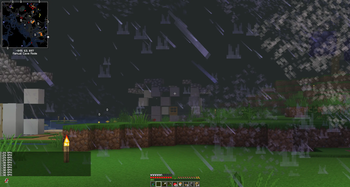
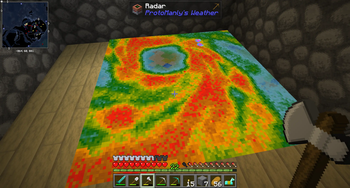
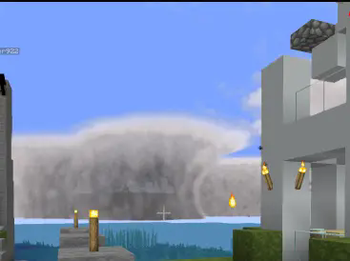
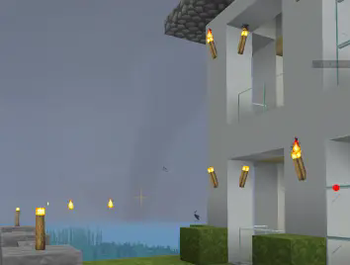
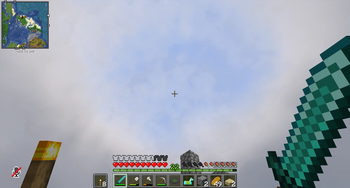
The sky is alive, no longer just decoration. From calm rains to raging tempests, every shift in weather reshapes the world and challenges your survival.
Screenshots
About this Modpack
                          (WARNING: MAY BLOW UP PC)


                          ⚡ System Requirements ⚡
                                    Minimum

                    CPU: Intel i5 / AMD Ryzen 5 (or equivalent)

                          GPU: GTX 1050 Ti / RX 570

                                  RAM: 8 GB

                            Storage: 2 GB free space

        Notes: Playable, but you may experience heavy lag during storms.

                                  Recommended

                      CPU: Intel i7 / AMD Ryzen 7 (or better)

            GPU: GTX 1660 Ti Super (or better required for full experience)

                                    RAM: 16 GB+

                              Storage: 4 GB free space

 Notes: Smooth performance even during massive tornadoes, blizzards, and storm events.

                                Extra information:

                      Credits to: Appleandbees (Minecraft username)

                 For helping make the modpack and giving many ideas for it

                                ✨ Core Features:
🌪️ Tornadoes & Cyclones – Deadly storms that rip through terrain and challenge your survival.
⚡ Dynamic Thunderstorms – Realistic lightning, rolling thunder, and storm fronts that shift naturally.
❄️ Blizzards & Snowstorms – Weather that can blind, slow, and bury landscapes in white.
🌦️ Immersive Weather Cycles – From gentle breezes and drifting fog to violent tempests.
🛡️ New Gear to Survive the Storms:
Elemental Armor Sets – Craft storm-resistant gear to withstand blizzards, lightning, and wind.
Weather-Forged Tools – Unique tools and weapons infused with elemental power, forged from the chaos of storms.
Special Enhancements – Unlock storm-related abilities that turn the weather into your ally or your weapon.
Survival isn’t just about hiding from the storm anymore—it’s about mastering it.
Available Versions
How to Set Up a Stormbound Server
Order Server
Choose at least 6 GB RAM (8 GB recommended for Stormbound). Based on player count: per 5 players.
Install Modpack in Dashboard
Open the modpack browser in the dashboard, search for "Stormbound" and click "Install". The neoforge loader and Minecraft 1.21.1 are configured automatically.
Start Server & Play
Start the server – all mods are loaded automatically. Share the server IP with friends and play together!
Frequently Asked Questions
Stormbound server crashes or won't start – what to do?
Most common causes: insufficient RAM or wrong neoforge loader. Check latest.log for "OutOfMemoryError" → increase RAM to at least 8 GB. For "Mixin" or "ClassNotFoundException" errors: modpack version and loader don't match. With Mado Hosting, loader and Minecraft version are auto-configured on modpack install – preventing most startup issues.
How much RAM does a Stormbound server really need?
Minimum 6 GB, recommended 8 GB for stable performance. per 5 players. Important: Minecraft modpacks need more RAM than vanilla – plan extra per additional player. With Mado Hosting, you can scale RAM up live at any time without data loss (from €12/month).
Can I add custom mods to Stormbound without conflicts?
Yes, but check compatibility: only use mods for the same loader (neoforge) and same Minecraft version (1.21.1). Common issues: ID conflicts with recipe mods and incompatible coremod versions. The Mado dashboard mod browser only shows compatible mods and warns about known conflicts.
Stormbound server lagging – performance tips
1) Increase RAM to 8 GB+. 2) Reduce server view-distance to 8 (server.properties). 3) Pre-generate chunks with the "Chunky" plugin. 4) Use /spark profiler to check which mods consume the most tick time. With Mado Hosting, all servers run on NVMe SSDs with dedicated CPU cores – eliminating hardware as a bottleneck.
Similar Modpacks
![Cobblemon Official Modpack [Fabric]](https://cdn.modrinth.com/data/5FFgwNNP/e7f9ee2e9d361623847853fe2ddce42f519ee64f.png)
![COBBLEVERSE - Pokemon Adventure [Cobblemon]](https://cdn.modrinth.com/data/Jkb29YJU/581ecf54530972afb18a04660afd820f2f24f6c7.png)
![Better MC [FABRIC] - BMC2](https://cdn.modrinth.com/data/shFhR8Vx/a19c2bcb51d38f32f138d3607e91cb2b7b8e387f_96.webp)


![Better MC [FORGE] - BMC4](https://cdn.modrinth.com/data/4BV47HRn/7f5ef7cc61b2593609aabef3ed07a866a4f11b73_96.webp)
Rent Stormbound Server
Start your own server with automatic modpack installation.
Supported Versions
Start your Stormbound Server now
From €12.00/month with 8 GB RAM for the best performance.
Configure Server →