
Super Good Looking
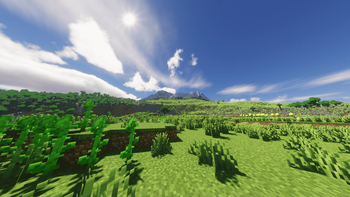
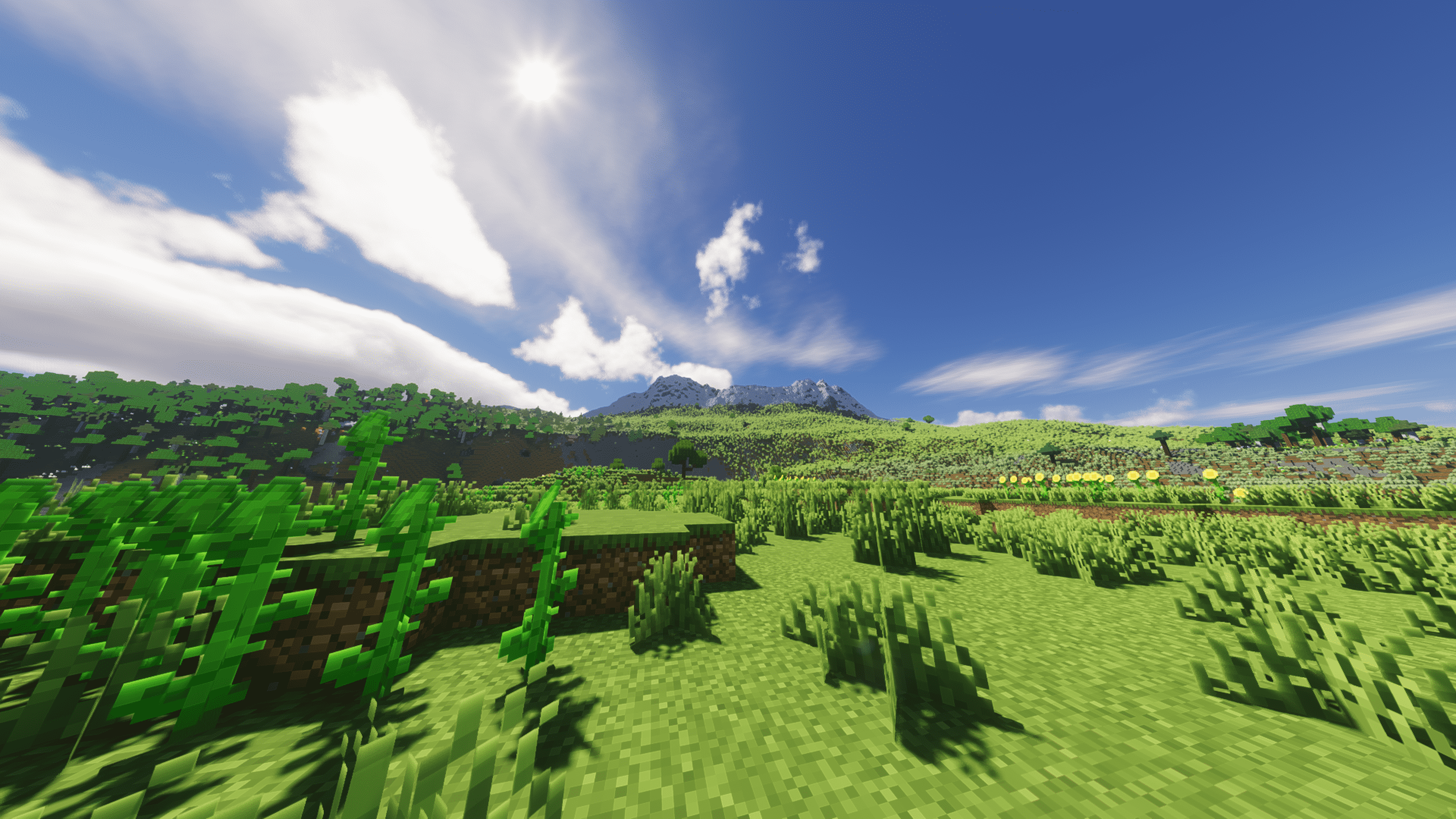
A modpack that makes the game look really good using mods, resource packs, and shader packs.
Screenshots


About this Modpack
Super Good Looking
Super Good Looking is a visual and performance-enhancing modpack designed to make Minecraft as immersive and smooth as possible. Whether you're a builder, adventurer, or simply enjoy the beauty of the game, this modpack ensures your experience looks stunning while keeping performance in check.
Key Features:
- Borderless Mining and Fast Quit for smoother transitions and quicker exits.
- Enhanced visuals with Iris Shaders, Complementary Reimagined, and Sodium Extra for optimized performance without sacrificing beauty.
- Immersive ambient sounds and animations, including Sound Physics Remastered, Ambient Sounds, and Eating Animation to enrich the atmosphere.
- Improved entity rendering with Entity Texture Features and Entity Model Features, alongside dynamic lighting from LambDynamicLights.
- Falling Leaves, Wavey Capes, and Enhanced Block Entities to bring life and realism to your world.
- Performance boosts with mods like Krypton, FerriteCore, Sodium, and Lithium, ensuring that even with the stunning visuals, your game runs at top speed.
- Fine-tuned interface improvements like Better F3, Legendary Tooltips, and Visual Overhaul to make your HUD and inventory management sleeker and more informative.
- For screenshot lovers, Screenshot Viewer and Screenshot to Clipboard make capturing and managing your favorite moments effortless.
Whether you're building the ultimate base or exploring new lands, Super Good Looking will ensure your Minecraft world is both visually stunning and high-performance, without compromising on gameplay.
Content
Mods:
- 3D Skin Layers
- Advancement Plaques
- AmbientSounds
- Better Biome Blend
- Better End Sky
- Better Statistics Screen
- BetterF3
- Blur+
- Boat Item View
- Bobby
- Borderless Mining
- CICADA
- Cloth Config API
- Clumps
- Concurrent Chunk Management Engine
- Continuity
- CreativeCore
- Disable Custom Worlds Advice
- Drip Sounds
- Durability Tooltip
- Easy Anvils
- Easy Magic
- Eating Animation
- Enhanced Block Entities
- Entity Culling
- Entity Model Features
- Entity Texture Features
- Fabric API
- Fabric Language Kotlin
- FabricSkyboxes
- Falling Leaves
- Fast Quit
- FerriteCore
- Forge Config API Port
- FPS Reducer
- Iceberg
- Immersive Thunder
- Indium
- Iris Shaders
- Krypton
- LambDynamicLights
- Language Reload
- LazyDFU
- LegendaryTooltips
- Lithium
- Mod Menu
- Narrator Begone
- No Resource Pack Warnings
- Nvidium
- Paginated Advancements
- Panorama Screens
- Polytone
- Presence Footsteps
- Prism
- Puzzles Lib
- Reese's Sodium Options
- Removed Reloading Screen
- Screenshot Viewer
- Screenshot to Clipboard
- Show Me Your Skin
- Smooth Swapping
- Sodium
- Sodium Extra
- Sound Physics Remastered
- Starlight
- Supermartijn642's Config Lib
- TCDCommons API
- Title Fixer
- Villager Armor Layer
- Visual Overhaul
- Visual Workbench
- Visuality
- Wakes
- Wavey Capes
- World Preview
- Yeetus Experimentus
- YetAnotherConfigLib
- Zoomify
Resource Packs:
Shader Packs:
IterationT was created by Tahnass.
Pictures

Available Versions
How to Set Up a Super Good Looking Server
Order Server
Choose at least 6 GB RAM (8 GB recommended for Super Good Looking). Based on player count: per 5 players.
Install Modpack in Dashboard
Open the modpack browser in the dashboard, search for "Super Good Looking" and click "Install". The fabric loader and Minecraft 1.20.1 are configured automatically.
Start Server & Play
Start the server – all mods are loaded automatically. Share the server IP with friends and play together!
Frequently Asked Questions
Super Good Looking server crashes or won't start – what to do?
Most common causes: insufficient RAM or wrong fabric loader. Check latest.log for "OutOfMemoryError" → increase RAM to at least 8 GB. For "Mixin" or "ClassNotFoundException" errors: modpack version and loader don't match. With Mado Hosting, loader and Minecraft version are auto-configured on modpack install – preventing most startup issues.
How much RAM does a Super Good Looking server really need?
Minimum 6 GB, recommended 8 GB for stable performance. per 5 players. Important: Minecraft modpacks need more RAM than vanilla – plan extra per additional player. With Mado Hosting, you can scale RAM up live at any time without data loss (from €12/month).
Can I add custom mods to Super Good Looking without conflicts?
Yes, but check compatibility: only use mods for the same loader (fabric) and same Minecraft version (1.20.1). Common issues: ID conflicts with recipe mods and incompatible coremod versions. The Mado dashboard mod browser only shows compatible mods and warns about known conflicts.
Super Good Looking server lagging – performance tips
1) Increase RAM to 8 GB+. 2) Reduce server view-distance to 8 (server.properties). 3) Pre-generate chunks with the "Chunky" plugin. 4) Use /spark profiler to check which mods consume the most tick time. With Mado Hosting, all servers run on NVMe SSDs with dedicated CPU cores – eliminating hardware as a bottleneck.
Similar Modpacks

![Cobblemon Official Modpack [Fabric]](https://cdn.modrinth.com/data/5FFgwNNP/e7f9ee2e9d361623847853fe2ddce42f519ee64f.png)
![COBBLEVERSE - Pokemon Adventure [Cobblemon]](https://cdn.modrinth.com/data/Jkb29YJU/581ecf54530972afb18a04660afd820f2f24f6c7.png)
![Better MC [FABRIC] - BMC2](https://cdn.modrinth.com/data/shFhR8Vx/a19c2bcb51d38f32f138d3607e91cb2b7b8e387f_96.webp)


Rent Super Good Looking Server
Start your own server with automatic modpack installation.
Supported Versions
Start your Super Good Looking Server now
From €12.00/month with 8 GB RAM for the best performance.
Configure Server →