
SuperblyFired
An Superb Combination of Optimization and Quality of Life Mods <33
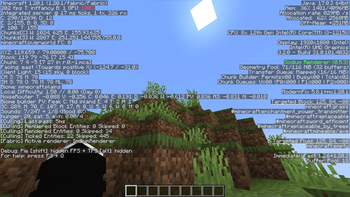
Screenshots

About this Modpack
Introducing the Ultimate Performance Modpack!
Enhance your Minecraft journey like never before with our Superbly crafted modpack. We're here to supercharge your gameplay and provide you with an Superbly smooth and immersive experience. Our Hand-Picked selected mods are dedicated to optimizing client performance, ensuring a seamless adventure at every turn. "optimization + FPS Improve + client modification to improve GamePLay"
Optimizing Server Performance:
C2me: Reduce data sent to clients for lag-free multiplayer.
Indium: Maximize server efficiency with advanced data optimization.
Client-Side Enhancements:
Cloth Config API: Empower your mod configuration with a user-friendly system.
Enhanced Block Entities: Elevate block entity rendering performance for stunning visuals.
Entity Culling: Boost client performance by rendering only essential entities.
ModernFix: Bid farewell to Minecraft bugs with this comprehensive fix mod.
Client Optimization:
Sodium: Supercharge your frame rate and leave lag behind.
SodiumExtra: Elevate your visual experience with this exceptional Sodium add-on.
Reese's Sodium Options: Fine-tune Sodium settings with extra configuration options.
Dynamic FPS: Enjoy a lag-free gaming experience with reduced chunk loading lag.
Very Many Players: Keep the fun going with numerous players online, lag free life on massive servers.
Quality Enhancement:
Krypton: A mod to optimize the Minecraft networking stack.
No Chat Reports: Makes chat unreportable (where possible).
NoNarrator: Dive into a narrator-free experience.
AppleSkin: Boost your awareness of hunger and saturation levels.
Convenience and Features:
InGameAccountSwitcher: Seamlessly switch between Minecraft accounts in-game.
ModMenu: Take control of your mods with a powerful menu system.
Zoomify: Enhance your gaming experience with dynamic zoom options.
BetterPingDisplay: Stay in the know with real-time ping information.
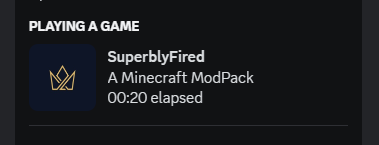
CraftPresence: Elevate your discord presence with SuperblyFired.
Chat Heads: Keep conversations in view with handy chat heads.
Chat Patches: Enhance your chat interface.
Screenshot Viewer: View your screenshots in game.
Shulker Box Tooltip: Stay organized with handy Shulker box information.
Boosted Brightness: Eliminate the darkest corners of your world.
No darkness effect: Removes warden's effect.
freelook: Caught with 360.
Freecam: Capture your world from every angle.
ukulib: Support for various mods.
uku's Armour HUD: See your armor Health.
ViaFabricPlus: connect to EVERY Minecraft server version (Release, Beta, Alpha, Classic, Snapshots, Bedrock)
KronHUD: A HUD mod for Everything.
DashLoader: Launch at the speed of light.
Clumps: Clumps XP orbs together to reduce lag
Who am I?: Shows your player nametag in the Inventory and third person view!
Upgrade your Minecraft journey today with our performance-enhancing modpack and embark on a lag-free adventure like never before! <33
Available Versions
How to Set Up a SuperblyFired Server
Order Server
Choose at least 4 GB RAM (6 GB recommended for SuperblyFired). Based on player count: per 8 players.
Install Modpack in Dashboard
Open the modpack browser in the dashboard, search for "SuperblyFired" and click "Install". The fabric loader and Minecraft 1.20.1 are configured automatically.
Start Server & Play
Start the server – all mods are loaded automatically. Share the server IP with friends and play together!
Frequently Asked Questions
SuperblyFired server crashes or won't start – what to do?
Most common causes: insufficient RAM or wrong fabric loader. Check latest.log for "OutOfMemoryError" → increase RAM to at least 6 GB. For "Mixin" or "ClassNotFoundException" errors: modpack version and loader don't match. With Mado Hosting, loader and Minecraft version are auto-configured on modpack install – preventing most startup issues.
How much RAM does a SuperblyFired server really need?
Minimum 4 GB, recommended 6 GB for stable performance. per 8 players. Important: Minecraft modpacks need more RAM than vanilla – plan extra per additional player. With Mado Hosting, you can scale RAM up live at any time without data loss (from €8/month).
Can I add custom mods to SuperblyFired without conflicts?
Yes, but check compatibility: only use mods for the same loader (fabric) and same Minecraft version (1.20.1). Common issues: ID conflicts with recipe mods and incompatible coremod versions. The Mado dashboard mod browser only shows compatible mods and warns about known conflicts.
SuperblyFired server lagging – performance tips
1) Increase RAM to 6 GB+. 2) Reduce server view-distance to 8 (server.properties). 3) Pre-generate chunks with the "Chunky" plugin. 4) Use /spark profiler to check which mods consume the most tick time. With Mado Hosting, all servers run on NVMe SSDs with dedicated CPU cores – eliminating hardware as a bottleneck.
Similar Modpacks

![Better MC [FABRIC] - BMC2](https://cdn.modrinth.com/data/shFhR8Vx/a19c2bcb51d38f32f138d3607e91cb2b7b8e387f_96.webp)
![Better MC [FORGE] - BMC4](https://cdn.modrinth.com/data/4BV47HRn/7f5ef7cc61b2593609aabef3ed07a866a4f11b73_96.webp)


Rent SuperblyFired Server
Start your own server with automatic modpack installation.
Details
- License
- LicenseRef-All-Rights-Reserved
- Server-side
- Unsupported
- Client-side
- Required
Supported Versions
Start your SuperblyFired Server now
From €8.00/month with 6 GB RAM for the best performance.
Configure Server →