
Syncretic
Beta, preserved just as it was intended, with modern fixes.
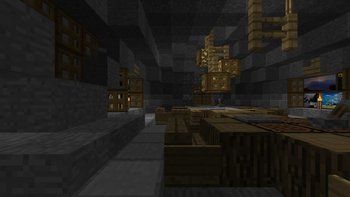
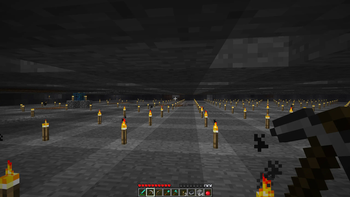
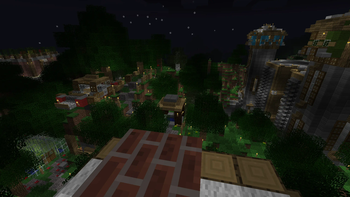
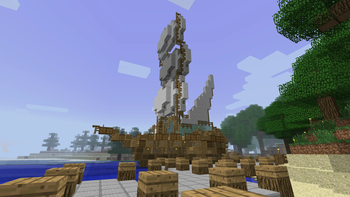
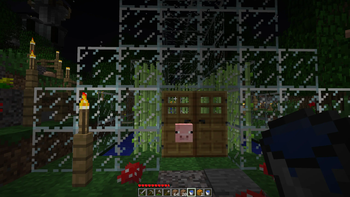
Screenshots

About this Modpack
Minecraft Beta 1.7.3 - released in 2011, this is the most popular version from Minecraft's "golden age." Many are drawn to it due to the simplicity and charm it holds - a small thought-out collection of items and blocks, whimsical terrain generation and a retro aesthetic, yet many are deterred by its somewhat clunky playstyle. As with any beta release of a game, it is buggy and lacks many features that keep fans of modern Minecraft from giving it a real chance.
This modpack aims to change that. Running on a modified version of Fabric specifically for Beta 1.7.3, this modpack fixes many of those bugs, backports features loved by modern Minecrafters, and polishes gameplay (with complete customizability!) - all while maintaining compatibility with existing vanilla worlds.
Features
- Completely configurable through Mod Menu
- Modern GUI, QOL features, configs and controls
- Skin and authentication fixes
- Modern F5 mode
- Cloud height adjustment
- Alpha cobble texture parity texture pack
- Place otherwise unsupported trapdoors
- Boat fixes
- Chests can open with a block above them
- Fence shape and connection fixes
- Slab placement fixes
- Modern and QOL crafting recipes
- Tools all break correct blocks
- World hosting
- Creative mode added
- Creative mode spawn eggs added
- Creative mode music plays in survival
- C418 nether-specific music added
- C418 main menu themes added
- Main menu panorama added
- Better sound mixing
- Major performance optimizations
- Font rendering fix
- Translations added
- Configurable F3 screen
- Freecam added
- Discord RPC
- Apple Silicon colors and windows fix
- Hotbar placement fix
- Customizable HUD
- Commands system (see below)
- And much more...
Pre-install notes
- Always back-up your saves! - this is a heavily modified version of a very old game :)
- As of MacOS Tahoe, Syncretic will not launch due to a StationAPI bug - until it is fixed, the only way to play Syncretic on Apple silicon devices is through Asahi Linux
- Designed specifically for use with Prism Launcher
Installation
- Install the latest release of Syncretic in Prism Launcher
- Download Syncretic Babric Patches, found in "files" under the latest release of Syncretic, and extract the downloaded folder into Syncretic's instance folder, replacing any existing files
- Navigate to Syncretic's instance "Settings" tab and select Java 17 under "Java installation"
Post-install notes
- Make sure Java 17 is up-to-date from time to time
- Each time Syncretic is updated, Syncretic Babric Patches will need to be re-installed
- A mod called "Retro Commands" is included, disabled by default - when enabled, it will grant global operator permissions
Multiplayer
To host a save using the integrated hosting mod (BetaLan), first copy your Java 17 file path, then navigate to the "Mods" menu in game, open BetaLan's config, and paste your Java 17 file path under "Java Path"
Now Syncretic can host a local game - load into any save and select "Open to Lan"
Connecting players on devices outside of your local network requires you either port forward or use a mesh VPN such as Tailscale
Syncretism - the practice of combining different beliefs and various schools of thought.
Available Versions
How to Set Up a Syncretic Server
Order Server
Choose at least 6 GB RAM (8 GB recommended for Syncretic). Based on player count: per 5 players.
Install Modpack in Dashboard
Open the modpack browser in the dashboard, search for "Syncretic" and click "Install". The fabric loader and Minecraft b1.7.3 are configured automatically.
Start Server & Play
Start the server – all mods are loaded automatically. Share the server IP with friends and play together!
Frequently Asked Questions
Syncretic server crashes or won't start – what to do?
Most common causes: insufficient RAM or wrong fabric loader. Check latest.log for "OutOfMemoryError" → increase RAM to at least 8 GB. For "Mixin" or "ClassNotFoundException" errors: modpack version and loader don't match. With Mado Hosting, loader and Minecraft version are auto-configured on modpack install – preventing most startup issues.
How much RAM does a Syncretic server really need?
Minimum 6 GB, recommended 8 GB for stable performance. per 5 players. Important: Minecraft modpacks need more RAM than vanilla – plan extra per additional player. With Mado Hosting, you can scale RAM up live at any time without data loss (from €12/month).
Can I add custom mods to Syncretic without conflicts?
Yes, but check compatibility: only use mods for the same loader (fabric) and same Minecraft version (b1.7.3). Common issues: ID conflicts with recipe mods and incompatible coremod versions. The Mado dashboard mod browser only shows compatible mods and warns about known conflicts.
Syncretic server lagging – performance tips
1) Increase RAM to 8 GB+. 2) Reduce server view-distance to 8 (server.properties). 3) Pre-generate chunks with the "Chunky" plugin. 4) Use /spark profiler to check which mods consume the most tick time. With Mado Hosting, all servers run on NVMe SSDs with dedicated CPU cores – eliminating hardware as a bottleneck.
Similar Modpacks
![Cobblemon Official Modpack [Fabric]](https://cdn.modrinth.com/data/5FFgwNNP/e7f9ee2e9d361623847853fe2ddce42f519ee64f.png)
![COBBLEVERSE - Pokemon Adventure [Cobblemon]](https://cdn.modrinth.com/data/Jkb29YJU/581ecf54530972afb18a04660afd820f2f24f6c7.png)
![Better MC [FABRIC] - BMC2](https://cdn.modrinth.com/data/shFhR8Vx/a19c2bcb51d38f32f138d3607e91cb2b7b8e387f_96.webp)


![Better MC [FORGE] - BMC4](https://cdn.modrinth.com/data/4BV47HRn/7f5ef7cc61b2593609aabef3ed07a866a4f11b73_96.webp)
Rent Syncretic Server
Start your own server with automatic modpack installation.
Supported Versions
Start your Syncretic Server now
From €12.00/month with 8 GB RAM for the best performance.
Configure Server →