
Tac-Ops
Modpack for the Public tac-ops server
Screenshots
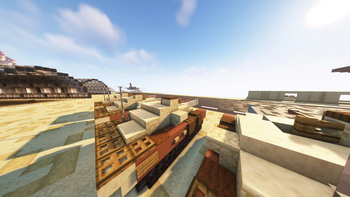
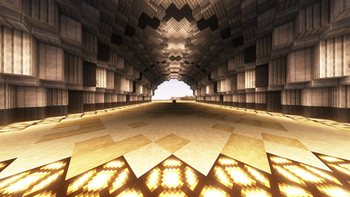
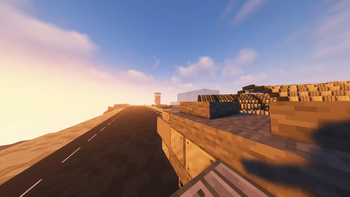
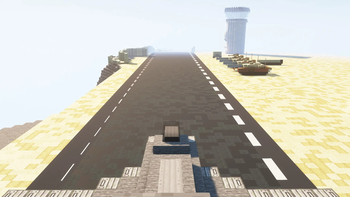
About this Modpack
Join the discord to take part in events!
https://discord.gg/heMjcTHyR7
the public server has sadly closed down due to finances but the pack is still playable and is alot of fun :)
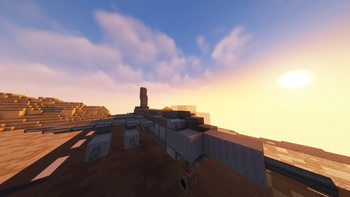
In this pack we offer lots of fun we got planes u can fly around and attack bases in guns to have mini wars on with friends or just to protect your self we also have lots of decorative blocks too so you can make ur houses and projects look amazing. We do also have the create mod yes its a little complicated but its quite easy to learn if you have any problems please leave a message and we are sure to answer!
Get macaws windows here
[https://www.curseforge.com/minecraft/mc-mods/macaws-windows/files]
modlist;
Rubidium Extra
Simple Planes (Forge)
TexTrue's Rubidium Options
Cloth Config API
Oculus
Not Enough Crashes
Pluto
Ksyxis
Not Enough Animations
Blur Forge (Unofficial)
Engineer's Decor
Lightspeed
FerriteCore
Starlight (Forge)
Physics Mod
Rubidium
Just Enough Items (JEI)
Geckolib
Timeless and Classics Guns
ModernFix
project-939004
Create
Decorative Blocks
Modern UI
Blueprint
Entity Culling Fabric/Forge
Mouse Tweaks
Saturn
Configured
Crafting Dead
Fastload
Sound Physics Remastered
Lazy DataFixerUpper(LazyDFU) [FORGE]
Konkrete
Framework
Crafting Dead Cosmetics
Create: Steam 'n' Rails
Another Furniture
Controlling
Yes Steve Model
Personality
Canary
Crafting Dead: Survival
'Dustrial Decor
Radon
FancyMenu
Crafting Dead: Decoration
MmmMmmMmmMmm
FramedBlocks
Available Versions
How to Set Up a Tac-Ops Server
Order Server
Choose at least 4 GB RAM (6 GB recommended for Tac-Ops). Based on player count: per 5 players.
Install Modpack in Dashboard
Open the modpack browser in the dashboard, search for "Tac-Ops" and click "Install". The forge loader and Minecraft 1.18.2 are configured automatically.
Start Server & Play
Start the server – all mods are loaded automatically. Share the server IP with friends and play together!
Frequently Asked Questions
Tac-Ops server crashes or won't start – what to do?
Most common causes: insufficient RAM or wrong forge loader. Check latest.log for "OutOfMemoryError" → increase RAM to at least 6 GB. For "Mixin" or "ClassNotFoundException" errors: modpack version and loader don't match. With Mado Hosting, loader and Minecraft version are auto-configured on modpack install – preventing most startup issues.
How much RAM does a Tac-Ops server really need?
Minimum 4 GB, recommended 6 GB for stable performance. per 5 players. Important: Minecraft modpacks need more RAM than vanilla – plan extra per additional player. With Mado Hosting, you can scale RAM up live at any time without data loss (from €8/month).
Can I add custom mods to Tac-Ops without conflicts?
Yes, but check compatibility: only use mods for the same loader (forge) and same Minecraft version (1.18.2). Common issues: ID conflicts with recipe mods and incompatible coremod versions. The Mado dashboard mod browser only shows compatible mods and warns about known conflicts.
Tac-Ops server lagging – performance tips
1) Increase RAM to 6 GB+. 2) Reduce server view-distance to 8 (server.properties). 3) Pre-generate chunks with the "Chunky" plugin. 4) Use /spark profiler to check which mods consume the most tick time. With Mado Hosting, all servers run on NVMe SSDs with dedicated CPU cores – eliminating hardware as a bottleneck.
Similar Modpacks

![COBBLEVERSE - Pokemon Adventure [Cobblemon]](https://cdn.modrinth.com/data/Jkb29YJU/581ecf54530972afb18a04660afd820f2f24f6c7.png)




Rent Tac-Ops Server
Start your own server with automatic modpack installation.
Supported Versions
Start your Tac-Ops Server now
From €8.00/month with 6 GB RAM for the best performance.
Configure Server →