
Tensura Reincarnated Re: Extended
A modpack that extends the fun and adventure of playing Tensura Reincarnated mod
Screenshots
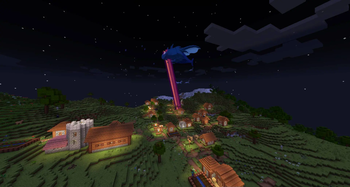
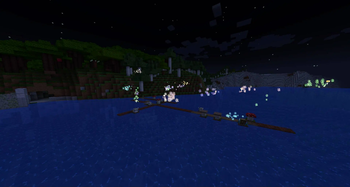
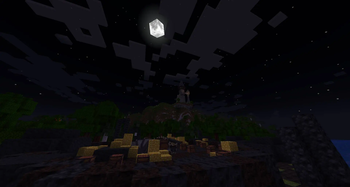
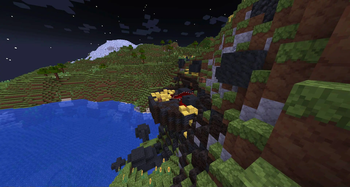

About this Modpack

Tensura Reincarnated Re:Extended
The Tensure Re:E modpack is modpack meant to make life playing the game more adventurist and extending the base mod with addons mods and other fun mods to explore in the game.
The modpack is built around Three core mods: Tensura, Ice & Fire, and Iron's Spells 'n Spellbooks. While also containing other exploration base mods.
Need A Server? I Got You!
Credit List: Click Here To View
Used Mods- Framework by MrCrayfish
- More Axolotl Variants Mod by AkashiiKun
- Wormhole (Portals) by SuperMartijn642
- Spartan Shields by ObliviousSpartan
- Another Furniture by Starfish Studios
- Catalogue by MrCrayfish
- Macaw's Fences and Walls by Sketch Macaw & Peachy Macaw
- Caged Mobs by Corgam
- Croptopia Delight by Ropyxa
- SuperMartijn642's Core Lib by SuperMartijn642
- Dynamic FPS by juliand665 & LostLuma
- Camera Overhaul by Mirsario, Forge Port: CorgiTaco
- Immersive Armors by Luke100000
- YUNG's API by YUNGNICKYOUNG
- Exposure by Mortuusars
- Pam's HarvestCraft 2 - Food Extended by Love, Cheese and small house plants
- Structure Gel API by Silver_David, KingPhygieBoo, Jonathing
- More Mob Variants by nyuppo
- Immersive Paintings by Luke100000
- Architectury by shedaniel
- Cloth Config v8 API by shedaniel
- Spartan Weaponry by ObliviousSpartan
- Animation Overhaul by ElocinDev
- MrCrayfish's Furniture Mod: Refurbished by MrCrayfish
- YUNG's Better End Island by YUNGNICKYOUNG, Acarii
- Pam's HarvestCraft 2 - Trees by Love, Cheese and small house plants
- More Chests by Nibaru
- Xaero's Minimap by xaero96
- Structurize by LDT Team
- End Remastered by Team Remastered
- Chunky by pop4959
- Mouse Tweaks by Ivan Molodetskikh (YaLTeR)
- Necronomicon by ElocinDev
- Global Packs by JTK222
- YUNG's Better Mineshafts by YUNGNICKYOUNG
- Ice and Fire by Alexthe666, TheBv
- ImmediatelyFast by RK_01
- Overweight Farming by Binome, Orcinus
- Remove Reloading Screen by dima_dencep
- Pam's HarvestCraft 2 - Crops by Love, Cheese and small house plants
- Macaw's Bridges by Sketch Macaw & Peachy Macaw
- Macaw's Holidays by Sketch Macaw & Peachy Macaw
- Alex's Mobs by Alexthe668, Carro1001
- Dynamic Lights by Tschipcraft
- Pam's HarvestCraft 2 - Food Core by Love, Cheese and small house plants
- Curios API by C4
- Farmer's Delight by vectorwing
- Default Options by BlayTheNinth
- Macaw's Paths and Pavings by Sketch Macaw & Peachy Macaw
- ModernFix by embeddedt
- Iron's Spells 'n Spellbooks by Iron431, Lab3
- Make Bubbles Pop by Tschipcraft
- More Chat History Reforged by shizotoaster, JackFred
- Player Animator by KosmX
- TerraBlender by Adubbz
- Macaw's Furniture by Sketch Macaw
- More Axolotl Variants API by AkashiiKun, KxmischesDomi
- ImmediatelyFast by RK_01
- Brute Force Rendering Culling by RogoShum
- Chat Heads by dzwdz, Fourmisain
- Bookshelf by Darkhax
- Sound Physics Remastered by Sonic Ether, vlad2305m, Max Henkel, Saint
- YUNG's Better Dungeons by YUNGNICKYOUNG, Acarii
- YUNG's Bridges by YUNGNICKYOUNG
- Macaw's Windows by Sketch Macaw & Peachy Macaw
- Macaw's Lights and Lamps by Sketch Macaw & Peachy Macaw
- EntityCulling by tr7zw
- Raised by yurisuika
- ShulkerBoxTooltip by MisterPeModder
- Balm by BlayTheNinth
- Falling Leaves by Cheaterpaul, Fourmisain, BrekiTomasson and RandomMcSomethin
- Immersive Melodies by Luke100000
- ManasCore by ManasMods
- Multi-Piston by Let's Dev Together Team
- MineColonies by LDT Team
- SuperMartijn642's Config Library by SuperMartijn642
- Smooth Boot (Reloaded) by AbdElAziz
- Tensura:Reincarnated by MinhEragon, MrProfessor, ItsJustArthur, Borniuus, Nieadni
- Caelus API by C4
- Macaw's Roofs by Sketch Macaw & Sketch Peachy
- Better Weather by Corgi Taco, Mysticpasta1
- NotEnoughAnimations by tr7zw
- FramedBlocks by XFactHD
- more_ships by tombkingsts, MCreator
- Dungeons Plus by Silver_David
- Konkrete by Keksuccino
- Simple Inventory Sorter by cpw
- Puzzles Lib
- HalsPirateMod by Halbear
- Fantasy's Furniture by ApexStudios
- YUNG's Extras by YUNGNICKYOUNG, Acarii
- Ender Dragon Fight Remastered by MrGenie151
- Mantle by Slime Knights
- Waystones by BlayTheNinth
- Domum Ornamentum by LDTTeam, OrionDevelopment
- Macaw's Paintings by Art made by Peachy, coded by Sketch Macaw
- Configured by MrCrayfish
- PandaLib by The Panda Oliver
- Tropicraft by Cojomax99, Corosus, tterrag
- Falling Trees by The Panda Oliver
- Construction Wand by ThetaDev
- Dynamic FPS by juliand665 & LostLuma
- Grappling Hook Mod by Yyon, Nyfaria, and Mayesnake
- Tinkers' Construct by Slime Knights
- EnchantmentDescriptions by Darkhax
- Backpacked by MrCrayfish
- GeckoLib by Gecko, Eliot, AzureDoom, Chappie, DerToaster
- Macaw's Doors by Sketch Macaw & Sketch Peachy
- UI Library Mod by LDT Team
- Model Gap Fix by MehVahdJukaar
- YUNG's Better Desert Temples by YUNGNICKYOUNG, Tera
- Roughly Enough Items (REI) by shedaniel
- Enchanting Infuser by Fuzs
- YUNG's Better Ocean Monuments by YUNGNICKYOUNG, Tera
- Memory Leak Fix by FX - PR0CESS
- Open Parties and Claims by Xaero96 and other contributors
- Tensura Compat: Iron's Spells n Spellbooks by MinhEragon
- Dungeons and Taverns by NovaWostra, Walls17
- Citadel by Alexthe666
- YUNG's Better Jungle Temples by YUNGNICKYOUNG, Tera
- YUNG's Better Witch Huts by YUNGNICKYOUNG, Acarii
- Saturn by AbdElAziz
- 3d-Skin-Layers by tr7zw
- Cloth Config v8 API by shedaniel
- Tensura Compat: Ice and Fire by MinhEragon
- Starlight by Spottedleaf
- YUNG's Better Strongholds by YUNGNICKYOUNG, Acarii
- YUNG's Better Nether Fortresses by YUNGNICKYOUNG, Acarii
- Jade by Snownee
- Macaw's Trapdoors by Sketch Macaw & Peachy Macaw
- Canary by AbdElAziz
- Ferrite Core by malte0811
- Tensura Compat: Open Parties and Claims by MinhEragon
- Oh The Biomes You'll Go
- Tetra by Mickelus
- When Dungeons Arise by Aurelj, DiamondTown and Zephyrusj
- BHMenu by BisectHosting
- Incendium by Stardust Labs
- Explorify by bebebea_loste
- Twigs by Ninni
- [Let's Do] Vinery
- Additional Structures
- Hang Glider
- Silent Lib by SilentChaos512
- Croptopia by Thonk, Rainbowcraft2
- Spellbound Weapons
- Keep Some Inventory
- Ships
- Unwrecked Ships
- Create
- Supplementaries
- CorgiLib
- [Let's Do] API
- mutil
- Moonlight Lib
Used Resource Packs
Available Versions
How to Set Up a Tensura Reincarnated Re: Extended Server
Order Server
Choose at least 6 GB RAM (8 GB recommended for Tensura Reincarnated Re: Extended). Based on player count: per 5 players.
Install Modpack in Dashboard
Open the modpack browser in the dashboard, search for "Tensura Reincarnated Re: Extended" and click "Install". The forge loader and Minecraft 1.19.2 are configured automatically.
Start Server & Play
Start the server – all mods are loaded automatically. Share the server IP with friends and play together!
Frequently Asked Questions
Tensura Reincarnated Re: Extended server crashes or won't start – what to do?
Most common causes: insufficient RAM or wrong forge loader. Check latest.log for "OutOfMemoryError" → increase RAM to at least 8 GB. For "Mixin" or "ClassNotFoundException" errors: modpack version and loader don't match. With Mado Hosting, loader and Minecraft version are auto-configured on modpack install – preventing most startup issues.
How much RAM does a Tensura Reincarnated Re: Extended server really need?
Minimum 6 GB, recommended 8 GB for stable performance. per 5 players. Important: Minecraft modpacks need more RAM than vanilla – plan extra per additional player. With Mado Hosting, you can scale RAM up live at any time without data loss (from €12/month).
Can I add custom mods to Tensura Reincarnated Re: Extended without conflicts?
Yes, but check compatibility: only use mods for the same loader (forge) and same Minecraft version (1.19.2). Common issues: ID conflicts with recipe mods and incompatible coremod versions. The Mado dashboard mod browser only shows compatible mods and warns about known conflicts.
Tensura Reincarnated Re: Extended server lagging – performance tips
1) Increase RAM to 8 GB+. 2) Reduce server view-distance to 8 (server.properties). 3) Pre-generate chunks with the "Chunky" plugin. 4) Use /spark profiler to check which mods consume the most tick time. With Mado Hosting, all servers run on NVMe SSDs with dedicated CPU cores – eliminating hardware as a bottleneck.
Similar Modpacks
![Cobblemon Official Modpack [Fabric]](https://cdn.modrinth.com/data/5FFgwNNP/e7f9ee2e9d361623847853fe2ddce42f519ee64f.png)
![COBBLEVERSE - Pokemon Adventure [Cobblemon]](https://cdn.modrinth.com/data/Jkb29YJU/581ecf54530972afb18a04660afd820f2f24f6c7.png)
![Better MC [FABRIC] - BMC2](https://cdn.modrinth.com/data/shFhR8Vx/a19c2bcb51d38f32f138d3607e91cb2b7b8e387f_96.webp)


![Better MC [FORGE] - BMC4](https://cdn.modrinth.com/data/4BV47HRn/7f5ef7cc61b2593609aabef3ed07a866a4f11b73_96.webp)
Rent Tensura Reincarnated Re: Extended Server
Start your own server with automatic modpack installation.
Supported Versions
Start your Tensura Reincarnated Re: Extended Server now
From €12.00/month with 8 GB RAM for the best performance.
Configure Server →