
TFC:UPGRADE
A modpack based on TFC and Create, IE of course.
Screenshots
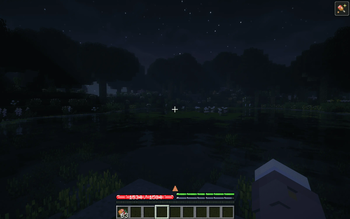
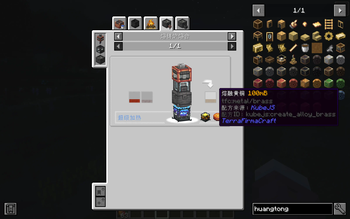

About this Modpack
Describe
This is a TerraFirmaCraft and Create based integration pack.
Important Reminder.
You will need to download the following two additional mods from CourseForge
- TFC: Grooming Station
- TFC Casting with Channels
- FTB XMod Compat
- FTB Teams (Forge)
- FTB Quests (Forge)
- FTB Library (Forge)
- Item Filters
- Flerovium
Features.
- clean: removes all recipes for inaccessible items and hides them from the jei
- Automated Metallurgy: Added recipes for all alloys and metals in the Range via Create: Metallurgy.
- Miner's Favorite: Fixed the fact that the Time Attachment doesn't work on ores when Time Attachment + Wash Attachment is used.
- Power Age: You can wash uranium ore to get a small amount of thorium ore.
- Diesel power: every oil field is now unlimited, enjoy!
- Balance Adjustment: Some convenient tech lines can only be done after unlocking Red, Blue, and Steel techs!
简体中文
这是一个以TerraFirmaCraft和Create为主的整合包。
重要提醒:
你需要从CourseForge 额外下载以下两个mod
- TFC: Grooming Station
- TFC Casting with Channels
- FTB XMod Compat
- FTB Teams (Forge)
- FTB Quests (Forge)
- FTB Library (Forge)
- Item Filters
特性:
- 干净:删除了所有不可获取物品的配方,并且将他们从jei中隐藏
- 自动化冶金:通过Create: Metallurgy 为群峦所有的合金以及金属都添加了配方
- 群峦矿工最爱的版本:修复了时运附属+洗矿附属时,时运附魔对矿石不生效
- 电力时代:你可以通过水洗铀矿获取少量的钍矿
- 柴油动力:现在每一块油田都是无限的,尽情享受
- 平衡性调整:有些方便的科技线,只能在解锁了红蓝钢科技之后才可以进行
- 洗矿产物增加,现在的洗矿产出为原版的2倍以上,鼓风机水洗为2.5倍
- 机械动力的海带需求,替换为afc的橡胶,乳胶的产量增加且不受 时间/温度/季节 的影响
- 更改橡胶科技线,删除原版海带(均替换为橡胶)
- 现在高岭土生成条件为 温度8°以上,降雨量200毫升以上
- 提高洗矿槽产量,现在产量为原版2倍+,鼓风机为0.0.1版本 2.5倍,减少前期坐牢程度
- 修复沉浸工程柴油发电机喝水发电
Available Versions
How to Set Up a TFC:UPGRADE Server
Order Server
Choose at least 6 GB RAM (8 GB recommended for TFC:UPGRADE). Based on player count: per 5 players.
Install Modpack in Dashboard
Open the modpack browser in the dashboard, search for "TFC:UPGRADE" and click "Install". The forge loader and Minecraft 1.20.1 are configured automatically.
Start Server & Play
Start the server – all mods are loaded automatically. Share the server IP with friends and play together!
Frequently Asked Questions
TFC:UPGRADE server crashes or won't start – what to do?
Most common causes: insufficient RAM or wrong forge loader. Check latest.log for "OutOfMemoryError" → increase RAM to at least 8 GB. For "Mixin" or "ClassNotFoundException" errors: modpack version and loader don't match. With Mado Hosting, loader and Minecraft version are auto-configured on modpack install – preventing most startup issues.
How much RAM does a TFC:UPGRADE server really need?
Minimum 6 GB, recommended 8 GB for stable performance. per 5 players. Important: Minecraft modpacks need more RAM than vanilla – plan extra per additional player. With Mado Hosting, you can scale RAM up live at any time without data loss (from €12/month).
Can I add custom mods to TFC:UPGRADE without conflicts?
Yes, but check compatibility: only use mods for the same loader (forge) and same Minecraft version (1.20.1). Common issues: ID conflicts with recipe mods and incompatible coremod versions. The Mado dashboard mod browser only shows compatible mods and warns about known conflicts.
TFC:UPGRADE server lagging – performance tips
1) Increase RAM to 8 GB+. 2) Reduce server view-distance to 8 (server.properties). 3) Pre-generate chunks with the "Chunky" plugin. 4) Use /spark profiler to check which mods consume the most tick time. With Mado Hosting, all servers run on NVMe SSDs with dedicated CPU cores – eliminating hardware as a bottleneck.
Similar Modpacks
![Cobblemon Official Modpack [Fabric]](https://cdn.modrinth.com/data/5FFgwNNP/e7f9ee2e9d361623847853fe2ddce42f519ee64f.png)
![COBBLEVERSE - Pokemon Adventure [Cobblemon]](https://cdn.modrinth.com/data/Jkb29YJU/581ecf54530972afb18a04660afd820f2f24f6c7.png)
![Better MC [FABRIC] - BMC2](https://cdn.modrinth.com/data/shFhR8Vx/a19c2bcb51d38f32f138d3607e91cb2b7b8e387f_96.webp)


![Better MC [FORGE] - BMC4](https://cdn.modrinth.com/data/4BV47HRn/7f5ef7cc61b2593609aabef3ed07a866a4f11b73_96.webp)
Rent TFC:UPGRADE Server
Start your own server with automatic modpack installation.
Supported Versions
Start your TFC:UPGRADE Server now
From €12.00/month with 8 GB RAM for the best performance.
Configure Server →