
That Time In Minecraft
A That Time I Got Reincarnated as a Slime modpack based around Magic and Tech
Screenshots
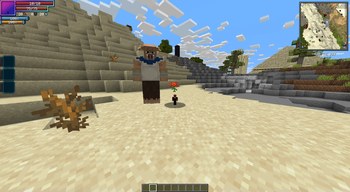
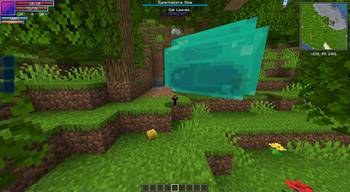
About this Modpack
That Time in Minecraft
Inspired by the anime That Time I Got Reincarnated as a Slime, this modpack immerses you in a limitless world where magic meets technology.
Overview
Built around Tensura:Reincarnated, this pack encourages you to:
- Adventure, build, and evolve.
- Create your very own Jura Federation and guide it into a new era.
Key Features
Meet The Core Mods
- Tensura:Reincarnated The most core of the core mods!
- Mekanism: Make your life easy and power the world.
- Thermal Series: Master energy production and industrial processes.
- Create: Design your steampunk Federation!
- Electrodynamics: Dive into nuclear science and accidentally blow up your base!
Magic Integration
The magic of Tensura:Reincarnated blends seamlessly with mods like Ice & Fire and Iron's Spells 'n Spellbooks. Build a world where medieval fantasy collides with cutting-edge tech, pushing your base beyond the nuclear age and into realms of science most can only dream about. The result is a truly immersive experience.
Adventure Awaits
- Explore vast detailed with Terra and dive into multiple mysterious dimensions.
- Subdue powerful creatures, turn them into allies, and build thriving settlements.
- Face challenges to uncover hidden treasures.
SERVER OWNERS, Please Read
Server Pack
I update this pack as both a client pack and a server pack. The client pack is the default, but server owners like you, should check the versions tab for the "That Time In Minecraft Server" pack that matches your client version.
What’s different in the server pack?
Client-only mods are removed, so you can drop it straight into the server’s mods/ folder.
Server Ram
About 6–12 GB should be on the server. I found the sweet spot to be around 9–12 GB. More than ~12 GB usually hurts performance because of GC pauses.
server.properties
- Set worldgen:
level-type=terra:overworld/overworld.- If this gets changed after first boot, delete the world folder and restart the server.
- Prevent false fly-kicks:
allow-flight=true.
I know how much of a pain this can be sometimes, so I hope this helps! <3
Spoiler
Thank you to the Tensura:Dungeon devs for letting me use their mod in this pack.Available Versions
How to Set Up a That Time In Minecraft Server
Order Server
Choose at least 6 GB RAM (10 GB recommended for That Time In Minecraft). Based on player count: per 4 players.
Install Modpack in Dashboard
Open the modpack browser in the dashboard, search for "That Time In Minecraft" and click "Install". The forge loader and Minecraft 1.19.2 are configured automatically.
Start Server & Play
Start the server – all mods are loaded automatically. Share the server IP with friends and play together!
Frequently Asked Questions
That Time In Minecraft server crashes or won't start – what to do?
Most common causes: insufficient RAM or wrong forge loader. Check latest.log for "OutOfMemoryError" → increase RAM to at least 10 GB. For "Mixin" or "ClassNotFoundException" errors: modpack version and loader don't match. With Mado Hosting, loader and Minecraft version are auto-configured on modpack install – preventing most startup issues.
How much RAM does a That Time In Minecraft server really need?
Minimum 6 GB, recommended 10 GB for stable performance. per 4 players. Important: Minecraft modpacks need more RAM than vanilla – plan extra per additional player. With Mado Hosting, you can scale RAM up live at any time without data loss (from €12/month).
Can I add custom mods to That Time In Minecraft without conflicts?
Yes, but check compatibility: only use mods for the same loader (forge) and same Minecraft version (1.19.2). Common issues: ID conflicts with recipe mods and incompatible coremod versions. The Mado dashboard mod browser only shows compatible mods and warns about known conflicts.
That Time In Minecraft server lagging – performance tips
1) Increase RAM to 10 GB+. 2) Reduce server view-distance to 8 (server.properties). 3) Pre-generate chunks with the "Chunky" plugin. 4) Use /spark profiler to check which mods consume the most tick time. With Mado Hosting, all servers run on NVMe SSDs with dedicated CPU cores – eliminating hardware as a bottleneck.
Similar Modpacks
![Cobblemon Official Modpack [Fabric]](https://cdn.modrinth.com/data/5FFgwNNP/e7f9ee2e9d361623847853fe2ddce42f519ee64f.png)
![COBBLEVERSE - Pokemon Adventure [Cobblemon]](https://cdn.modrinth.com/data/Jkb29YJU/581ecf54530972afb18a04660afd820f2f24f6c7.png)
![Better MC [FABRIC] - BMC2](https://cdn.modrinth.com/data/shFhR8Vx/a19c2bcb51d38f32f138d3607e91cb2b7b8e387f_96.webp)


![Better MC [FORGE] - BMC4](https://cdn.modrinth.com/data/4BV47HRn/7f5ef7cc61b2593609aabef3ed07a866a4f11b73_96.webp)
Rent That Time In Minecraft Server
Start your own server with automatic modpack installation.
Supported Versions
Start your That Time In Minecraft Server now
From €12.00/month with 10 GB RAM for the best performance.
Configure Server →