
The Better Pokeblocks Modpack
Multiplayer, Cooperative and laid-back Focused Cobblemon+.
Screenshots
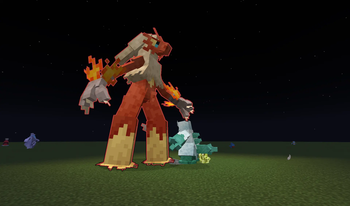
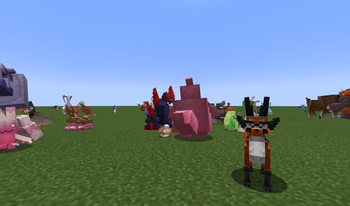
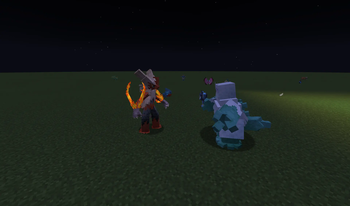
About this Modpack
The Better Pokeblocks Pack brings a cooperative experience, focused on social gameplay, and laid back fun.
Primary Features:
Expanded Pokemon availability.
- Models and spawning for many more Pokemon than base cobblemon. Pokefinder and Pokeradar
Battle gimmicks and cosmetics.
- Mega Evolution, Z-Moves, Dynamax, and Terastilazation available. Pokeball stickers and effects
Make your Pokemon Team Unique
- size variation, Costumes, alpha pokemon, and visible held items.
Play alongside your Pokemon.
- Pokemon Riding, Pokemon Jobs, Pokemon Fight Mobs.
Full Mod List
Spoiler
3d-Skin-Layers
AdvancedLootInfo
Almanac
AmbientEnvironment
AppleSkin
Architectury
Athena
AudioPlayer
BHMenu-Fabric
Bad Wither No Cookie Reloaded
Balm
Better Advancements
Better Ping Display
Better Third Person
Bookshelf
CIT Resewn
Cherished Worlds
Chipped
Cloth Config v15
Clumps
CobbleCuisine
CobbleFurnies
Cobblemon
Cobblemon Capture XP
Cobblemon Counter
Cobblemon Drop Loot Tables
Cobblemon Fight or Flight Fabric
Cobblemon Firework Capsules
Cobblemon Trainer Battle
Cobblemon Unchained
Cobblemon: Legends Untold
Cobblemon: Mega Showdown
Cobblemon: Ride On!
CobblemonAlphas
CobblemonIntegrations
CobblemonSizeVariation
Cobblenav
Cobbleworkers
Cobbreeding
CraftPresence
Crafting Tweaks
Dynamic Crosshair
EMI
EMI Enchanting
EMI Ores
EMI Professions
EasyItemList
EnchantmentDescriptions
Enhanced Attack Indicator
Entity Model Features
Entity Texture Features
EntityCulling
Fabric API
Fabric Language Kotlin
Falling Leaves
FancyMenu
FerriteCore
Forge Config API Port
GeckoLib 4
ImmediatelyFast
InvMove
InvMoveCompats
Iris
Just Enough Effects Descriptions
Just Enough Items
Konkrete
Krypton
LambDynamicLights
Language Reload
Legendary Monuments
Let Me Despawn
Litematica
Lithium
Loot Table Modifier
MaLiLib
Make Bubbles Pop
Melody
Mod Menu
Monsters in the Closet
MoreCobblemonTweaks
Mouse Tweaks
NetherPortalFix
NotEnoughAnimations
OpenLoader
Particle Rain
Particular
PastureLoot
Polymer
Presence Footsteps
PrickleMC
Reese's Sodium Options
Resourceful Lib
Safe Pastures
Show Held Items
Shulker Box Tooltip
SilkTouchPlus
Simple Voice Chat
Sodium
Sodium Extra
Sodium Extras
Sodium Leaf Culling
Sodium Options API
Sodium Shadowy Path Blocks
Stendhal
SwingThrough
TM Craft
Tim Core
Tips
ToolTip Fix
Trinkets
UnChipped
UniLib
Visuality
Wakes
WorldEdit
WorldTools
Xaero's Minimap
Xaero's World Map
YOSBR
YetAnotherConfigLib
oωo
Available Versions
How to Set Up a The Better Pokeblocks Modpack Server
Order Server
Choose at least 4 GB RAM (6 GB recommended for The Better Pokeblocks Modpack). Based on player count: per 8 players.
Install Modpack in Dashboard
Open the modpack browser in the dashboard, search for "The Better Pokeblocks Modpack" and click "Install". The fabric loader and Minecraft 1.21.1 are configured automatically.
Start Server & Play
Start the server – all mods are loaded automatically. Share the server IP with friends and play together!
Frequently Asked Questions
The Better Pokeblocks Modpack server crashes or won't start – what to do?
Most common causes: insufficient RAM or wrong fabric loader. Check latest.log for "OutOfMemoryError" → increase RAM to at least 6 GB. For "Mixin" or "ClassNotFoundException" errors: modpack version and loader don't match. With Mado Hosting, loader and Minecraft version are auto-configured on modpack install – preventing most startup issues.
How much RAM does a The Better Pokeblocks Modpack server really need?
Minimum 4 GB, recommended 6 GB for stable performance. per 8 players. Important: Minecraft modpacks need more RAM than vanilla – plan extra per additional player. With Mado Hosting, you can scale RAM up live at any time without data loss (from €8/month).
Can I add custom mods to The Better Pokeblocks Modpack without conflicts?
Yes, but check compatibility: only use mods for the same loader (fabric) and same Minecraft version (1.21.1). Common issues: ID conflicts with recipe mods and incompatible coremod versions. The Mado dashboard mod browser only shows compatible mods and warns about known conflicts.
The Better Pokeblocks Modpack server lagging – performance tips
1) Increase RAM to 6 GB+. 2) Reduce server view-distance to 8 (server.properties). 3) Pre-generate chunks with the "Chunky" plugin. 4) Use /spark profiler to check which mods consume the most tick time. With Mado Hosting, all servers run on NVMe SSDs with dedicated CPU cores – eliminating hardware as a bottleneck.
Similar Modpacks


![Cobblemon Official Modpack [Fabric]](https://cdn.modrinth.com/data/5FFgwNNP/e7f9ee2e9d361623847853fe2ddce42f519ee64f.png)
![COBBLEVERSE - Pokemon Adventure [Cobblemon]](https://cdn.modrinth.com/data/Jkb29YJU/581ecf54530972afb18a04660afd820f2f24f6c7.png)
![Better MC [FABRIC] - BMC2](https://cdn.modrinth.com/data/shFhR8Vx/a19c2bcb51d38f32f138d3607e91cb2b7b8e387f_96.webp)

Rent The Better Pokeblocks Modpack Server
Start your own server with automatic modpack installation.
Supported Versions
Start your The Better Pokeblocks Modpack Server now
From €8.00/month with 6 GB RAM for the best performance.
Configure Server →