
The Continental Bean Mode
Minecraft modpack for Miffix_r, TheUnknownETC, and Trustmeiexist's communities.
Screenshots
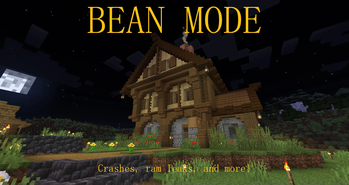
About this Modpack
REQUIRES Java 17!
Simple "kitchen sink" modpack under development for Miffix_r, TheUnknownETC, and Trustmeiexist's communities, on a private-ish server dedicated to said Discord/Twitch communities.
Our goal is to achieve a relatively stable experience sampling many of the Fabric ecosystem's popular modifications, allowing players to enjoy much of what makes Fabric well, "Fabric". Remember those days with simple modpacks thrown together in an evening, that were fun for a few days then forgotten? We want to capture that on an extended scale. Eventually, our goal is to switch entirely to Quilt should the day arrive where Quilt meets our wants for stability.
To achieve that, here's a taste of the features or mods the pack offers:
Bewitchment for all your pagan needs
Most of the "Let's Do _" mods for a playful extension to farming, cooking, and decorating
Oodles canoodles and toaster strudels of optimization mods including but not limited to:
- Krypton for reliable connectivity
- FerriteCore for less memory usage in general
- Memory Leak Fix for less annoying memory leaks that minecraft is known for
- Modern Fix for loads of bug and lag fixes
- Sodium for proper system resource utilization, boosting performance significantly
Immersive Airships for a fun alternative to teleportation (though there are late game teleportation devices)
A warning: This pack includes unstable mods to assist with its optimization, and as such could very well randomly destroy your world. An example is C2ME, which changes chunk generation significantly and is well known to have its own unique issues. Also, mods which fundamentally break certain safety features have been implemented, like No Chat Reports.
Also, this pack is under heavy development, and as such may have world breaking changes often while we iron out what does and does not mesh with previously mentioned communities.
For servers: As it stands, the modlist as-is should work fine for personal servers, though again, this is not a guarantee.
Available Versions
How to Set Up a The Continental Bean Mode Server
Order Server
Choose at least 6 GB RAM (8 GB recommended for The Continental Bean Mode). Based on player count: per 5 players.
Install Modpack in Dashboard
Open the modpack browser in the dashboard, search for "The Continental Bean Mode" and click "Install". The fabric loader and Minecraft 1.20.1 are configured automatically.
Start Server & Play
Start the server – all mods are loaded automatically. Share the server IP with friends and play together!
Frequently Asked Questions
The Continental Bean Mode server crashes or won't start – what to do?
Most common causes: insufficient RAM or wrong fabric loader. Check latest.log for "OutOfMemoryError" → increase RAM to at least 8 GB. For "Mixin" or "ClassNotFoundException" errors: modpack version and loader don't match. With Mado Hosting, loader and Minecraft version are auto-configured on modpack install – preventing most startup issues.
How much RAM does a The Continental Bean Mode server really need?
Minimum 6 GB, recommended 8 GB for stable performance. per 5 players. Important: Minecraft modpacks need more RAM than vanilla – plan extra per additional player. With Mado Hosting, you can scale RAM up live at any time without data loss (from €12/month).
Can I add custom mods to The Continental Bean Mode without conflicts?
Yes, but check compatibility: only use mods for the same loader (fabric) and same Minecraft version (1.20.1). Common issues: ID conflicts with recipe mods and incompatible coremod versions. The Mado dashboard mod browser only shows compatible mods and warns about known conflicts.
The Continental Bean Mode server lagging – performance tips
1) Increase RAM to 8 GB+. 2) Reduce server view-distance to 8 (server.properties). 3) Pre-generate chunks with the "Chunky" plugin. 4) Use /spark profiler to check which mods consume the most tick time. With Mado Hosting, all servers run on NVMe SSDs with dedicated CPU cores – eliminating hardware as a bottleneck.
Similar Modpacks
![Better MC [FABRIC] - BMC2](https://cdn.modrinth.com/data/shFhR8Vx/a19c2bcb51d38f32f138d3607e91cb2b7b8e387f_96.webp)
![Better MC [FORGE] - BMC4](https://cdn.modrinth.com/data/4BV47HRn/7f5ef7cc61b2593609aabef3ed07a866a4f11b73_96.webp)


![Better MC [FABRIC] - BMC3](https://cdn.modrinth.com/data/NHUidpfR/327e0749bb6d160c41799fd77bf6d3d631569dc8_96.webp)

Rent The Continental Bean Mode Server
Start your own server with automatic modpack installation.
Supported Versions
Start your The Continental Bean Mode Server now
From €12.00/month with 8 GB RAM for the best performance.
Configure Server →