
The_Everything_Magic's Tiny Tweaks
A few mods that adds performance and quality of life enhancements to the vanilla game.
Screenshots
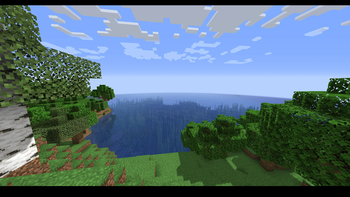
About this Modpack
If you are seeing this modpack out, I likely recommended it to you. I'm not going to hide the fact that this modpack is similar to the hundreds of other optimization modpacks. This was created for a certain community I'm in. The goal of this modpack is to improve Minecraft's performance and add in some quality of life tweaks to enhance the gameplay experience. To install using Ferium, put in ferium modpack add GB4mhgDY and then ferium modpack upgrade to install and update the pack.
📦Mods used in the pack
Major Dependencies
Cloth Config API by shedaniel - https://modrinth.com/mod/cloth-config
Fabric API by modmuss50 - https://modrinth.com/mod/fabric-api
Fabric Language Kotlin by modmuss50 - https://modrinth.com/mod/fabric-language-kotlin
Mod Menu by Prospector - https://modrinth.com/mod/modmenu
Reese's Sodium Options by FlashyReese - https://modrinth.com/mod/reeses-sodium-options
Performance
Cull Leaves by Motschen - https://modrinth.com/mod/cull-leaves
DynamicFPS by juliand665 - https://modrinth.com/mod/dynamic-fps
EntityCulling by tr7zw - https://modrinth.com/mod/entityculling
FerriteCore by malte0811 - https://modrinth.com/mod/ferrite-core
Iris Shaders by Coderbot - https://modrinth.com/mod/iris
Krypton by astei - https://modrinth.com/mod/krypton
LazyDFU by astei - https://modrinth.com/mod/lazydfu
Lithium by CaffeineMC - https://modrinth.com/mod/lithium
Phosphor by CaffeineMC - https://modrinth.com/mod/phosphor
Sodium by CaffeineMC - https://modrinth.com/mod/sodium
Sodium Extra by FlashyReese - https://modrinth.com/mod/sodium-extra
Quality of Life
BetterF3 by treyruffy - https://modrinth.com/mod/betterf3
LambDynamicLights by LambdAurora - https://modrinth.com/mod/lambdynamiclights
LogicalZoom by LogicalGeekBoy - https://modrinth.com/mod/logical-zoom
Ok Zoomer by Ennui - https://modrinth.com/mod/ok-zoomer
No Chat Reports by Aizistral - https://modrinth.com/mod/no-chat-reports
⚙️Modpack Maintenance
Mainline versions of Tiny Tweaks get weekly updates. Mainline versions are on the current version's, latest minor update (1.19.3) and the last version's latest minor update (1.18.2).
Legacy versions of Tiny Tweaks get monthly updates. Legacy versions are on the latest minor update of major versions older than the 2 mainline versions (<= 1.17.1).
Regardless of status, all versions of Tiny Tweaks will get regular updates indefinitely. If no mods are updated for the pack from their developers, I will update the version number with an * to denote that. This will likely happen to legacy versions the most.
💖Thanks to all of the developers who helped bring these game changing mods into existence. This modpack would have not been possible without them.
Available Versions
How to Set Up a The_Everything_Magic's Tiny Tweaks Server
Order Server
Choose at least 4 GB RAM (6 GB recommended for The_Everything_Magic's Tiny Tweaks). Based on player count: per 8 players.
Install Modpack in Dashboard
Open the modpack browser in the dashboard, search for "The_Everything_Magic's Tiny Tweaks" and click "Install". The fabric loader and Minecraft 1.19.3 are configured automatically.
Start Server & Play
Start the server – all mods are loaded automatically. Share the server IP with friends and play together!
Frequently Asked Questions
The_Everything_Magic's Tiny Tweaks server crashes or won't start – what to do?
Most common causes: insufficient RAM or wrong fabric loader. Check latest.log for "OutOfMemoryError" → increase RAM to at least 6 GB. For "Mixin" or "ClassNotFoundException" errors: modpack version and loader don't match. With Mado Hosting, loader and Minecraft version are auto-configured on modpack install – preventing most startup issues.
How much RAM does a The_Everything_Magic's Tiny Tweaks server really need?
Minimum 4 GB, recommended 6 GB for stable performance. per 8 players. Important: Minecraft modpacks need more RAM than vanilla – plan extra per additional player. With Mado Hosting, you can scale RAM up live at any time without data loss (from €8/month).
Can I add custom mods to The_Everything_Magic's Tiny Tweaks without conflicts?
Yes, but check compatibility: only use mods for the same loader (fabric) and same Minecraft version (1.19.3). Common issues: ID conflicts with recipe mods and incompatible coremod versions. The Mado dashboard mod browser only shows compatible mods and warns about known conflicts.
The_Everything_Magic's Tiny Tweaks server lagging – performance tips
1) Increase RAM to 6 GB+. 2) Reduce server view-distance to 8 (server.properties). 3) Pre-generate chunks with the "Chunky" plugin. 4) Use /spark profiler to check which mods consume the most tick time. With Mado Hosting, all servers run on NVMe SSDs with dedicated CPU cores – eliminating hardware as a bottleneck.
Rent The_Everything_Magic's Tiny Tweaks Server
Start your own server with automatic modpack installation.
Supported Versions
Start your The_Everything_Magic's Tiny Tweaks Server now
From €8.00/month with 6 GB RAM for the best performance.
Configure Server →