
The Frontier of the Wild
A modpack that overhauls the survival experience in a unique and immersive way.
Screenshots

About this Modpack
Description
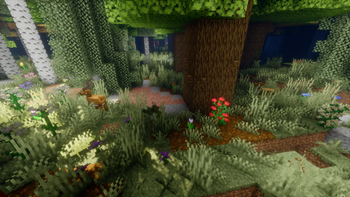
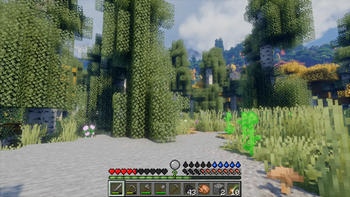
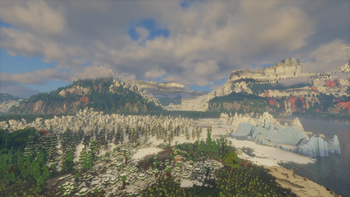
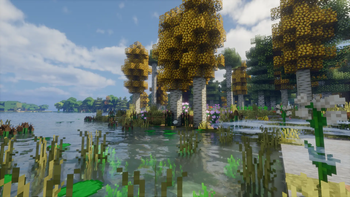
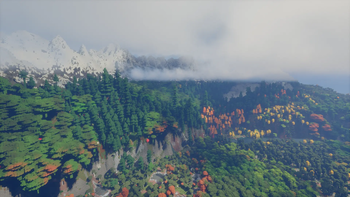
This modpack provides a much harder, more immersive survival experience, whilst staying true to some key aspects of Minecraft. It features overhauled terrain and landscapes, additional realistic biomes (Biomes that might not suit the intended experience, such as warm biomes, are specifically disabled), expanded wildlife, additional weapons and a seasonal and temperature system. In general the experience is supposed to resemble northern regions, like Scandinavia or Canada. Only smallish structures that feel like remnants of ancient roamers will generate to strengthen the sense of isolation. Ores can only be found exposed in caves, on mountains, or on the ground, so you will have to wander around to find them. The modpack also features small mods that make subtle changes to certain aspects of the game, such as sound or animation. Performance mods are also included to ensure a smooth gameplay. So grab a spear and hunt some deer, craft some warm clothes and explore the world!
Recommendations
Generating chunks with Chunky really shows off DH's merits. For best results I suggest you take your time to generate a good amount of chunks by AFK-ing (A radius of 10000 blocks for example). For more information visit Chunky's description.
Assigning 6-8GB of RAM to your Instance is necessary for a smooth gameplay and to prevent stuttering by DH.
Distant Horizons: WWOO detected (William Wythers' Overhauled Overworld)
This message might appear when you enter a world. In my opinion, disabling either of the two mods is unnecessary since the grid lines between sections are only visible when flying around.
Distant Horizons: Chunky detected
This message might also appear. When generating chunks with chunky, increasing DH's CPU thread count is beneficial, however I cannot say for sure whether it resolves the problem entirely. Flying around to fill in chunk gaps manually is certainly an option.
Note
Structures that are necessary to beat the game (Fortress and Stronghold) are not disabled.
Extreme mountains (v1.0.3): Mountains will now go up to y=450 instead of y=350 like in the previous versions. Mountainous terrain overall has changed to feel more dramatic as the new "elevation boost" setting of Tectonic mod is used. The gameplay however is not drastically influenced by this, although I think exploring mountains is now even more immersive.
Mods from Curseforge
Available Versions
How to Set Up a The Frontier of the Wild Server
Order Server
Choose at least 6 GB RAM (8 GB recommended for The Frontier of the Wild). Based on player count: per 5 players.
Install Modpack in Dashboard
Open the modpack browser in the dashboard, search for "The Frontier of the Wild" and click "Install". The fabric loader and Minecraft 1.20.1 are configured automatically.
Start Server & Play
Start the server – all mods are loaded automatically. Share the server IP with friends and play together!
Frequently Asked Questions
The Frontier of the Wild server crashes or won't start – what to do?
Most common causes: insufficient RAM or wrong fabric loader. Check latest.log for "OutOfMemoryError" → increase RAM to at least 8 GB. For "Mixin" or "ClassNotFoundException" errors: modpack version and loader don't match. With Mado Hosting, loader and Minecraft version are auto-configured on modpack install – preventing most startup issues.
How much RAM does a The Frontier of the Wild server really need?
Minimum 6 GB, recommended 8 GB for stable performance. per 5 players. Important: Minecraft modpacks need more RAM than vanilla – plan extra per additional player. With Mado Hosting, you can scale RAM up live at any time without data loss (from €12/month).
Can I add custom mods to The Frontier of the Wild without conflicts?
Yes, but check compatibility: only use mods for the same loader (fabric) and same Minecraft version (1.20.1). Common issues: ID conflicts with recipe mods and incompatible coremod versions. The Mado dashboard mod browser only shows compatible mods and warns about known conflicts.
The Frontier of the Wild server lagging – performance tips
1) Increase RAM to 8 GB+. 2) Reduce server view-distance to 8 (server.properties). 3) Pre-generate chunks with the "Chunky" plugin. 4) Use /spark profiler to check which mods consume the most tick time. With Mado Hosting, all servers run on NVMe SSDs with dedicated CPU cores – eliminating hardware as a bottleneck.
Similar Modpacks
![Cobblemon Official Modpack [Fabric]](https://cdn.modrinth.com/data/5FFgwNNP/e7f9ee2e9d361623847853fe2ddce42f519ee64f.png)
![COBBLEVERSE - Pokemon Adventure [Cobblemon]](https://cdn.modrinth.com/data/Jkb29YJU/581ecf54530972afb18a04660afd820f2f24f6c7.png)
![Better MC [FABRIC] - BMC2](https://cdn.modrinth.com/data/shFhR8Vx/a19c2bcb51d38f32f138d3607e91cb2b7b8e387f_96.webp)


![Better MC [FORGE] - BMC4](https://cdn.modrinth.com/data/4BV47HRn/7f5ef7cc61b2593609aabef3ed07a866a4f11b73_96.webp)
Rent The Frontier of the Wild Server
Start your own server with automatic modpack installation.
Supported Versions
Start your The Frontier of the Wild Server now
From €12.00/month with 8 GB RAM for the best performance.
Configure Server →