
The Kitchen Appliance Modpack
A modpack I have put together for my friend group. It is mostly vanilla+ with a few exceptions that we thought were worth it. If you do find this and you aren't part of the group feel free to try it!
Screenshots
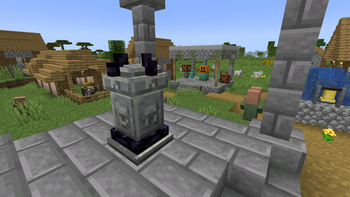
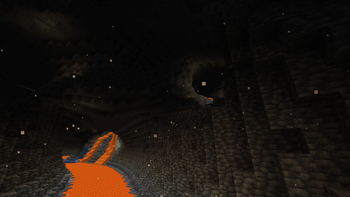
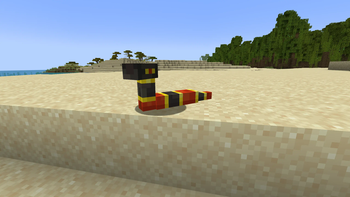
About this Modpack
Originally a modpack I put together for my friend group and is being released for everyone to enjoy, it is mostly vanilla+ with a few exceptions that we thought were worth it. We all felt that this was a really good mix of mods and that for those with PCs that can't handle big change this was a great option. The mix of mostly small changes with a lot of optimization mods makes it a really nice experience.
As a vanilla+ with exceptions modpack, we have a lot of smaller mods that are bug fixes and HUD updates or changes. We also include some mods that add decoration like Adorn and Clutter mods. There are some mods that are a bit bigger in their changes. Then we have optimization mods like sodium and indium and more because not everyone uses a "gaming" computer these days. Included is Iris as well as a few Shaderpacks and Resourcepacks so that if you want to mess around with those and their settings a bit you can see some really pretty views.
A small list of some of the main mods:
- Advanced Netherite (included for some late game expansion)
- Trinket, Artifacts, and Elytra Trinket etc. (add some spice)
- A whole bunch of the Serilum mods (these are the Vanilla+ ones for the most part)
- Adorn, Clutter, and more (some decoration mods because vanilla Minecraft doesn't really have many decor options without the use of specifically named heads)
- Iris and shaderpacks, Visuality, Wakes, Falling Leaves etc. (because they pretty)
- Dynamic Crosshair, Xaeros' Map mods, and many more (HUD mods that make the game feel more customized and more usefull)
- Controlling, Mod Menu, and more (never has there been more mods that make controlling the game and tuning settings easier)
- Hopo mods and YUNG's Better End Island mods (makes exploration that much more interesting for seasoned explorers)
- Lootr (why keep all the loot to yourself?)
- Model Gap Fix, Experience Bar Fix, and others (fixes that have been around in vanilla for years that haven't been fixed for whatever reason)
- Packed Up and Reinforced Storage mods (with all of the extra content, even just vanilla really, more storage abound for less runs back to base and so that home isn't just a pile of chests)
I do not own any of the mods included, but you should go check out all of the mods used.
In my free time I stream over on Twitch. If you want to see us play this sometimes or me play some other fun games come join my Discord server.
Available Versions
How to Set Up a The Kitchen Appliance Modpack Server
Order Server
Choose at least 6 GB RAM (8 GB recommended for The Kitchen Appliance Modpack). Based on player count: per 5 players.
Install Modpack in Dashboard
Open the modpack browser in the dashboard, search for "The Kitchen Appliance Modpack" and click "Install". The fabric loader and Minecraft 1.20.1 are configured automatically.
Start Server & Play
Start the server – all mods are loaded automatically. Share the server IP with friends and play together!
Frequently Asked Questions
The Kitchen Appliance Modpack server crashes or won't start – what to do?
Most common causes: insufficient RAM or wrong fabric loader. Check latest.log for "OutOfMemoryError" → increase RAM to at least 8 GB. For "Mixin" or "ClassNotFoundException" errors: modpack version and loader don't match. With Mado Hosting, loader and Minecraft version are auto-configured on modpack install – preventing most startup issues.
How much RAM does a The Kitchen Appliance Modpack server really need?
Minimum 6 GB, recommended 8 GB for stable performance. per 5 players. Important: Minecraft modpacks need more RAM than vanilla – plan extra per additional player. With Mado Hosting, you can scale RAM up live at any time without data loss (from €12/month).
Can I add custom mods to The Kitchen Appliance Modpack without conflicts?
Yes, but check compatibility: only use mods for the same loader (fabric) and same Minecraft version (1.20.1). Common issues: ID conflicts with recipe mods and incompatible coremod versions. The Mado dashboard mod browser only shows compatible mods and warns about known conflicts.
The Kitchen Appliance Modpack server lagging – performance tips
1) Increase RAM to 8 GB+. 2) Reduce server view-distance to 8 (server.properties). 3) Pre-generate chunks with the "Chunky" plugin. 4) Use /spark profiler to check which mods consume the most tick time. With Mado Hosting, all servers run on NVMe SSDs with dedicated CPU cores – eliminating hardware as a bottleneck.
Rent The Kitchen Appliance Modpack Server
Start your own server with automatic modpack installation.
Details
- License
- Creative Commons Zero v1.0 Universal
- Server-side
- Required
- Client-side
- Required
Supported Versions
Start your The Kitchen Appliance Modpack Server now
From €12.00/month with 8 GB RAM for the best performance.
Configure Server →