
The Living World
Living World is a long-form, family-friendly Minecraft experience built around a simple idea: The world should feel alive, dangerous when you’re ready, and peaceful when you’re not.
Screenshots



About this Modpack
Living World
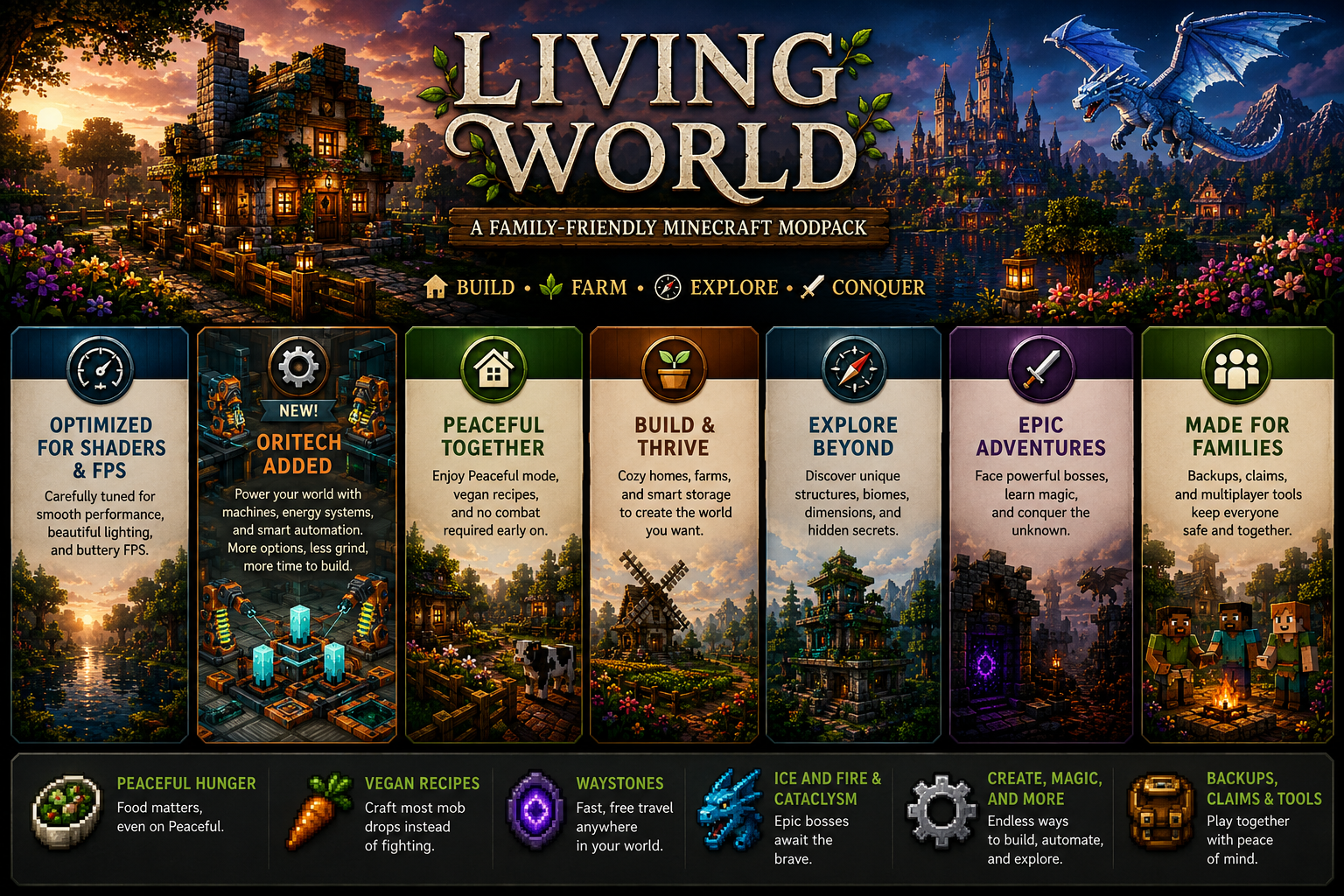
A long-form, family-friendly Minecraft experience built around a simple idea:
the world should feel alive, dangerous when you're ready, and peaceful when you're not.
Living World is a curated modpack for slow starts, cozy homes, shared adventures, and memorable late-game challenges. It is designed to be enjoyable in Peaceful difficulty early on, so players can build homes, grow farms, organize storage, and explore at their own pace before stepping into bigger dangers later.
What kind of pack is this?
Living World starts as a settle-in-and-thrive experience.
Build a homestead.
Plant crops.
Raise animals.
Decorate your base.
Explore a world that feels busy, warm, and alive.
Then, when you're ready, it opens into something larger:
- deeper exploration
- structures and dungeons
- magic and utility
- faster travel
- tougher enemies
- legendary creatures and bosses
This is not a speedrun pack.
It is a world to live in first — and conquer later.
Designed for relaxed early play
Living World is intentionally friendly to slower or mixed-skill groups, including families.
Early-game goals
- establish a safe home
- build farms and food infrastructure
- explore without constant pressure
- enjoy multiplayer without fighting over loot
- progress meaningfully even in Peaceful
Peaceful-friendly progression
With Peaceful Hunger and crafted alternatives for many mob drops, Peaceful mode still feels like survival — not creative mode with chores removed.
Food matters. Planning matters. Building matters.
You can grow into danger instead of being pushed into it immediately.
Features
A world that feels alive
Living World leans into atmosphere, creatures, villages, structures, and exploration so the world feels inhabited instead of empty.
Cozy building and homesteading
Furniture, decoration, farming support, comfort mods, storage helpers, and utility tools make it easy to create a home worth returning to.
Smooth multiplayer for families and friends
The pack includes features that make shared play less frustrating:
- claims and parties
- personal loot from structures
- easier travel
- backups and recovery tools
- fewer progress bottlenecks
Adventure when you choose it
As your world matures, Living World opens into:
- dangerous exploration
- spellcasting and utility magic
- stronger gear and combat options
- major boss encounters
- dragons, monsters, and mythic threats
Ideal for players who want
- a peaceful or low-pressure start
- meaningful base building
- family-friendly multiplayer
- survival with less frustration
- exploration that ramps up over time
- epic late-game threats without ruining the early game
The core idea
Peaceful when you're not ready. Dangerous when you are.
Living World is built for players who want time to settle in, grow attached to a place, and then choose their own moment to step beyond the fence line.
Build your home.
Tell your story.
Live in the world.
Available Versions
How to Set Up a The Living World Server
Order Server
Choose at least 6 GB RAM (8 GB recommended for The Living World). Based on player count: per 5 players.
Install Modpack in Dashboard
Open the modpack browser in the dashboard, search for "The Living World" and click "Install". The neoforge loader and Minecraft 1.21.1 are configured automatically.
Start Server & Play
Start the server – all mods are loaded automatically. Share the server IP with friends and play together!
Frequently Asked Questions
The Living World server crashes or won't start – what to do?
Most common causes: insufficient RAM or wrong neoforge loader. Check latest.log for "OutOfMemoryError" → increase RAM to at least 8 GB. For "Mixin" or "ClassNotFoundException" errors: modpack version and loader don't match. With Mado Hosting, loader and Minecraft version are auto-configured on modpack install – preventing most startup issues.
How much RAM does a The Living World server really need?
Minimum 6 GB, recommended 8 GB for stable performance. per 5 players. Important: Minecraft modpacks need more RAM than vanilla – plan extra per additional player. With Mado Hosting, you can scale RAM up live at any time without data loss (from €12/month).
Can I add custom mods to The Living World without conflicts?
Yes, but check compatibility: only use mods for the same loader (neoforge) and same Minecraft version (1.21.1). Common issues: ID conflicts with recipe mods and incompatible coremod versions. The Mado dashboard mod browser only shows compatible mods and warns about known conflicts.
The Living World server lagging – performance tips
1) Increase RAM to 8 GB+. 2) Reduce server view-distance to 8 (server.properties). 3) Pre-generate chunks with the "Chunky" plugin. 4) Use /spark profiler to check which mods consume the most tick time. With Mado Hosting, all servers run on NVMe SSDs with dedicated CPU cores – eliminating hardware as a bottleneck.
Similar Modpacks
![Cobblemon Official Modpack [Fabric]](https://cdn.modrinth.com/data/5FFgwNNP/e7f9ee2e9d361623847853fe2ddce42f519ee64f.png)
![COBBLEVERSE - Pokemon Adventure [Cobblemon]](https://cdn.modrinth.com/data/Jkb29YJU/581ecf54530972afb18a04660afd820f2f24f6c7.png)
![Better MC [FABRIC] - BMC2](https://cdn.modrinth.com/data/shFhR8Vx/a19c2bcb51d38f32f138d3607e91cb2b7b8e387f_96.webp)


![Better MC [FORGE] - BMC4](https://cdn.modrinth.com/data/4BV47HRn/7f5ef7cc61b2593609aabef3ed07a866a4f11b73_96.webp)
Rent The Living World Server
Start your own server with automatic modpack installation.
Details
- License
- Creative Commons Attribution Non Commercial Share Alike 4.0 International
- Server-side
- Required
- Client-side
- Required
Supported Versions
Start your The Living World Server now
From €12.00/month with 8 GB RAM for the best performance.
Configure Server →