
The Vulkan Priority
Pure Performance - The Ultimate Fabric Optimization Pack
Screenshots

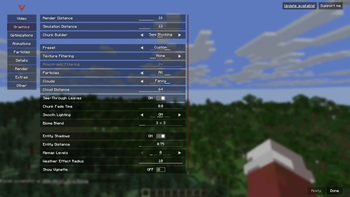
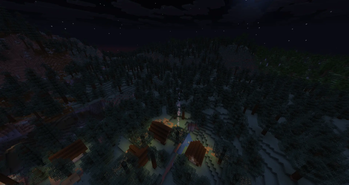
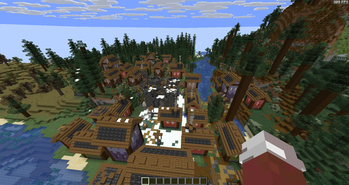
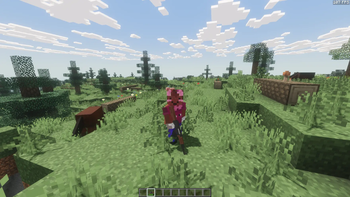
About this Modpack
⚡ PURE PERFORMANCE
The Ultimate Fabric Optimization Modpack
"No gimmicks. Just performance."
This modpack is a hand-picked collection of the best optimization mods available for Fabric 1.21.11. Every mod has been carefully selected, configured, and tested to work together harmoniously.
What makes this pack special?
Unlike other "optimization" packs that throw random mods together, this pack focuses on complementary optimizations that don't conflict or overlap. Each mod targets a specific performance bottleneck:
⚠️ Important Notes:
This pack is pure optimization, no content mods, no new biomes, no gameplay changes
VulkanMod requires a GPU that supports Vulkan (most GPUs from 2016+ do)
Shader mods (Iris/Optifine) are NOT compatible with VulkanMod
The pack includes Fabric API and required libraries for maximum compatibility
📌 Requirements:
Minecraft: 1.21.11
Mod Loader: Fabric
Java: 21
GPU: Vulkan-compatible (NVIDIA Kepler+/AMD GCN+/Intel HD 500+)
Perfect for:
✅ Low-end PCs / Laptops
✅ Servers needing better TPS
✅ Players who prefer vanilla gameplay but want better performance
✅ Base for adding your own content mods
Not recommended for:
❌ Players who want shaders (use Sodium/Iris instead)
❌ GPUs without Vulkan support
❌ Modpacks that rely on OpenGL-specific features
🎮 How to Use
Install Fabric Loader for Minecraft 1.21.11
Download Java 21 if not already installed
Drop all mods into your mods folder
Launch the game once to generate configs
(Optional) Tweak individual mod configs via ModMenu
Recommended JVM Arguments:
-Xms4G -Xmx8G -XX:+UseG1GC -XX:+ParallelRefProcEnabled -XX:MaxGCPauseMillis=200
🔧 Included Mods Breakdown
❓ FAQ
Q: Why VulkanMod instead of Sodium?
A: VulkanMod provides better performance on modern GPUs by using Vulkan directly instead of OpenGL. However, it's less compatible with shaders and some mods.
Q: Can I add shaders?
A: No. VulkanMod is incompatible with Iris/Optifine shaders.
Q: Can I add content mods (Biomes, Mobs, Tech)?
A: Partially, with significant limitations.
This pack uses VulkanMod, which replaces Minecraft's rendering engine from OpenGL to Vulkan. While many content mods work fine, any mod that makes direct OpenGL calls will crash your game.
Q: My game crashes!
A: Ensure you have Java 21 and a Vulkan-compatible GPU. Check the crash report and disable VulkanMod if needed.
Q: How do I disable VulkanMod?
A: Remove vulkanmod.jar from your mods folder. The pack will still work with default OpenGL rendering.
📜 License & Credits
This is a mod collection, not a standalone mod. All rights belong to their respective mod authors. Full credits to the amazing developers who made these optimizations possible.
Available Versions
How to Set Up a The Vulkan Priority Server
Order Server
Choose at least 4 GB RAM (6 GB recommended for The Vulkan Priority). Based on player count: per 8 players.
Install Modpack in Dashboard
Open the modpack browser in the dashboard, search for "The Vulkan Priority" and click "Install". The fabric loader and Minecraft 1.21.11 are configured automatically.
Start Server & Play
Start the server – all mods are loaded automatically. Share the server IP with friends and play together!
Frequently Asked Questions
The Vulkan Priority server crashes or won't start – what to do?
Most common causes: insufficient RAM or wrong fabric loader. Check latest.log for "OutOfMemoryError" → increase RAM to at least 6 GB. For "Mixin" or "ClassNotFoundException" errors: modpack version and loader don't match. With Mado Hosting, loader and Minecraft version are auto-configured on modpack install – preventing most startup issues.
How much RAM does a The Vulkan Priority server really need?
Minimum 4 GB, recommended 6 GB for stable performance. per 8 players. Important: Minecraft modpacks need more RAM than vanilla – plan extra per additional player. With Mado Hosting, you can scale RAM up live at any time without data loss (from €8/month).
Can I add custom mods to The Vulkan Priority without conflicts?
Yes, but check compatibility: only use mods for the same loader (fabric) and same Minecraft version (1.21.11). Common issues: ID conflicts with recipe mods and incompatible coremod versions. The Mado dashboard mod browser only shows compatible mods and warns about known conflicts.
The Vulkan Priority server lagging – performance tips
1) Increase RAM to 6 GB+. 2) Reduce server view-distance to 8 (server.properties). 3) Pre-generate chunks with the "Chunky" plugin. 4) Use /spark profiler to check which mods consume the most tick time. With Mado Hosting, all servers run on NVMe SSDs with dedicated CPU cores – eliminating hardware as a bottleneck.
Similar Modpacks

![Cobblemon Official Modpack [Fabric]](https://cdn.modrinth.com/data/5FFgwNNP/e7f9ee2e9d361623847853fe2ddce42f519ee64f.png)
![COBBLEVERSE - Pokemon Adventure [Cobblemon]](https://cdn.modrinth.com/data/Jkb29YJU/581ecf54530972afb18a04660afd820f2f24f6c7.png)
![Better MC [FABRIC] - BMC2](https://cdn.modrinth.com/data/shFhR8Vx/a19c2bcb51d38f32f138d3607e91cb2b7b8e387f_96.webp)


Rent The Vulkan Priority Server
Start your own server with automatic modpack installation.
Supported Versions
Start your The Vulkan Priority Server now
From €8.00/month with 6 GB RAM for the best performance.
Configure Server →