
theArcadia
A comprehensive modpack designed to enrich the original game experience
Screenshots
About this Modpack
The Arcadia Project
⚠️ Under active development — new content is being added regularly.
Arcadia is a vanilla-friendly Minecraft modpack designed to keep the spirit of the
original game intact.
With Arcadia, you get an experience close to vanilla Minecraft: no quests, no
objectives, no restrictions — just pure sandbox freedom.
We hand-pick and integrate mods like Supplementaries, Quark, Amendments, and
Additional Additions to expand gameplay depth and variety, while carefully
preserving Minecraft's original art style and feel.
What's inside
| Category | Highlights |
|---|---|
| Vanilla+ | Supplementaries, Quark, Amendments, Spelunkery, Additional Additions — subtle enhancements that blend seamlessly |
| Living World | FarmersDelight & Kaleidoscope cooking, Sophisticated Backpacks & Storage, Tinkers' Construct, Storage Drawers, Waystones, Serene Seasons, Touhou Little Maid, CC: Tweaked, and more — 50+ mods for food, furniture, tools, and daily life |
| Create | Create 6.0 + 20+ addons including Aeronautics, Big Cannons, Power Grid, Diesel Generators, Copycats+, and Design 'n' Decor |
| Adventure | Twilight Forest, The Aether, Alex's Mobs & Caves, Iron's Spells 'n Spellbooks, Oh The Biomes We've Gone, Biomes O' Plenty, and 18+ new structure packs by YUNG's & Moog's |
| Tech | Applied Energistics 2 + 6 addons, Immersive Engineering |
| Compat | 8 cross-mod integration bridges ensuring everything works together |
Advanced client experience
30+ client mods deliver a polished, thoughtful experience — every pixel
and interaction has been tuned.
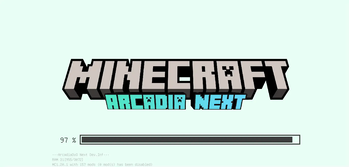
UI & typography. ModernUI replaces the bitmap font with vector
typesetting — crisp at any scale, CJK rendering correct. FrontierUI
remasters every GUI screen with a consistent clean aesthetic. FancyMenu
and Drippy Loading Screen make booting feel intentional, not like a
progress bar from 2011.
Information, when you need it. Jade tells you what you're looking at
without popups. EMI surfaces every recipe; JEI ensures no gaps. AppleSkin
shows hunger and saturation inline on food. PickUpNotifier quietly logs
inventory changes. TravelersTitles announces biomes with a subtle
FromSoftware-style banner.
Character. Not Enough Animations adds weight to climbing, crawling, and
ladder grabbing. Skin Layers 3D gives depth to hats and armor. Chat
Animation makes multiplayer conversations feel alive.
Performance you feel. Sodium + Iris: shader visuals at high FPS on
modest hardware. ModernFix + FerriteCore: fewer GC spikes, smooth chunk
loading. Dynamic lights without the usual tax.
Build with ShulkerRDK
Available Versions
How to Set Up a theArcadia Server
Order Server
Choose at least 6 GB RAM (8 GB recommended for theArcadia). Based on player count: per 5 players.
Install Modpack in Dashboard
Open the modpack browser in the dashboard, search for "theArcadia" and click "Install". The forge loader and Minecraft 1.21.1 are configured automatically.
Start Server & Play
Start the server – all mods are loaded automatically. Share the server IP with friends and play together!
Frequently Asked Questions
theArcadia server crashes or won't start – what to do?
Most common causes: insufficient RAM or wrong forge loader. Check latest.log for "OutOfMemoryError" → increase RAM to at least 8 GB. For "Mixin" or "ClassNotFoundException" errors: modpack version and loader don't match. With Mado Hosting, loader and Minecraft version are auto-configured on modpack install – preventing most startup issues.
How much RAM does a theArcadia server really need?
Minimum 6 GB, recommended 8 GB for stable performance. per 5 players. Important: Minecraft modpacks need more RAM than vanilla – plan extra per additional player. With Mado Hosting, you can scale RAM up live at any time without data loss (from €12/month).
Can I add custom mods to theArcadia without conflicts?
Yes, but check compatibility: only use mods for the same loader (forge) and same Minecraft version (1.21.1). Common issues: ID conflicts with recipe mods and incompatible coremod versions. The Mado dashboard mod browser only shows compatible mods and warns about known conflicts.
theArcadia server lagging – performance tips
1) Increase RAM to 8 GB+. 2) Reduce server view-distance to 8 (server.properties). 3) Pre-generate chunks with the "Chunky" plugin. 4) Use /spark profiler to check which mods consume the most tick time. With Mado Hosting, all servers run on NVMe SSDs with dedicated CPU cores – eliminating hardware as a bottleneck.
Similar Modpacks
![Cobblemon Official Modpack [Fabric]](https://cdn.modrinth.com/data/5FFgwNNP/e7f9ee2e9d361623847853fe2ddce42f519ee64f.png)
![COBBLEVERSE - Pokemon Adventure [Cobblemon]](https://cdn.modrinth.com/data/Jkb29YJU/581ecf54530972afb18a04660afd820f2f24f6c7.png)
![Better MC [FABRIC] - BMC2](https://cdn.modrinth.com/data/shFhR8Vx/a19c2bcb51d38f32f138d3607e91cb2b7b8e387f_96.webp)


![Better MC [FORGE] - BMC4](https://cdn.modrinth.com/data/4BV47HRn/7f5ef7cc61b2593609aabef3ed07a866a4f11b73_96.webp)
Rent theArcadia Server
Start your own server with automatic modpack installation.
Details
- License
- GNU Affero General Public License v3.0 or later
- Server-side
- Optional
- Client-side
- Optional
Supported Versions
Start your theArcadia Server now
From €12.00/month with 8 GB RAM for the best performance.
Configure Server →