
The Frame Machine
The Frame Machine makes your game smother for a better experience
Screenshots
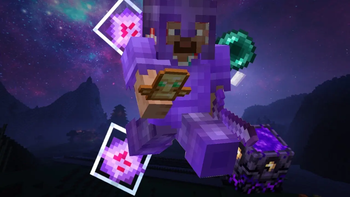
About this Modpack
Short Summary:
A client and server-side optimization modpack designed to drastically boost FPS, eliminate stuttering, and reduce lag without altering the vanilla experience.
About This Modpack:
Say goodbye to lag spikes and low frame rates. The Frame Machine is a carefully curated, lightweight collection of performance-enhancing mods handpicked to maximize your Minecraft performance. Whether you are exploring massive worlds in singleplayer or playing on busy multiplayer servers, this pack ensures your game runs buttery smooth.
Why Should You Download It?
Maximized FPS: Drastically increases your frame rates and improves overall game rendering efficiency. Lag Reduction: Eliminates common micro-stutters and drastically decreases chunk loading times. Optimized Server & Client: Includes performance tweaks for both singleplayer and multiplayer environments.Vanilla Friendly: The core gameplay remains exactly the same. No unwanted content or game-breaking features are added.
This modpack contains:
-[EMF] Entity Model Features
-[ETF] Entity Texture Features
-AppleSkin
-AsyncParticles
-BactroMod
-BadOptimizations
-Balm
-Better Block Entities
-Better Hitreg
-Better Ping Display [Fabric]
-BindCommands
-Clean View
-Cloth Config API
-Clumps
-Combat Hitboxes
-Concurrent Chunk Management Engine (Fabric)
-Crosshair Indicator
-Dynamic FPS
-Entity Culling
-Fabric API
-Fabric Language Kotlin
-Fast IP Ping
-Fast Noise
-FerriteCore
-Fzzy Config
-Gnetum
-Hero's Anchor Optimizer
-Hero's Elytra Optimizer
-ImmediatelyFast
-Iris Shaders
-Just Enough Items (JEI)
-kennytvs-epic-force-close-loading-screen-mod-for-fabric
-Krypton
-Lithium
-Mod Menu
-ModernFix-mVUS
-More Culling
-No Chat Reports
-Not Enough Animations
-Noxesium
-Packet Fixer
-Reese's Sodium Options
-Resourcify
-Riding Mouse Fix
-Shield Fixes
-Shulker Box Tooltip
-Sodium
-Sodium Extra
-Status Effect Bars
-Text Placeholder API
-TotemCounter
-uku's Armor HUD
-ukulib
-Very Many Players (Fabric)
-ViaFabricPlus
-WalksyLib
-WI Zoom
-YetAnotherConfigLib (YACL)
Available Versions
How to Set Up a The Frame Machine Server
Order Server
Choose at least 4 GB RAM (6 GB recommended for The Frame Machine). Based on player count: per 8 players.
Install Modpack in Dashboard
Open the modpack browser in the dashboard, search for "The Frame Machine" and click "Install". The fabric loader and Minecraft 1.21.11 are configured automatically.
Start Server & Play
Start the server – all mods are loaded automatically. Share the server IP with friends and play together!
Frequently Asked Questions
The Frame Machine server crashes or won't start – what to do?
Most common causes: insufficient RAM or wrong fabric loader. Check latest.log for "OutOfMemoryError" → increase RAM to at least 6 GB. For "Mixin" or "ClassNotFoundException" errors: modpack version and loader don't match. With Mado Hosting, loader and Minecraft version are auto-configured on modpack install – preventing most startup issues.
How much RAM does a The Frame Machine server really need?
Minimum 4 GB, recommended 6 GB for stable performance. per 8 players. Important: Minecraft modpacks need more RAM than vanilla – plan extra per additional player. With Mado Hosting, you can scale RAM up live at any time without data loss (from €8/month).
Can I add custom mods to The Frame Machine without conflicts?
Yes, but check compatibility: only use mods for the same loader (fabric) and same Minecraft version (1.21.11). Common issues: ID conflicts with recipe mods and incompatible coremod versions. The Mado dashboard mod browser only shows compatible mods and warns about known conflicts.
The Frame Machine server lagging – performance tips
1) Increase RAM to 6 GB+. 2) Reduce server view-distance to 8 (server.properties). 3) Pre-generate chunks with the "Chunky" plugin. 4) Use /spark profiler to check which mods consume the most tick time. With Mado Hosting, all servers run on NVMe SSDs with dedicated CPU cores – eliminating hardware as a bottleneck.
Similar Modpacks

![Better MC [FABRIC] - BMC2](https://cdn.modrinth.com/data/shFhR8Vx/a19c2bcb51d38f32f138d3607e91cb2b7b8e387f_96.webp)
![Better MC [FORGE] - BMC4](https://cdn.modrinth.com/data/4BV47HRn/7f5ef7cc61b2593609aabef3ed07a866a4f11b73_96.webp)


Rent The Frame Machine Server
Start your own server with automatic modpack installation.
Supported Versions
Start your The Frame Machine Server now
From €8.00/month with 6 GB RAM for the best performance.
Configure Server →