
TheLarkzTakeover
This custom modpack is designed for players who want the perfect balance of top-tier performance and smooth combat mechanics in Minecraft.
Screenshots
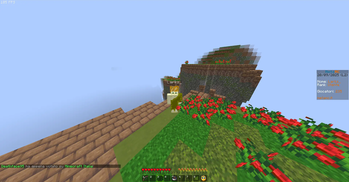
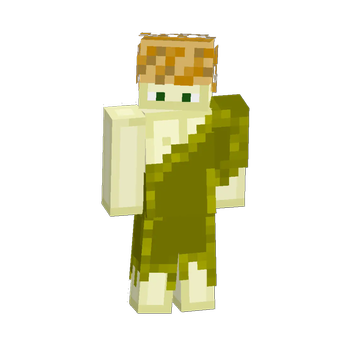
About this Modpack
This custom modpack is designed for players who want the perfect balance of top-tier performance and smooth combat mechanics in Minecraft. It integrates powerful optimization mods to ensure seamless gameplay, alongside enhancements that make combat more dynamic and enjoyable.
Key Features:
Performance Optimization:
Lithium and BadOptimizations boost overall game performance by tweaking the game's internal mechanics to reduce unnecessary calculations and improve efficiency.
EntityCulling and MoreCulling reduce the number of entities that need to be processed, enhancing FPS in high-population areas and minimizing lag.
FPSDisplay, Dynamic FPS, and Continuity allow you to monitor your FPS in real-time and ensure that the game runs smoothly even in the most demanding scenarios.
VulkanMod enables Vulkan API support for better rendering, which can result in substantial improvements on certain hardware.
ThreadTweak optimizes how the game uses threads, leading to a smoother overall experience.
Combat Enhancements:
Skinlayers3D provides a more detailed and immersive visual experience by improving player and mob models, adding to the immersion during combat.
MouseTweaks allows for easier inventory management, reducing time spent fiddling with your inventory while in battle.
ParticleCollisionFix ensures that visual effects like particles behave more consistently, making combat encounters feel more polished.
TierTagger helps categorize and manage combat items better by marking items with their respective tier (e.g., swords, armor).
HealthIndicator keeps you aware of your health status during intense combat, allowing for quick reactions in life-or-death situations.
Quality of Life:
ModMenu gives you easy access to mod settings in-game, allowing you to fine-tune your mod experience without exiting the game.
NoChatReports removes the pesky chat reports feature, ensuring you have a completely unobstructed experience while interacting with other players.
ReplayMod lets you record and review your epic battles, allowing for better strategy planning and content creation.
Miscellaneous Enhancements:
Gamma-Utils adds additional lighting settings, improving visibility in dark environments without affecting the game's balance.
ScalableLux and fasterrandom tweak various in-game systems to ensure smoother world generation and lighting, further enhancing the game's aesthetics and performance.
c2me-fabric improves chunk loading and optimization, further reducing lag and making large builds or areas load smoothly.
MoreCosmetics and modernfix enhance the cosmetic experience, so you can enjoy your battles while looking good.
Available Versions
How to Set Up a TheLarkzTakeover Server
Order Server
Choose at least 4 GB RAM (6 GB recommended for TheLarkzTakeover). Based on player count: per 8 players.
Install Modpack in Dashboard
Open the modpack browser in the dashboard, search for "TheLarkzTakeover" and click "Install". The fabric loader and Minecraft 1.21.5 are configured automatically.
Start Server & Play
Start the server – all mods are loaded automatically. Share the server IP with friends and play together!
Frequently Asked Questions
TheLarkzTakeover server crashes or won't start – what to do?
Most common causes: insufficient RAM or wrong fabric loader. Check latest.log for "OutOfMemoryError" → increase RAM to at least 6 GB. For "Mixin" or "ClassNotFoundException" errors: modpack version and loader don't match. With Mado Hosting, loader and Minecraft version are auto-configured on modpack install – preventing most startup issues.
How much RAM does a TheLarkzTakeover server really need?
Minimum 4 GB, recommended 6 GB for stable performance. per 8 players. Important: Minecraft modpacks need more RAM than vanilla – plan extra per additional player. With Mado Hosting, you can scale RAM up live at any time without data loss (from €8/month).
Can I add custom mods to TheLarkzTakeover without conflicts?
Yes, but check compatibility: only use mods for the same loader (fabric) and same Minecraft version (1.21.5). Common issues: ID conflicts with recipe mods and incompatible coremod versions. The Mado dashboard mod browser only shows compatible mods and warns about known conflicts.
TheLarkzTakeover server lagging – performance tips
1) Increase RAM to 6 GB+. 2) Reduce server view-distance to 8 (server.properties). 3) Pre-generate chunks with the "Chunky" plugin. 4) Use /spark profiler to check which mods consume the most tick time. With Mado Hosting, all servers run on NVMe SSDs with dedicated CPU cores – eliminating hardware as a bottleneck.
Similar Modpacks

![Better MC [FABRIC] - BMC2](https://cdn.modrinth.com/data/shFhR8Vx/a19c2bcb51d38f32f138d3607e91cb2b7b8e387f_96.webp)
![Better MC [FORGE] - BMC4](https://cdn.modrinth.com/data/4BV47HRn/7f5ef7cc61b2593609aabef3ed07a866a4f11b73_96.webp)


Rent TheLarkzTakeover Server
Start your own server with automatic modpack installation.
Details
- License
- LicenseRef-All-Rights-Reserved
- Server-side
- Unsupported
- Client-side
- Required
Supported Versions
Start your TheLarkzTakeover Server now
From €8.00/month with 6 GB RAM for the best performance.
Configure Server →