
QoL Enhanced Vanilla Experience
This is the mods I use for vanilla enhanced Minecraft
Screenshots
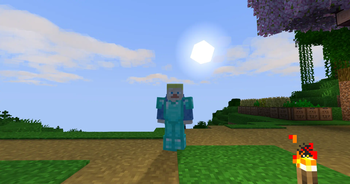
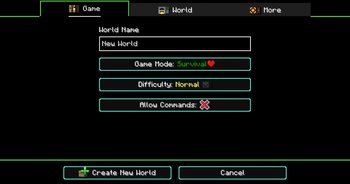
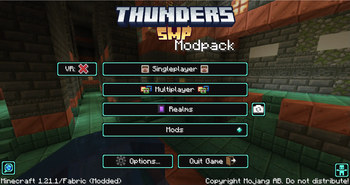
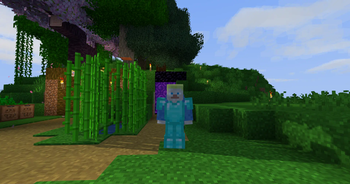
About this Modpack
This Modpack aims to improve and enhance the atmosphere of Minecraft.
This Modpack is designed to add enchanced visuals, adds animations to the player and the mobs, shows more details about items, adds icons for visual details.
It also adds some multiplayer chat improvements, improved sounds, and has some preformance mods as well.
It is a Quality of Life Modpack
I will be updating it and adding to it to add to the enchanced atmosphere of Minecraft.
If you have any ideas to add to the Modpack, you can tell me on my discord server:
Discord Server
Full List of Mods in Modpack:
(All Credit goes to the original mod creators)
- [EMF] Entity Model Features
- [ETF] Entity Texture Features
- 3D Skin Layers
- AmbientSounds
- Animated Items
- Animated Ore
- Antique Atlas 4
- AppleSkin
- Axiom
- Better Clouds
- Better Flame Particles
- Bibliophilia | Enchanted Books
- BVS - Best Vanilla Shader
- Camera Utils
- Chat Animation [Smooth Chat]
- Chat Heads
- ChatWalk
- Chunks fade in
- Cloth Config API
- Collective
- Continuity
- CreativeCore
- Cubic Sun & Moon
- Custom Crosshair Mod
- Dynamic FPS
- Dynamic Lights
- e4mc
- Easy Anvils
- Easy Shulker Boxes
- Emoji Type
- Enchant Icons
- Explosive Enhancement
- Entity Culling
- Fabric API
- Fabric Language Kotlin
- Falling Leaves
- Fancy Crops
- FancyMenu
- Fast Better Grass
- First-person Model
- Flashback
- Forge Config API Port
- Fresh Animations
- Fresh Animations - Extensions
- Fresh Moves
- Grass+
- Health Indicators
- High Contrast Extended
- Icons
- ImmediatelyFast
- ImmersiveThunder
- Iris Shaders
- Konkrete
- M.R.U
- Mod Menu
- ModernFix
- Motschen's Better Leaves
- Mouse Tweaks
- Nicer Skies
- Not Enough Animations
- Os' Colorful Grasses
- Os' Colorful Leaves
- oωo (owo-lib)
- Particular ✨
- Presence Footsteps
- RAY's 3D Ladders
- RAY's 3D Rails
- Real Arrow Tip
- Realistic Bees
- Remove Reloading Screen
- Resourcify
- Rethoughted Dragon Egg
- Shulker Box Tooltip
- shut up realms
- Sodium
- Sodium Extra
- Sound Physics Remastered
- Sounds
- Surveyor Map Framework
- Text Placeholder API
- Toggle Item Frames
- Traben's 3D armor models
- Visual Armor Trims
- Visual Overhaul
- Visuality
- Vivecraft
- Wavey Capes
- What Are They Up To (Watut)
- WI Zoom
- YetAnotherConfigLib
Available Versions
How to Set Up a QoL Enhanced Vanilla Experience Server
Order Server
Choose at least 4 GB RAM (6 GB recommended for QoL Enhanced Vanilla Experience). Based on player count: per 8 players.
Install Modpack in Dashboard
Open the modpack browser in the dashboard, search for "QoL Enhanced Vanilla Experience" and click "Install". The fabric loader and Minecraft 1.21.4 are configured automatically.
Start Server & Play
Start the server – all mods are loaded automatically. Share the server IP with friends and play together!
Frequently Asked Questions
QoL Enhanced Vanilla Experience server crashes or won't start – what to do?
Most common causes: insufficient RAM or wrong fabric loader. Check latest.log for "OutOfMemoryError" → increase RAM to at least 6 GB. For "Mixin" or "ClassNotFoundException" errors: modpack version and loader don't match. With Mado Hosting, loader and Minecraft version are auto-configured on modpack install – preventing most startup issues.
How much RAM does a QoL Enhanced Vanilla Experience server really need?
Minimum 4 GB, recommended 6 GB for stable performance. per 8 players. Important: Minecraft modpacks need more RAM than vanilla – plan extra per additional player. With Mado Hosting, you can scale RAM up live at any time without data loss (from €8/month).
Can I add custom mods to QoL Enhanced Vanilla Experience without conflicts?
Yes, but check compatibility: only use mods for the same loader (fabric) and same Minecraft version (1.21.4). Common issues: ID conflicts with recipe mods and incompatible coremod versions. The Mado dashboard mod browser only shows compatible mods and warns about known conflicts.
QoL Enhanced Vanilla Experience server lagging – performance tips
1) Increase RAM to 6 GB+. 2) Reduce server view-distance to 8 (server.properties). 3) Pre-generate chunks with the "Chunky" plugin. 4) Use /spark profiler to check which mods consume the most tick time. With Mado Hosting, all servers run on NVMe SSDs with dedicated CPU cores – eliminating hardware as a bottleneck.
Similar Modpacks

![Cobblemon Official Modpack [Fabric]](https://cdn.modrinth.com/data/5FFgwNNP/e7f9ee2e9d361623847853fe2ddce42f519ee64f.png)
![COBBLEVERSE - Pokemon Adventure [Cobblemon]](https://cdn.modrinth.com/data/Jkb29YJU/581ecf54530972afb18a04660afd820f2f24f6c7.png)
![Better MC [FABRIC] - BMC2](https://cdn.modrinth.com/data/shFhR8Vx/a19c2bcb51d38f32f138d3607e91cb2b7b8e387f_96.webp)


Rent QoL Enhanced Vanilla Experience Server
Start your own server with automatic modpack installation.
Supported Versions
Start your QoL Enhanced Vanilla Experience Server now
From €8.00/month with 6 GB RAM for the best performance.
Configure Server →