
Twilight Knights
Embark on a thrilling journey through the enchanting realm of Twilight Knights, a Minecraft modpack blending the realms of magic, technology, and adventure.
Screenshots

About this Modpack
Description
Embark on a thrilling journey through the enchanting realm of Twilight Knights, a Minecraft modpack blending the realms of magic, technology, and adventure. Delve into a world brimming with mystical wonders and technological marvels as you uncover ancient secrets, battle fierce foes, and forge your destiny. Harness the power of arcane magic or master advanced machinery to overcome challenges and reshape the land to your will. Will you rise as a legendary hero, or succumb to the shadows that lurk in the twilight?
Modpack for Minecraft 1.12.2
Lightweight modpack that supports multiplayer with new dimensions, new armour, weapons, classic technology, spells, and more.
This modpack is perfect for those that want a challenging modpack without expert crafting recipes.
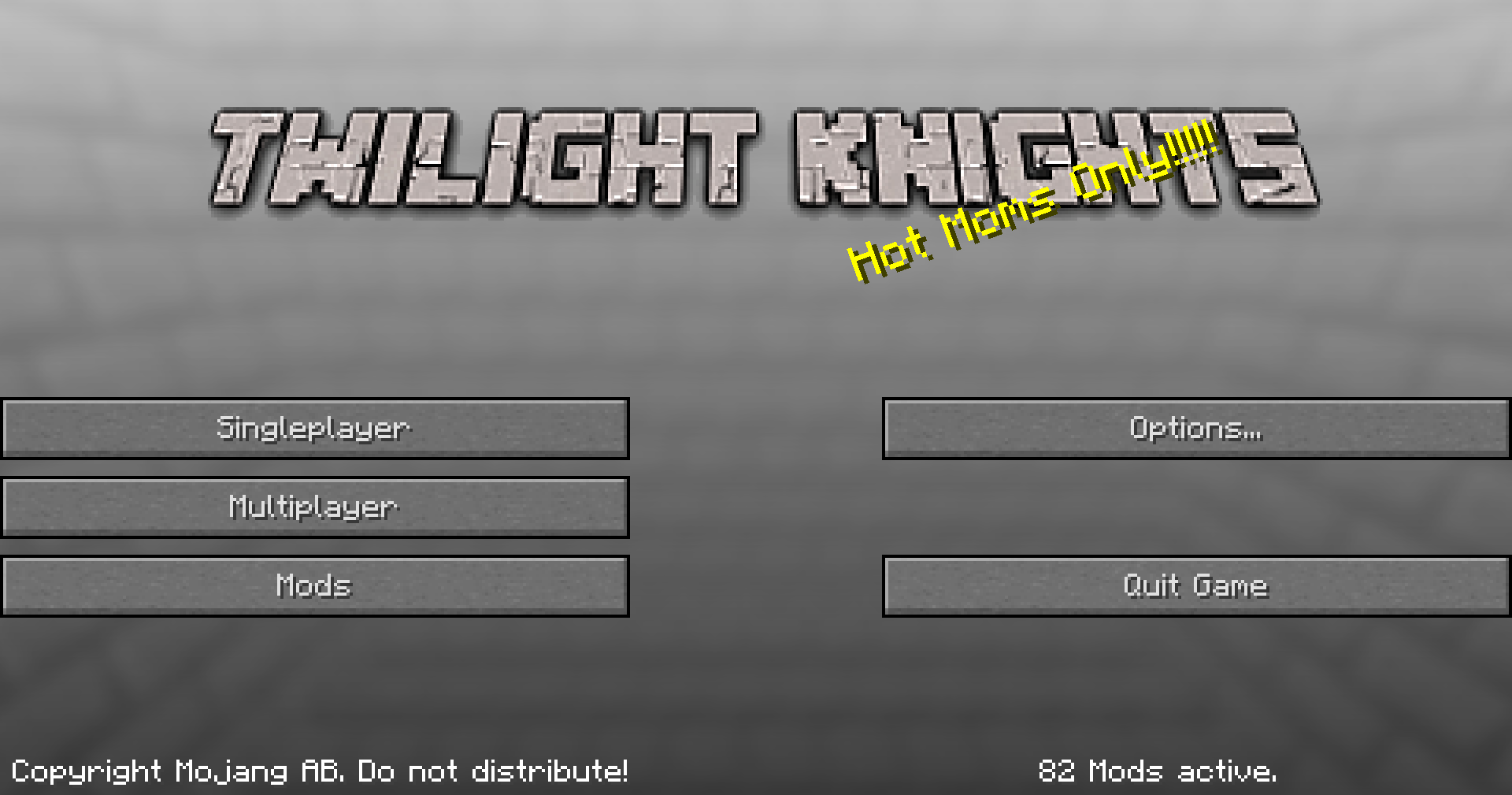
Features:
- New Biomes
- New Weapons + Armour
- New Dimensions
- Classic Technology
- Powerful mobs and dungeons
- Magic and spells
- And a lot more!
Modlist:
Spoiler
- Additional Pipes by Zeldo, DaStormBringer, MultipleMonomials, Additional Pipes Contributors
- The Aether by bconlon, Oscar Payn, Hugo Payn, JellySquid
- Aether Continuation by XaeronTheProtogen
- Better Combat Rebirth by Ironfists, SanAndreasP (Maintainer)
- BetterFps by Guichaguri
- BiblioCraft by Joseph 'Nuchaz' Sinclair
- Biomes O' Plenty by Adubbz, Amnet, Cheeserolls, Forstride, ted80
- Bloodmoon by lumien
- BuildCraft Fluxified by Irgendwer
- BuildCraft Lib by SpaceToad, BuildCraft Team
- Chest Transporter by CubeX2
- Chisel by tterrag, Drullkus, minecreatr
- Chunk Animator by lumien
- CodeChicken Lib by ChickenBones, covers1624
- CTM by tterrag, Drullkus, minecreatr
- Custom Main Menu by lumien
- Customized Dungeon Loot by XxRexRaptorxX (RexRaptor)
- CyclopsTek by Tango Tek
- Doomlike Dungeons by Jared Blackburn (JaredBGreat)
- Electroblob's Wizardry by Electroblob
- FastFurnace by Shadows_of_Fire
- FastWorkbench by Shadows_of_Fire
- Fish's Undead Rising by Fish0016054
- FoamFix by asiekierka
- Galacticraft by micdoodle8, radfast, EzerArch, fishtaco, SpaceViking, SteveKunG, ROMVoid95
- Gravestone Mod by Max Henkel
- Infernal Mobs by AtomicStryker
- Inventory Tweaks by Jimeo Wan, Kobata
- Iron Chest by cpw
- IvToolkit by Ivorius
- Just Enough Items by mezz
- JustEnoughIDs by Runemoro, ZombieHDGaming
- LibraryEx by LogicTechCorp
- LLibrary by iLexiconn, gegy1000
- Logistics Pipes by RS485, LP Team
- Mowzie's Mobs by BobMowzie, pau101
- NetherEx by LogicTechCorp, Eleazzaar, Nazenn, Vlakk, AnarchCassius, LapisWhovian, misterslime, MCvinnyq, Cameron
- ProjectE by sinkillerj, Moze_Intel
- Railcraft by CovertJaguar
- Resource Loader by lumien
- Roguelike Dungeons by Greymerk
- Scaling Health by SilentChaos512
- Silent Lib by SilentChaos512
- Special Mobs by Father Toast
- Unique Enchantments by Xaikii, Speiger
- Unique Enchantments Base by Xaikii, Speiger
- Vanilla-Inspired Teleporters by DanYeomans, bronsonf1, crazysnailboy
- VanillaFix by Runemoro, ZombieHDGaming
- Waila by ProfMobius, TehNut
- Waystones by BlayTheNinth
- Wearable Backpacks by copygirl, asiekierka, InsomniaKitten
- NuclearCraft by tomdodd4598
- Shadowfacts' Forgelin by shadowfacts
- Redstone Flux by Team CoFH
- Tesla Core Lib by Face_of_Cat
- CoFH World by Team CoFH
- Simply Jetpacks 2 by Tomson124, StormedPanda
- Industrial Foregoing by Buuz135
- Refined Storage by Refined Storage contributors
- Thermal Expansion by Team CoFH
- CoFH Core by Team CoFH
- Thermal Foundation by Team CoFH
- Thermal Dynamics by Team CoFH
- Thermal Innovation by Team CoFH
- Thermal Cultivation by Team CoFH
Credits
Please Support the mod developers, and check out their pages.
Available Versions
How to Set Up a Twilight Knights Server
Order Server
Choose at least 4 GB RAM (6 GB recommended for Twilight Knights). Based on player count: per 5 players.
Install Modpack in Dashboard
Open the modpack browser in the dashboard, search for "Twilight Knights" and click "Install". The forge loader and Minecraft 1.12.2 are configured automatically.
Start Server & Play
Start the server – all mods are loaded automatically. Share the server IP with friends and play together!
Frequently Asked Questions
Twilight Knights server crashes or won't start – what to do?
Most common causes: insufficient RAM or wrong forge loader. Check latest.log for "OutOfMemoryError" → increase RAM to at least 6 GB. For "Mixin" or "ClassNotFoundException" errors: modpack version and loader don't match. With Mado Hosting, loader and Minecraft version are auto-configured on modpack install – preventing most startup issues.
How much RAM does a Twilight Knights server really need?
Minimum 4 GB, recommended 6 GB for stable performance. per 5 players. Important: Minecraft modpacks need more RAM than vanilla – plan extra per additional player. With Mado Hosting, you can scale RAM up live at any time without data loss (from €8/month).
Can I add custom mods to Twilight Knights without conflicts?
Yes, but check compatibility: only use mods for the same loader (forge) and same Minecraft version (1.12.2). Common issues: ID conflicts with recipe mods and incompatible coremod versions. The Mado dashboard mod browser only shows compatible mods and warns about known conflicts.
Twilight Knights server lagging – performance tips
1) Increase RAM to 6 GB+. 2) Reduce server view-distance to 8 (server.properties). 3) Pre-generate chunks with the "Chunky" plugin. 4) Use /spark profiler to check which mods consume the most tick time. With Mado Hosting, all servers run on NVMe SSDs with dedicated CPU cores – eliminating hardware as a bottleneck.
Similar Modpacks

![Better MC [FABRIC] - BMC2](https://cdn.modrinth.com/data/shFhR8Vx/a19c2bcb51d38f32f138d3607e91cb2b7b8e387f_96.webp)
![Better MC [FORGE] - BMC4](https://cdn.modrinth.com/data/4BV47HRn/7f5ef7cc61b2593609aabef3ed07a866a4f11b73_96.webp)


Rent Twilight Knights Server
Start your own server with automatic modpack installation.
Supported Versions
Start your Twilight Knights Server now
From €8.00/month with 6 GB RAM for the best performance.
Configure Server →