
The Ultimate Experience
The ultimate 1.21 experience: Optimized for 300+ FPS, mastered for any PvP, and built for a seamless SMP.
Screenshots
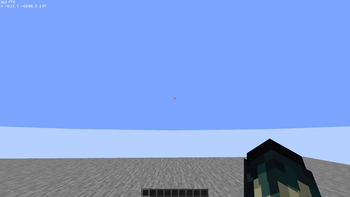
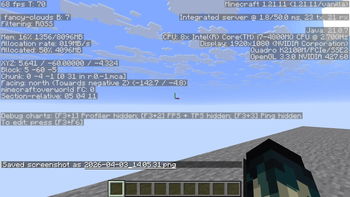
About this Modpack
🔥 The Ultimate 1.21+ Experience: Dominance Starts Here!
Are you ready to take your gameplay to the pro level? ⚔️Stop searching for the "perfect settings." This modpack is the result of extensive experience in content creation and technical combat. Designed by the YouTuber ASOM_40, it is the ultimate secret weapon for any player seeking legendary performance and total control in all types of PvP.⚡ Why Do Pros Choose " The Ultimate Experience " Modpack?
1. Performance Beast (FPS & Stability) 🚀We don’t settle for anything less than technical perfection:Sodium, Lithium, & Iris: The engine is finely tuned to deliver the highest possible FPS, ensuring buttery-smooth gameplay even in the most chaotic battles.Zero Input Lag: Instant response for every mouse movement; you’ll feel the difference in "Game Sense" from the very first moment.Fast Loading: Jump into SMP servers or combat worlds in seconds, thanks to modern optimization techniques.
2. All-Style PvP Mastery (Combat Excellence) 🛡️Whether you’re a Sword & Shield main, an Axe PvP expert, a Crystal enthusiast, or mastering the new Mace mechanics:Advanced HUD System: A pro-grade interface displaying your Armor Status, Potion Effects, and CPS clearly, so you’re always one step ahead.Perfect Reach & Hit Reg: Software optimizations that ensure the best possible Hit Registration—no more "ghost swings" or missed killing blows.Visual Clarity: Crystal-clear visibility of your opponents through explosions and smoke, keeping your eyes locked on the target.
3. Seamless SMP Experience (Social & Quality) 🌍Because the true fun is shared with friends:Cinematic Graphics: Enjoy the beauty of your world with ultra-lightweight Shaders that enhance visuals without sacrificing speed.Pro Communication: Full Voice Chat support for coordinating attacks and building alliances in multiplayer servers.🛠️ How to Start Your Journey to the Top?Download the modpack directly from ASOM_40's page on Modrinth.Allocate sufficient RAM (4GB+ recommended) for the best experience.Enter the arena, and prove to everyone who the real king is!"This modpack was designed by a YouTuber who understands players' needs... to give you the power you deserve."
Don’t forget to Follow the page and subscribe to the channel for the latest combat updates! 🔥
🔥The Ultimate 1.21+ Experience
Available Versions
How to Set Up a The Ultimate Experience Server
Order Server
Choose at least 4 GB RAM (6 GB recommended for The Ultimate Experience). Based on player count: per 8 players.
Install Modpack in Dashboard
Open the modpack browser in the dashboard, search for "The Ultimate Experience" and click "Install". The fabric loader and Minecraft 1.21.11 are configured automatically.
Start Server & Play
Start the server – all mods are loaded automatically. Share the server IP with friends and play together!
Frequently Asked Questions
The Ultimate Experience server crashes or won't start – what to do?
Most common causes: insufficient RAM or wrong fabric loader. Check latest.log for "OutOfMemoryError" → increase RAM to at least 6 GB. For "Mixin" or "ClassNotFoundException" errors: modpack version and loader don't match. With Mado Hosting, loader and Minecraft version are auto-configured on modpack install – preventing most startup issues.
How much RAM does a The Ultimate Experience server really need?
Minimum 4 GB, recommended 6 GB for stable performance. per 8 players. Important: Minecraft modpacks need more RAM than vanilla – plan extra per additional player. With Mado Hosting, you can scale RAM up live at any time without data loss (from €8/month).
Can I add custom mods to The Ultimate Experience without conflicts?
Yes, but check compatibility: only use mods for the same loader (fabric) and same Minecraft version (1.21.11). Common issues: ID conflicts with recipe mods and incompatible coremod versions. The Mado dashboard mod browser only shows compatible mods and warns about known conflicts.
The Ultimate Experience server lagging – performance tips
1) Increase RAM to 6 GB+. 2) Reduce server view-distance to 8 (server.properties). 3) Pre-generate chunks with the "Chunky" plugin. 4) Use /spark profiler to check which mods consume the most tick time. With Mado Hosting, all servers run on NVMe SSDs with dedicated CPU cores – eliminating hardware as a bottleneck.
Similar Modpacks

![Better MC [FABRIC] - BMC2](https://cdn.modrinth.com/data/shFhR8Vx/a19c2bcb51d38f32f138d3607e91cb2b7b8e387f_96.webp)
![Better MC [FORGE] - BMC4](https://cdn.modrinth.com/data/4BV47HRn/7f5ef7cc61b2593609aabef3ed07a866a4f11b73_96.webp)


Rent The Ultimate Experience Server
Start your own server with automatic modpack installation.
Supported Versions
Start your The Ultimate Experience Server now
From €8.00/month with 6 GB RAM for the best performance.
Configure Server →