
Ultimate Performance and lots of QOL
this modpack consists of many carefully picked mods and libs to improve performace of minecraft and adds many other utility and customisation mods to improve overall expirience in-game.
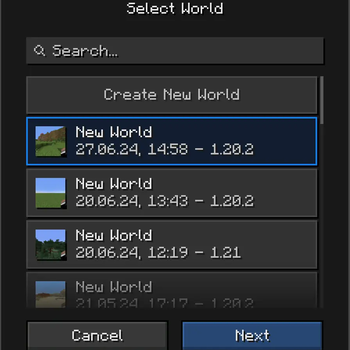
Screenshots
About this Modpack
this modpack that consists of many mods and libs to improve performace of minecraft and adds many other utility and customisation mods to improve overall expirience in-game. It also adds:
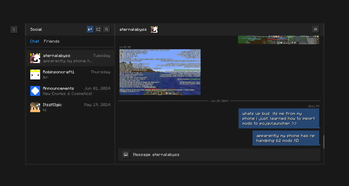
Essentials, a mod for cosmetics and utility, which lets you host your world to others without the need for a server.
Zoomify, so you can zoom in to see distant objects.
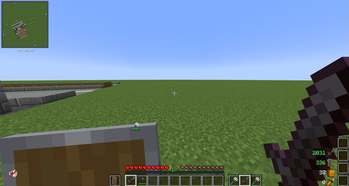
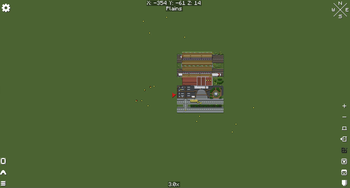
Bobby, lets you override the max. render distance of (by default) 32.
Sodium Extra (more options)
Reese´s Sodium Options (better menu for video settings)
Tweakeroo for minor tweaks like fast left/right-click
Shulker Box Tooltip (see shulker inventories more clear like when you place them down)
Stendhal (use unicode font emojis)
Vanilla Tweaks downloader (download texture packs from your client)
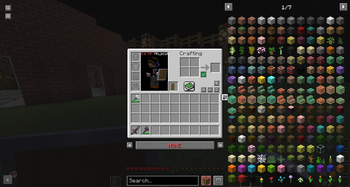
Roughly Enough Items (see recipes in a list)
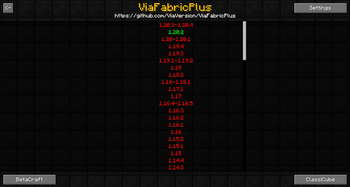
ViafabricPlus (join servers on different versions)
Worldedit (easier editing)
and so much more!
Versions available:
Older versions might come after i make 1.19.
A Forge port is planned, more information in the discord
| Version | Fabric 📜 | Forge ⚒️ | Other (Quilt/NeoForge) | Up to date (1.5) |
|---|---|---|---|---|
| 1.18.> | Planned ⏳ | Planned ⏳ | Planned (maybe) | N/A |
| 1.19.0 | Planned ⏳ | Planned ⏳ | Planned (maybe) | N/A |
| 1.19.1 | Not supported ❌ | Not supported ❌ | Not supported ❌ | N/A |
| 1.19.2 | Planned ⏳ | Planned ⏳ | Planned (maybe) | N/A |
| 1.19.3 | Not supported ❌ | Not supported ❌ | Not supported ❌ | N/A |
| 1.19.4 | Planned ⏳ | Planned ⏳ | Planned (maybe) | N/A |
| 1.20.0 | Available ✅ | Planned ⏳ | Planned (maybe) | ❌ |
| 1.20.1 | Available ✅ | Planned ⏳ | Planned (maybe) | ❌ |
| 1.20.2 | Available ✅ | Planned ⏳ | Planned (maybe) | ❌ |
| 1.20.3 | Not supported ❌ | Not supported ❌ | Not supported ❌ | N/A |
| 1.20.4 | Available ✅ | Planned ⏳ | Planned (maybe) | ❌ |
| 1.20.5 | Planned ⏳ | Planned ⏳ | Planned (maybe) | N/A |
| 1.20.6 | Available ✅ | Planned ⏳ | Planned (maybe) | ✅ |
| 1.21.0 | Available ✅ | Planned ⏳ | Planned (maybe) | ❌ |
| 1.21.1 | Available ✅ | Planned ⏳ | Planned (maybe) | ❌ |
| 1.21.2 | Planned ⏳ | Planned ⏳ | Planned (maybe) | N/A |
| 1.21.3 | Planned ⏳ | Planned ⏳ | Planned (maybe) | N/A |
Disclaimer
Versions in Alpha (1.20) (v1.2.2) are only in alpha because its very experimental and i plan on fixing stuff as well as in the future adding alternatives to some mods you can't find as originals
Versions in Beta (1.20.6) (v1.2.4) + (1.3.0) are those that are technically a release but have random stuff that needs fixing (for example the bug where you frequently crash in singleplayer worlds and idk how to fix that yet)
Releases are versions that have been tested and found to work well and no crashes are pretty much garanteed
How the modpack is tested
Tests:
- Singleplayer compatibility
- Multiplayer compatibility
- FPS (Tested on servers with high player counts like Hypixel)
My system:
- AMD Ryzen 5500 series
- Nvidia rtx 3060 12GB
- 16GB DDR4 RAM 3200mz
- 1080p@75 hz monitor
- 1440p@155 hz monitor
Quick Note
Use at least 4-5GB RAM, 6GB recommended, especially if using VR
Side note
As newer versions of the game come out you can expect some delay in me making compat for those versions because the mod devs already take a couple weeks to port their mods to newest version but as soon as they come out, this modpack will be updated to 1.21.2-1.21.3 / 1.21.4
Available Versions
How to Set Up a Ultimate Performance and lots of QOL Server
Order Server
Choose at least 4 GB RAM (6 GB recommended for Ultimate Performance and lots of QOL). Based on player count: per 8 players.
Install Modpack in Dashboard
Open the modpack browser in the dashboard, search for "Ultimate Performance and lots of QOL" and click "Install". The fabric loader and Minecraft 1.21.1 are configured automatically.
Start Server & Play
Start the server – all mods are loaded automatically. Share the server IP with friends and play together!
Frequently Asked Questions
Ultimate Performance and lots of QOL server crashes or won't start – what to do?
Most common causes: insufficient RAM or wrong fabric loader. Check latest.log for "OutOfMemoryError" → increase RAM to at least 6 GB. For "Mixin" or "ClassNotFoundException" errors: modpack version and loader don't match. With Mado Hosting, loader and Minecraft version are auto-configured on modpack install – preventing most startup issues.
How much RAM does a Ultimate Performance and lots of QOL server really need?
Minimum 4 GB, recommended 6 GB for stable performance. per 8 players. Important: Minecraft modpacks need more RAM than vanilla – plan extra per additional player. With Mado Hosting, you can scale RAM up live at any time without data loss (from €8/month).
Can I add custom mods to Ultimate Performance and lots of QOL without conflicts?
Yes, but check compatibility: only use mods for the same loader (fabric) and same Minecraft version (1.21.1). Common issues: ID conflicts with recipe mods and incompatible coremod versions. The Mado dashboard mod browser only shows compatible mods and warns about known conflicts.
Ultimate Performance and lots of QOL server lagging – performance tips
1) Increase RAM to 6 GB+. 2) Reduce server view-distance to 8 (server.properties). 3) Pre-generate chunks with the "Chunky" plugin. 4) Use /spark profiler to check which mods consume the most tick time. With Mado Hosting, all servers run on NVMe SSDs with dedicated CPU cores – eliminating hardware as a bottleneck.
Similar Modpacks


![Cobblemon Official Modpack [Fabric]](https://cdn.modrinth.com/data/5FFgwNNP/e7f9ee2e9d361623847853fe2ddce42f519ee64f.png)
![COBBLEVERSE - Pokemon Adventure [Cobblemon]](https://cdn.modrinth.com/data/Jkb29YJU/581ecf54530972afb18a04660afd820f2f24f6c7.png)
![Better MC [FABRIC] - BMC2](https://cdn.modrinth.com/data/shFhR8Vx/a19c2bcb51d38f32f138d3607e91cb2b7b8e387f_96.webp)

Rent Ultimate Performance and lots of QOL Server
Start your own server with automatic modpack installation.
Details
- License
- LicenseRef-All-Rights-Reserved
- Server-side
- Unsupported
- Client-side
- Required
Supported Versions
Start your Ultimate Performance and lots of QOL Server now
From €8.00/month with 6 GB RAM for the best performance.
Configure Server →