
Unified Parity
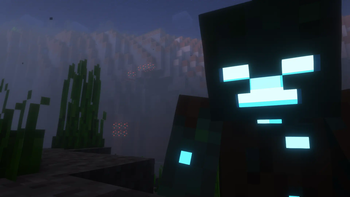
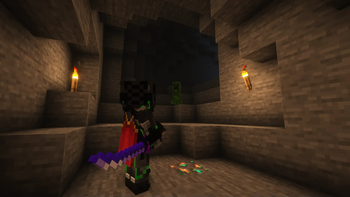
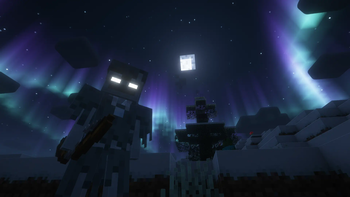
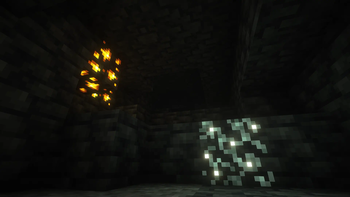
Focuses on achieving parity & consistency between Minecraft Bedrock Edition, Minecraft Dungeons, Minecraft Story Mode, and Minecraft Official Trailers / Promo Art. [WIP]
Screenshots
About this Modpack

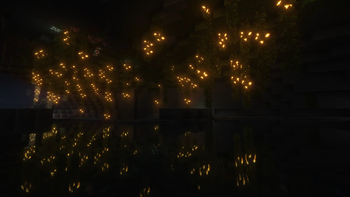
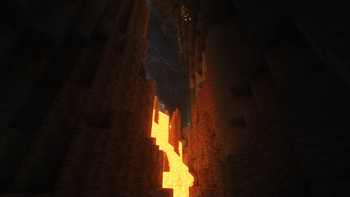
Focuses on achieving parity & consistency between Minecraft Bedrock Edition, Minecraft Dungeons, Minecraft Story Mode, and Minecraft Official Trailers / Promo Art. Built on NeoForge. [WIP]
Features:
- Very optimized, performant, and lightweight!
- Has all of the Optifine features!
- Has a Minecraft Dungeons combat system and equipment!
- All the mobs are animated (including the players), just like in the trailers!
- Supports both Forge & (most of) Fabric mods!
- Is updated somewhat regularly!
Notes:
- The modpack is inspired by Fabulously Optimized & Additive!
- As mentioned on Modrinth Faster Random requires a JVM that fully supports Java 17's new
RandomGeneratorsystem, and implementations of the LXM generators alongside it. (example: GraalVM). Having an unsupported JVM will cause crashes, and will require you to use Faster Random 1.6.0. If your JVM doesn't support this, chances are it's not a good JVM. - On the topic of good JVM's, a good place to check them out & their best performance arguments is brucethemoose's guide to JVM's arguments & benchmarks.
- You can also check out SO's wiki for some things you can do to get the most performance out of your game.
Resources used:
Mods
- Necronomicon by ElocinDev
- Continuity by PepperCode1
- MixinInHeaven by Team Potato
- Chime by Emi
- Faster Random by AnOpenSauceDev
- Lazurite by Su5eD
- Jade by Snownee
- BadOptimizations by Thosea
- FabricSkyBoxes by AMereBagatelle
- Catalogue by MrCrayfish
- Borderless Window by Nekeras
- CIT Resewn by SHsuperCM, Asek3,Tfarcenim
- Bobby Reforged
- Cloth Config v10 API by shedaniel
- FastAnim by Lunade
- Canary by AbdElAziz
- Noisium by Steveplays28
- Log Begone by AzureDoomC, Bravarly
- Capes by Cael
- ServerCore by Wesley1808
- Puzzles Lib by Fuzs
- Dynamic FPS by juliand665 & LostLuma
- Packet Fixer by TonimatasDEV
- Fast Workbench by Shadows_of_Fire
- FabricSkyBoxes Interop by FlashyReese
- Redirector by TeamPotato
- Remove Reloading Screen by dima_dencep
- Fast Paintings by MehVahdJukaar
- Connector Extras by Su5eD
- AnimaticaReforged by TeamPotato
- Chunky by pop4959
- Ash API by Trikzon
- Inventory Essentials by BlayTheNinth
- FastQuit by KingContaria
- Better Mods Button by Fuzs
- Not Enough Recipe Book by SSKirillSS
- Enhanced Block Entities by FoundationGames
- 'Slight' GUI Modifications
- LazyDFU by tuxed
- Mobtimizations by Corosus
- Paginated Advancements by DaFuqs
- Model Gap Fix by MehVahdJukaar
- Get It Together, Drops! by bl4ckscor3
- Sinytra Connector by Sinytra
- NetherPortalFix by BlayTheNinth
- Jade Addons by Snownee
- Roughly Enough Items (REI) by shedaniel
- FastFurnace by Shadows_of_Fire
- Entity Model Features by Traben
- Oculus by NanoLive, dima_dencep, coderbot, IMS212, Justsnoopy30, FoundationGames
- Moonlight Library by MehVahdJukaar
- AttributeFix by Darkhax
- Entity Texture Features by Traben
- Blur (Forge) by dima_dencep, tterrag1098, Motschen, Pyrofab, backryun, byquanton
- Fzzy Config by fzzyhmstrs
- OptiGUI by opekope2
- Forgery
- Soul fire'd by Crystal Spider
- Video Tape by Velum
- CraftingTweaks by BlayTheNinth
- Not Enough Crashes by Fudge
- ModernFix by embeddedt
- Memory Leak Fix by FX - PR0CESS
- Accurate Block Placement by Clayborn, Flourick, KadTheHunter, schwar
- Very Many Players by ishland
- No Chat Reports by Aizistral
- Icterine by Mephodio
- Architectury by shedaniel
- Smooth Swapping by Schauweg
- Placebo by Shadows_of_Fire
- Chat Heads by dzwdz, Fourmisain
- Mouse Tweaks by Ivan Molodetskikh (YaLTeR)
- Camera Utils by Max Henkel
- Potacore by TeamPotato
- Fast IP Ping by Fallen_Breath
- Starlight by Spottedleaf
- AppleSkin by squeek
- Fabric Language Kotlin by FabricMC
- Main Menu Credits by isXander
- Transparent by Trikzon
- Brute force Rendering Culling by RogoShum
- Leave My Bars Alone by Fuzs
- RailOptimization by FX - PROCESS, EasterGhost
- Ferrite Core by malte0811
- Suggestion Tweaker by VelizarBG
- Balm by BlayTheNinth
- yosby by ElocinDev
- Alternate Current by Space Walker
- Forgified Fabric API by FabricMC, Sinytra
- Cull Less Leaves Reforged by CCr4ft3r (this port), isXander (original fabric version)
- Better Beds Reforged by shizotoaster, Motschen, TeamMidnightDust
- Embeddium Extra by dima_dencep, FlashyReese
- Saturn by AbdElAziz
- Fast Suite by Shadows_of_Fire
- Smooth Scrolling Refurbished by JustAlittleWolf
- Embeddium by embeddedt
- LambDynamicLights by LambdAurora
- Language Reload by Jerozgen
- AchievementOptimizer by Big_Energy
- Fastload-Reforged by AbdElAziz
- AI-Improvements by BuiltBrokenModding
- Client Tweaks by BlayTheNinth
- Forge Config Screens by Fuzs
- Kotlin for Forge by thedarkcolour
- Fabrishot by ramidzkh
- Smooth Boot (Reloaded) by AbdElAziz
- Polytone by MehVahdJukaar
- EntityCulling by tr7zw
- Particle Core by fzzyhmstrs
- More Chat History Reforged by shizotoaster, JackFred
- CoroUtil by Corosus
- Tiny Item Animations by Trivaxy
- Let Me Despawn by frikinjay
- ImmediatelyFast by RK_01
Resource Packs
- Fast Better Grass by robotkoer
- Chat Reporting Helper by robotkoer
- Translations for Sodium by robotkoer
- Snowiest Snow by Andrew6rant
- C4Music by MopsTMC
From Estonia with ❤
Made with:

Available Versions
How to Set Up a Unified Parity Server
Order Server
Choose at least 6 GB RAM (8 GB recommended for Unified Parity). Based on player count: per 5 players.
Install Modpack in Dashboard
Open the modpack browser in the dashboard, search for "Unified Parity" and click "Install". The fabric loader and Minecraft 1.20.1 are configured automatically.
Start Server & Play
Start the server – all mods are loaded automatically. Share the server IP with friends and play together!
Frequently Asked Questions
Unified Parity server crashes or won't start – what to do?
Most common causes: insufficient RAM or wrong fabric loader. Check latest.log for "OutOfMemoryError" → increase RAM to at least 8 GB. For "Mixin" or "ClassNotFoundException" errors: modpack version and loader don't match. With Mado Hosting, loader and Minecraft version are auto-configured on modpack install – preventing most startup issues.
How much RAM does a Unified Parity server really need?
Minimum 6 GB, recommended 8 GB for stable performance. per 5 players. Important: Minecraft modpacks need more RAM than vanilla – plan extra per additional player. With Mado Hosting, you can scale RAM up live at any time without data loss (from €12/month).
Can I add custom mods to Unified Parity without conflicts?
Yes, but check compatibility: only use mods for the same loader (fabric) and same Minecraft version (1.20.1). Common issues: ID conflicts with recipe mods and incompatible coremod versions. The Mado dashboard mod browser only shows compatible mods and warns about known conflicts.
Unified Parity server lagging – performance tips
1) Increase RAM to 8 GB+. 2) Reduce server view-distance to 8 (server.properties). 3) Pre-generate chunks with the "Chunky" plugin. 4) Use /spark profiler to check which mods consume the most tick time. With Mado Hosting, all servers run on NVMe SSDs with dedicated CPU cores – eliminating hardware as a bottleneck.
Similar Modpacks
![Cobblemon Official Modpack [Fabric]](https://cdn.modrinth.com/data/5FFgwNNP/e7f9ee2e9d361623847853fe2ddce42f519ee64f.png)
![COBBLEVERSE - Pokemon Adventure [Cobblemon]](https://cdn.modrinth.com/data/Jkb29YJU/581ecf54530972afb18a04660afd820f2f24f6c7.png)
![Better MC [FABRIC] - BMC2](https://cdn.modrinth.com/data/shFhR8Vx/a19c2bcb51d38f32f138d3607e91cb2b7b8e387f_96.webp)


![Better MC [FORGE] - BMC4](https://cdn.modrinth.com/data/4BV47HRn/7f5ef7cc61b2593609aabef3ed07a866a4f11b73_96.webp)
Rent Unified Parity Server
Start your own server with automatic modpack installation.
Supported Versions
Start your Unified Parity Server now
From €12.00/month with 8 GB RAM for the best performance.
Configure Server →