
unstagle
Welcome to Unstable Law Fight — a chaotic world where rules break, alliances shatter, and survival depends on strength, strategy, and pure courage. In this server, there are no safe zones, no guaranteed peace, and no second chances. Every player enters a d
Screenshots

About this Modpack
Welcome to Unstable Law Fight — a chaotic world where rules break, alliances shatter, and survival depends on strength, strategy, and pure courage. In this server, there are no safe zones, no guaranteed peace, and no second chances. Every player enters a dangerous battlefield where the laws of order constantly change, making every moment unpredictable. One minute you could be building your dream base deep underground, and the next, a massive war could explode across the map without warning.
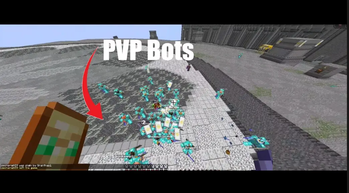
Fight powerful enemies, create secret alliances, raid enemy bases, and protect your land at all costs. Trust is rare in Unstable Law Fight, because anyone can become your enemy in seconds. Players battle for control, resources, and dominance while trying to survive the nonstop chaos surrounding them. Hidden traps, underground bunkers, giant fortresses, and surprise attacks are all part of everyday life here.
The server features intense PvP battles, custom events, dangerous exploration, and a world where no one truly stays powerful forever. Strong players rise quickly, but one mistake can destroy everything you worked for. Gather rare loot, upgrade your gear, and prepare for brutal fights against rival factions that will stop at nothing to take your territory.
Will you become a feared warrior known across the server… or just another survivor lost in the chaos?
Available Versions
How to Set Up a unstagle Server
Order Server
Choose at least 4 GB RAM (6 GB recommended for unstagle). Based on player count: per 8 players.
Install Modpack in Dashboard
Open the modpack browser in the dashboard, search for "unstagle" and click "Install". The fabric loader and Minecraft 1.21.11 are configured automatically.
Start Server & Play
Start the server – all mods are loaded automatically. Share the server IP with friends and play together!
Frequently Asked Questions
unstagle server crashes or won't start – what to do?
Most common causes: insufficient RAM or wrong fabric loader. Check latest.log for "OutOfMemoryError" → increase RAM to at least 6 GB. For "Mixin" or "ClassNotFoundException" errors: modpack version and loader don't match. With Mado Hosting, loader and Minecraft version are auto-configured on modpack install – preventing most startup issues.
How much RAM does a unstagle server really need?
Minimum 4 GB, recommended 6 GB for stable performance. per 8 players. Important: Minecraft modpacks need more RAM than vanilla – plan extra per additional player. With Mado Hosting, you can scale RAM up live at any time without data loss (from €8/month).
Can I add custom mods to unstagle without conflicts?
Yes, but check compatibility: only use mods for the same loader (fabric) and same Minecraft version (1.21.11). Common issues: ID conflicts with recipe mods and incompatible coremod versions. The Mado dashboard mod browser only shows compatible mods and warns about known conflicts.
unstagle server lagging – performance tips
1) Increase RAM to 6 GB+. 2) Reduce server view-distance to 8 (server.properties). 3) Pre-generate chunks with the "Chunky" plugin. 4) Use /spark profiler to check which mods consume the most tick time. With Mado Hosting, all servers run on NVMe SSDs with dedicated CPU cores – eliminating hardware as a bottleneck.
Similar Modpacks

![Better MC [FABRIC] - BMC2](https://cdn.modrinth.com/data/shFhR8Vx/a19c2bcb51d38f32f138d3607e91cb2b7b8e387f_96.webp)
![Better MC [FORGE] - BMC4](https://cdn.modrinth.com/data/4BV47HRn/7f5ef7cc61b2593609aabef3ed07a866a4f11b73_96.webp)


Rent unstagle Server
Start your own server with automatic modpack installation.
Supported Versions
Start your unstagle Server now
From €8.00/month with 6 GB RAM for the best performance.
Configure Server →