
Valaraukar
A Fabric client-side modpack that polishes Minecraft into a buttery-smooth, eye-candy-filled, stress-free zone. (VulkanMod, Lithium, FerriteCore ...) Better than OptiFine and Sodium.
Screenshots
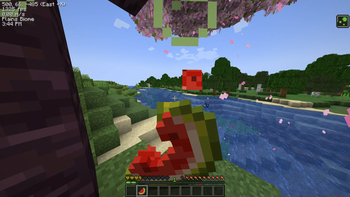
About this Modpack
Why This Exists
Minecraft runs fine. Minecraft that flies on a 10-year-old laptop and still looks gorgeous? Now we're talking.
This pack ditches shaders, but keeps everything else that matters: silky FPS on potato rigs, server-crushing performance and subtle beauty that makes vanilla feel intentional. No jet-engine fans. No hollow optimization. Just Minecraft—fixed, polished, and ready to play.
Highlights
🚀 Performance? Optimized.
- VulkanMod: Uncapped FPS sorcery. Playable on a toaster. Probably.
- Lithium + FerriteCore + Krypton: Optimization trio that makes Minecraft forget it’s made of Java.
- Consumable Optimizer + LazyDFU Reloaded: Smoother world loads and saves—no more "why did my game freeze for 3 seconds?"
✨ Visual Bliss
- Visuality + ScalableLux: Skies with mood, light that breathes—no shaders needed to feel immersed.
- PresenceFootsteps: Fancy footstep sounds because immersion.
- LambdaBetterGrass + Motschen's Better Leaves + Connected Bricks: Nature that looks intentional—no more jarring grass edges or lonely bricks.
- Dark GUI Experience: Gentle on the eyes, easy on the soul. Dark mode out of the box.
🎮 Quality of Life Upgrades
- InventoryProfilesNext + MouseTweaks: Organize your chests like a Tetris grandmaster.
- Zoomify for creepin’ on creepers, ShulkerBoxTooltip to avoid inventory Jenga, and Jade to finally know what that weird block is.
- Stfu (bye, useless narration) + Debugify: For squashing bugs Mojang forgot existed.
⚠️ Trade-Offs
- No Shaders: Iris is gone. But hey, 1000 FPS!
- Missing Mods: see VulkanMod’s incompatibility list
Installation
- Install Fabric.
- Dump these mods into your mods folder.
- Cry happy tears as your FPS counter becomes a flex.
💡 Pro Tip: Set
vsync: falsein graphics settings for 1000+ frames. Your monitor may blush.
Contributions & Feedback
Spotted a mod that makes drowned 47% more dramatic? Open a issue! Bribes accepted in the form of:
- Coffee ☕
- Pixel art of a creeper meditating peacefully
- Philosophical debates about whether gravel really needs to exist
Available Versions
How to Set Up a Valaraukar Server
Order Server
Choose at least 4 GB RAM (6 GB recommended for Valaraukar). Based on player count: per 8 players.
Install Modpack in Dashboard
Open the modpack browser in the dashboard, search for "Valaraukar" and click "Install". The fabric loader and Minecraft 1.21.11 are configured automatically.
Start Server & Play
Start the server – all mods are loaded automatically. Share the server IP with friends and play together!
Frequently Asked Questions
Valaraukar server crashes or won't start – what to do?
Most common causes: insufficient RAM or wrong fabric loader. Check latest.log for "OutOfMemoryError" → increase RAM to at least 6 GB. For "Mixin" or "ClassNotFoundException" errors: modpack version and loader don't match. With Mado Hosting, loader and Minecraft version are auto-configured on modpack install – preventing most startup issues.
How much RAM does a Valaraukar server really need?
Minimum 4 GB, recommended 6 GB for stable performance. per 8 players. Important: Minecraft modpacks need more RAM than vanilla – plan extra per additional player. With Mado Hosting, you can scale RAM up live at any time without data loss (from €8/month).
Can I add custom mods to Valaraukar without conflicts?
Yes, but check compatibility: only use mods for the same loader (fabric) and same Minecraft version (1.21.11). Common issues: ID conflicts with recipe mods and incompatible coremod versions. The Mado dashboard mod browser only shows compatible mods and warns about known conflicts.
Valaraukar server lagging – performance tips
1) Increase RAM to 6 GB+. 2) Reduce server view-distance to 8 (server.properties). 3) Pre-generate chunks with the "Chunky" plugin. 4) Use /spark profiler to check which mods consume the most tick time. With Mado Hosting, all servers run on NVMe SSDs with dedicated CPU cores – eliminating hardware as a bottleneck.
Rent Valaraukar Server
Start your own server with automatic modpack installation.
Supported Versions
Start your Valaraukar Server now
From €8.00/month with 6 GB RAM for the best performance.
Configure Server →