
Vanilla Perfected - IMP Edition
IMP Edition of the Vanilla Perfected Modpack
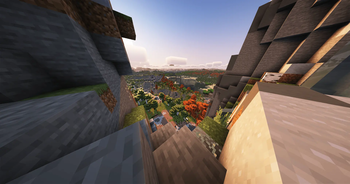
Screenshots
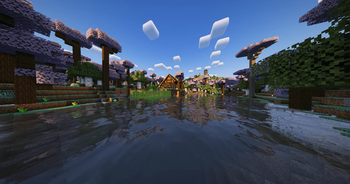
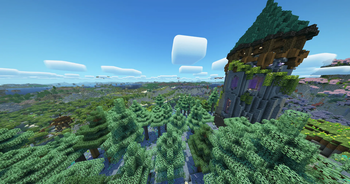
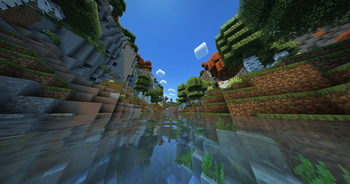
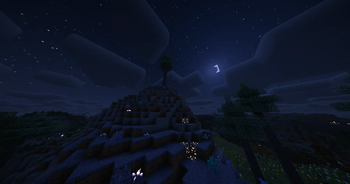

About this Modpack
IMP Addon Pack for Vanilla Perfected
This pack is based on the excellent Vanilla Perfected by demonjoeTV and is used for the Moon Imperium (IMP) Minecraft project.
It keeps the core VP experience intact and adds a carefully curated set of quality-of-life, visual/immersion, and multiplayer enhancements.
We also provide sensible default configs so players can jump in without extra setup.
TL;DR: Vanilla Perfected foundation + IMP extras (client QoL, mapping, audio, voice chat, small usability tweaks).
What’s new compared to Vanilla Perfected?
Highlights
- Client QoL & UI: Inventory Profiles Next, REI, Jade, Mouse Tweaks, More Chat History, Language Reload, AppleSkin, Chat Heads, Chat Animation, libIPN (for IPN).
- Exploration & Mapping: JourneyMap with tuned defaults (cleaner icons, minimap off by default, refined keybinds).
- Audio & Immersion: AmbientSounds, Presence Footsteps, Sound Physics Remastered, Dynamic FPS, Falling Leaves.
- Visuals & World view: Distant Horizons (LOD/long-distance terrain), Capes.
- Utility / Gameplay: Freecam (with collision enabled), FSIT (sit/lie), Inertia AntiCheat (client-side helper), Architectury (library).
- Multiplayer: Simple Voice Chat
Nothing in here changes core progression or adds content-heavy gameplay. The goal is a polished vanilla+ client tuned for the IMP server.
Included Mods (A–Z)
- AmbientSounds
- AppleSkin
- Architectury (library)
- Capes
- Chat Animation
- Chat Heads
- CreativeCore (library for some mods)
- DistantHorizons (LOD / far render)
- Dynamic FPS
- Falling Leaves
- Freecam (collision enabled by default)
- FSIT (sit / lie)
- InertiaAntiCheat
- InventoryProfilesNext (with libIPN)
- Jade
- JourneyMap
- Just Enough Breeding
- Language Reload
- libIPN (InventoryProfilesNext library)
- More Chat History
- Presence Footsteps
- REI (Roughly Enough Items)
- RRL (Resource Reload Speedup)
- Simple Voice Chat
- Sound Physics Remastered
Note: Some entries are libraries required by the above mods.
Included Shaderpacks
- BSL Shaders
- Complementary Shaders – Unbound
- MakeUp – Ultra Fast
- Solas Shader
- Super Duper Vanilla
Shaders are optional and can be toggled per player. Choose what runs best on your hardware.
Configuration Changes & Defaults
General
- Display: Borderless Mode → Fullscreen Mode (for consistent behavior).
- GUI Scale: 2× by default (readable on most displays).
Audio
- Balanced volumes across audio/footstep/ambience mods for a coherent sound mix.
JourneyMap
- Minimap icons (player & mobs): smaller + cleaner, hidden by default to reduce clutter.
- Theme: adjusted for better readability.
- Keybinds:
- Unbound JourneyMap
C(“chat at cursor position”) so Zoomify can useCagain. - Unbound
MandNto avoid conflicts with Simple Voice Chat.
- Unbound JourneyMap
Server List
- IMP Server entry pre-added (you can still add/edit your own servers).
Inventory Profiles Next
- Hotbar Autofill icons: hidden.
- Wooden & Stone Pickaxe types added to autofill ignore list (prevents unwanted swaps early game).
Freecam
- Collision: enabled to avoid phasing through blocks on public servers.
Project Scope & Philosophy
- Keep the Vanilla Perfected feel.
- Ship useful defaults so new players are productive from minute one.
- Avoid content bloat; this is a client polish pack for the Moon Imperium server.
Credits
All credits for the base pack to demonjoeTV and the Vanilla Perfected project.
Also thank you to Vanilla Tweaks for allowing the usage of their resource pack in Vanilla Perfected!
Credits: Vanilla Tweaks — https://vanillatweaks.net/
Available Versions
How to Set Up a Vanilla Perfected - IMP Edition Server
Order Server
Choose at least 6 GB RAM (8 GB recommended for Vanilla Perfected - IMP Edition). Based on player count: per 5 players.
Install Modpack in Dashboard
Open the modpack browser in the dashboard, search for "Vanilla Perfected - IMP Edition" and click "Install". The fabric loader and Minecraft 1.21.8 are configured automatically.
Start Server & Play
Start the server – all mods are loaded automatically. Share the server IP with friends and play together!
Frequently Asked Questions
Vanilla Perfected - IMP Edition server crashes or won't start – what to do?
Most common causes: insufficient RAM or wrong fabric loader. Check latest.log for "OutOfMemoryError" → increase RAM to at least 8 GB. For "Mixin" or "ClassNotFoundException" errors: modpack version and loader don't match. With Mado Hosting, loader and Minecraft version are auto-configured on modpack install – preventing most startup issues.
How much RAM does a Vanilla Perfected - IMP Edition server really need?
Minimum 6 GB, recommended 8 GB for stable performance. per 5 players. Important: Minecraft modpacks need more RAM than vanilla – plan extra per additional player. With Mado Hosting, you can scale RAM up live at any time without data loss (from €12/month).
Can I add custom mods to Vanilla Perfected - IMP Edition without conflicts?
Yes, but check compatibility: only use mods for the same loader (fabric) and same Minecraft version (1.21.8). Common issues: ID conflicts with recipe mods and incompatible coremod versions. The Mado dashboard mod browser only shows compatible mods and warns about known conflicts.
Vanilla Perfected - IMP Edition server lagging – performance tips
1) Increase RAM to 8 GB+. 2) Reduce server view-distance to 8 (server.properties). 3) Pre-generate chunks with the "Chunky" plugin. 4) Use /spark profiler to check which mods consume the most tick time. With Mado Hosting, all servers run on NVMe SSDs with dedicated CPU cores – eliminating hardware as a bottleneck.
Similar Modpacks
![Cobblemon Official Modpack [Fabric]](https://cdn.modrinth.com/data/5FFgwNNP/e7f9ee2e9d361623847853fe2ddce42f519ee64f.png)
![COBBLEVERSE - Pokemon Adventure [Cobblemon]](https://cdn.modrinth.com/data/Jkb29YJU/581ecf54530972afb18a04660afd820f2f24f6c7.png)
![Better MC [FABRIC] - BMC2](https://cdn.modrinth.com/data/shFhR8Vx/a19c2bcb51d38f32f138d3607e91cb2b7b8e387f_96.webp)


![Better MC [FORGE] - BMC4](https://cdn.modrinth.com/data/4BV47HRn/7f5ef7cc61b2593609aabef3ed07a866a4f11b73_96.webp)
Rent Vanilla Perfected - IMP Edition Server
Start your own server with automatic modpack installation.
Supported Versions
Start your Vanilla Perfected - IMP Edition Server now
From €12.00/month with 8 GB RAM for the best performance.
Configure Server →