
Vanilla PvP Optimizer
Vanilla PvP Optimizer is a modpack built to enhance your PvP experience on vanilla Minecraft servers. It improves FPS, reduces lag, and optimizes performance so you can focus on fighting without technical issues holding you back.
Screenshots
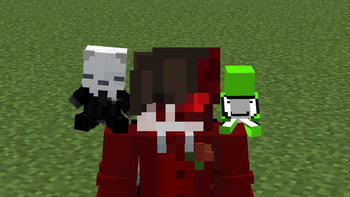


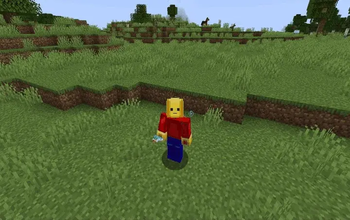
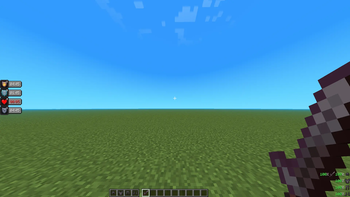
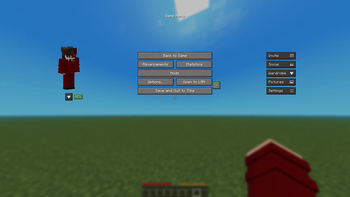
About this Modpack






Stop settling for laggy, plain vanilla Minecraft. Whether you're dominating PvP, grinding survival, playing SMP with friends, or jumping into minigames — Vanilla+ PvP Optimizer delivers a faster, cleaner, and better-looking experience without breaking what makes Minecraft great. 54 handpicked mods. Zero bloat. Pure performance.

The most powerful Fabric optimization stack available — Sodium, Lithium, Krypton, FerriteCore, ImmediatelyFast, Entity Culling, Dynamic FPS, GPUBooster, Clumps and more. Every single mod handpicked to maximize your FPS and eliminate lag without touching vanilla gameplay.
| Hardware | Vanilla FPS | With This Pack |
|---|---|---|
| Low-end PC (4GB RAM) | 30-50 FPS | 100-180 FPS |
| Mid-range PC (8GB RAM) | 60-90 FPS | 200-250+ FPS |
| High-end PC | Already smooth | Even smoother |
⚠️ Results vary by system. Approximate averages based on typical Fabric optimization stack performance.

Every tool a competitive player needs — shield mechanics, real-time ping display, hunger and saturation tracking, inventory management mid-fight — all without adding a single unfair advantage. Fully compatible with every vanilla server. Play fair. Play better.

Iris Shaders, Continuity, Atmospherics, Falling Leaves, Not Enough Animations, 3D Skin Layers — your Minecraft world looks dramatically better without destroying your FPS. The perfect balance of beauty and performance.
🌟 Recommended Shaders
- Complementary Reimagined — Best overall balance of beauty and performance
- Sildur's Vibrant Shaders — Perfect for low-end PCs
- BSL Shaders — Iconic, well-optimized, widely used
- Rethinking Voxels — Stunning visuals for high-end setups
All shaders are completely free and available on Modrinth or their official sites.

✅ Modrinth App — Recommended
Search "Vanilla+ PvP Optimizer" → Click Install → Hit Play. Done.
🔧 Manual Install
- Install Fabric Loader 1.21.11 from fabricmc.net
- Download the
.mrpackfile from this page - Import via Prism Launcher or any compatible launcher
⚠️ Minimum 4GB RAM allocated required. 6GB+ strongly recommended when using shaders.

- ⚡ Massive FPS boost — optimized for low and mid-end PCs
- ⚔️ PvP ready — competitive tools without unfair advantages
- 🎨 Beautiful visuals — shaders and animations included
- 🌿 Vanilla friendly — no gameplay overhauls
- 🧑💻 Easy to configure — full in-game mod menu
- 👥 SMP ready — Essential Mod, Capes, Cosmetica included
- 🔧 54 handpicked mods — nothing unnecessary

Is this compatible with vanilla servers?
Yes — every mod is fully client-side. Zero server installation needed.
Does this give unfair PvP advantages?
Absolutely not — no kill aura, no reach mods, no illegal clients. Pure performance and quality of life only.
Will this work on my low-end PC?
Yes — specifically built with low and mid-end hardware in mind.
Can I add more mods?
Yes but compatibility isn't guaranteed. Join the Discord for help.
Does it support shaders?
Yes — Iris Shaders is included. See recommended shaders above.

- Some shader packs may cause minor visual glitches — try a different shader if issues occur
- Essential Mod requires an account login on first launch
- A few cosmetic mods may not fully load on offline/cracked launchers

All credit goes to the incredible mod authors who made this pack possible. This modpack simply bundles their work for convenience — every mod is linked to its original Modrinth page. Please support the original creators.
💬 Join our Discord for updates, bug reports, and mod suggestions.
📦 Download on Modrinth
Available Versions
How to Set Up a Vanilla PvP Optimizer Server
Order Server
Choose at least 4 GB RAM (6 GB recommended for Vanilla PvP Optimizer). Based on player count: per 8 players.
Install Modpack in Dashboard
Open the modpack browser in the dashboard, search for "Vanilla PvP Optimizer" and click "Install". The fabric loader and Minecraft 1.21.11 are configured automatically.
Start Server & Play
Start the server – all mods are loaded automatically. Share the server IP with friends and play together!
Frequently Asked Questions
Vanilla PvP Optimizer server crashes or won't start – what to do?
Most common causes: insufficient RAM or wrong fabric loader. Check latest.log for "OutOfMemoryError" → increase RAM to at least 6 GB. For "Mixin" or "ClassNotFoundException" errors: modpack version and loader don't match. With Mado Hosting, loader and Minecraft version are auto-configured on modpack install – preventing most startup issues.
How much RAM does a Vanilla PvP Optimizer server really need?
Minimum 4 GB, recommended 6 GB for stable performance. per 8 players. Important: Minecraft modpacks need more RAM than vanilla – plan extra per additional player. With Mado Hosting, you can scale RAM up live at any time without data loss (from €8/month).
Can I add custom mods to Vanilla PvP Optimizer without conflicts?
Yes, but check compatibility: only use mods for the same loader (fabric) and same Minecraft version (1.21.11). Common issues: ID conflicts with recipe mods and incompatible coremod versions. The Mado dashboard mod browser only shows compatible mods and warns about known conflicts.
Vanilla PvP Optimizer server lagging – performance tips
1) Increase RAM to 6 GB+. 2) Reduce server view-distance to 8 (server.properties). 3) Pre-generate chunks with the "Chunky" plugin. 4) Use /spark profiler to check which mods consume the most tick time. With Mado Hosting, all servers run on NVMe SSDs with dedicated CPU cores – eliminating hardware as a bottleneck.
Similar Modpacks

![Cobblemon Official Modpack [Fabric]](https://cdn.modrinth.com/data/5FFgwNNP/e7f9ee2e9d361623847853fe2ddce42f519ee64f.png)
![COBBLEVERSE - Pokemon Adventure [Cobblemon]](https://cdn.modrinth.com/data/Jkb29YJU/581ecf54530972afb18a04660afd820f2f24f6c7.png)
![Better MC [FABRIC] - BMC2](https://cdn.modrinth.com/data/shFhR8Vx/a19c2bcb51d38f32f138d3607e91cb2b7b8e387f_96.webp)


Rent Vanilla PvP Optimizer Server
Start your own server with automatic modpack installation.
Details
- License
- LicenseRef-All-Rights-Reserved
- Server-side
- Unsupported
- Client-side
- Required
Supported Versions
Start your Vanilla PvP Optimizer Server now
From €8.00/month with 6 GB RAM for the best performance.
Configure Server →