
Vanilla SMP
VanillaSMP modpack includes optimization, visuality content with minecraft vanilla style. Main focus to save vanilla style but enhance and balance every aspect.
Screenshots
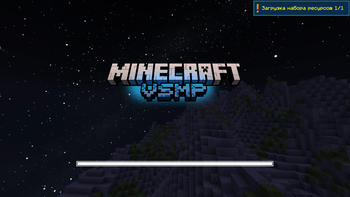
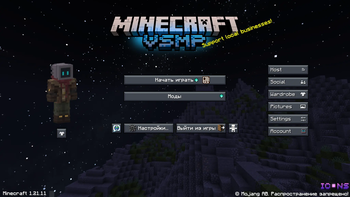
About this Modpack

Quickstart | About Modpack | Documentation | Changelog | Discord
- 🏆 1000+ Advancements — with rewards and trophies
- ⚡ Better Performance — runs great on just 2 GB RAM
- 🔊 Better Sounds — GUI sounds, sound physics, expanded Minecraft music
- 🩺 Better HUD — armor durability HUD, status effects HUD
- 🎨 Better Visuals — animations, textures, particles, atmosphere & animated mobs
- 🖼️ Better GUI — legendary tooltips, icons, custom font, chat animations, dark mode
- 🧭 Better Gameplay — Litematica, freecam, click-through frames, shulker tooltips, waypoint location bar
- 🧱 Better Textures — connected textures, refreshed vanilla textures
- 🎭 Better Customization — skin changer, cape changer
- ⚙️ Better Settings — fog control, entity render distance control
🎮 Gameplay
- Advancements — 1000+ Advancements with Rewards and Trophies
- Events — Special plugin that brings live server-wide events
- Fishing — Makes fishing more dynamic: the catches depend on where you fish, weather, and your luck level. It turns every trip to the water into a mini-game instead of a flat random roll.
- Items — Adds special gear, tools, and consumables with unique effects.
- Worlds — Your gateway to fresh, random regenerated worlds in Minecraft!
- Enchantments — Additional Enchantments with unique custom mechanics, effects and magic
- Teams — Players can build a real squad: organize chat, unlock shared perks, and make teamwork feel connected
- Quests - Everyone competes on the same quest board. Be first. Grab the reward
- Playtime Rewards - Earn emeralds just by playing!

⚡ Performance
- Sodium — Complete rendering engine replacement. Massive FPS gains with zero gameplay impact.
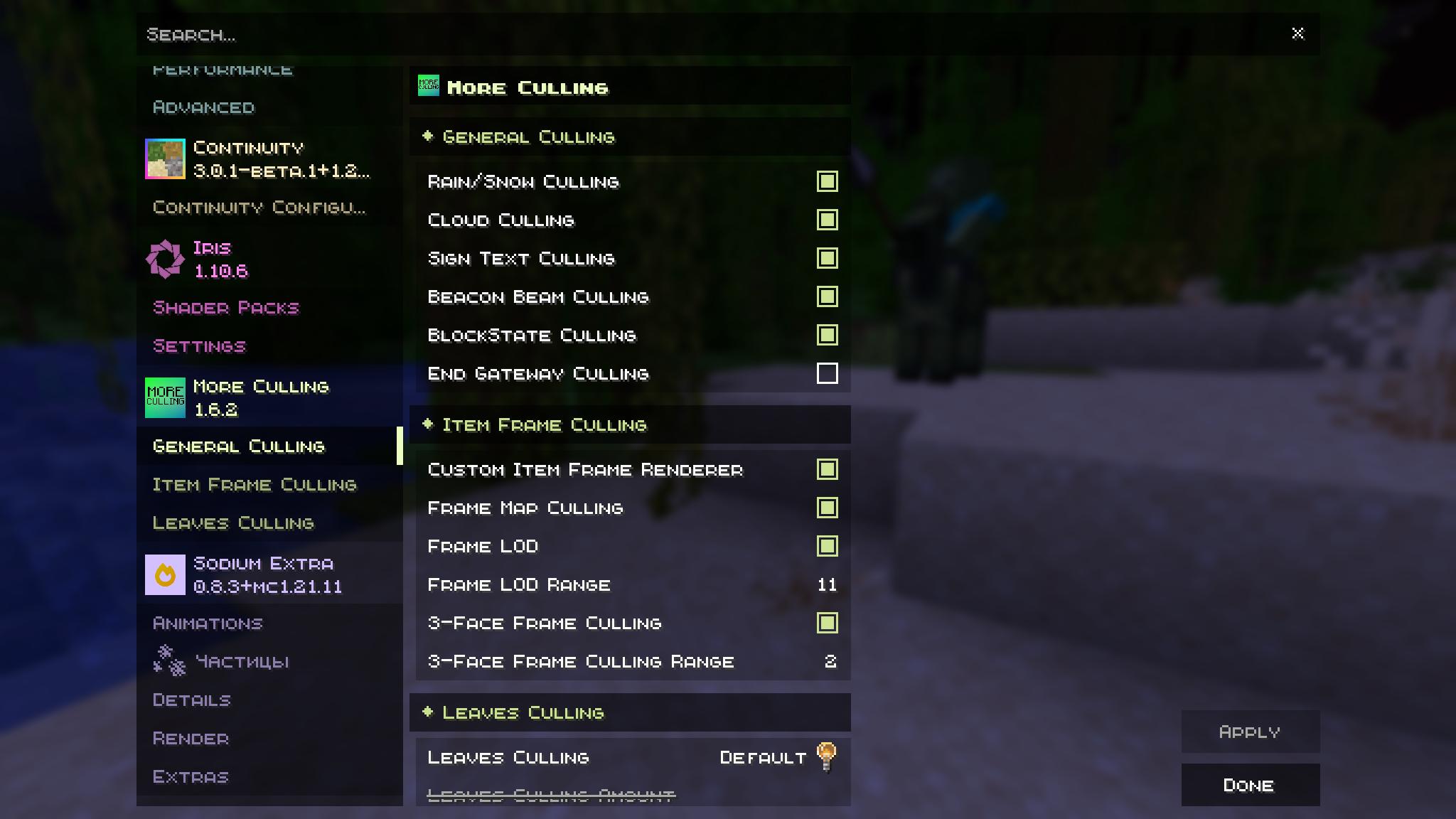
- Sodium Extra — Extra toggles for Sodium: animations, weather, particles — full control.
- Lithium — Optimizes game logic (mob AI, physics, chunks) without changing behavior.
- EntityCulling — Skips rendering entities behind walls and out of view. Big FPS boost in crowded areas.
- MoreCulling — Extends culling to blocks and foliage for even fewer wasted draw calls.
🎨 Visuals
Shaders & Textures
- Iris Shaders — Shader loader for Fabric, fully compatible with Sodium. Supports OptiFine shader format.
- Continuity — Connected textures for glass, leaves and more — just like OptiFine.
- SimpleFog — Fine-tune or disable fog; add atmospheric haze at any distance.

Animations & Models
- Not Enough Animations — New first-person and third-person player animations: off-hand holding, swimming, ladder climbing.
- ETF — Entity Texture Features — Random and variant mob textures. Required by FreshAnimations.
- EMF — Entity Model Features — Custom entity models via resource packs. Required by FreshAnimations.
- SkinLayers 3D — Renders the outer skin layer as true 3D geometry — hats, jackets, beards all pop out.
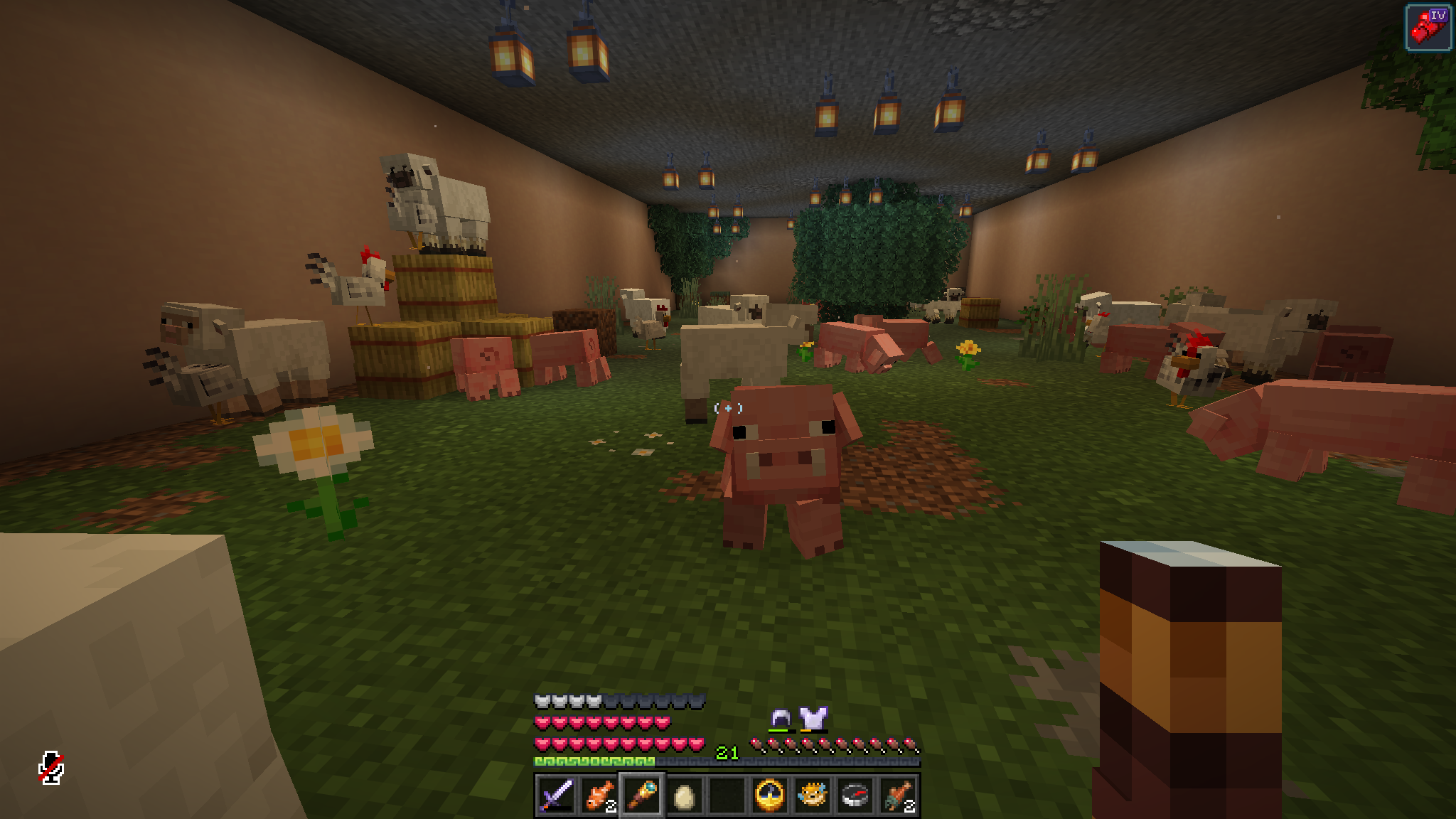
Particles & Atmosphere
- Visuality — Adds ambient particles: torch sparks, bubbles, magical effects on mobs and items.
- InventoryParticles — Emits particles from inventory slots based on equipped items.
- CoolRain — Improved rain with splash animations on surfaces.
🔊 Sound
- Sound Physics Remastered — Realistic sound physics: cave echo, muffled audio behind walls, reverb in large spaces.
- Sounds — Extended sound pack with new sounds for actions, mobs and environment.
🖥️ UI & HUD
Menus & Loading
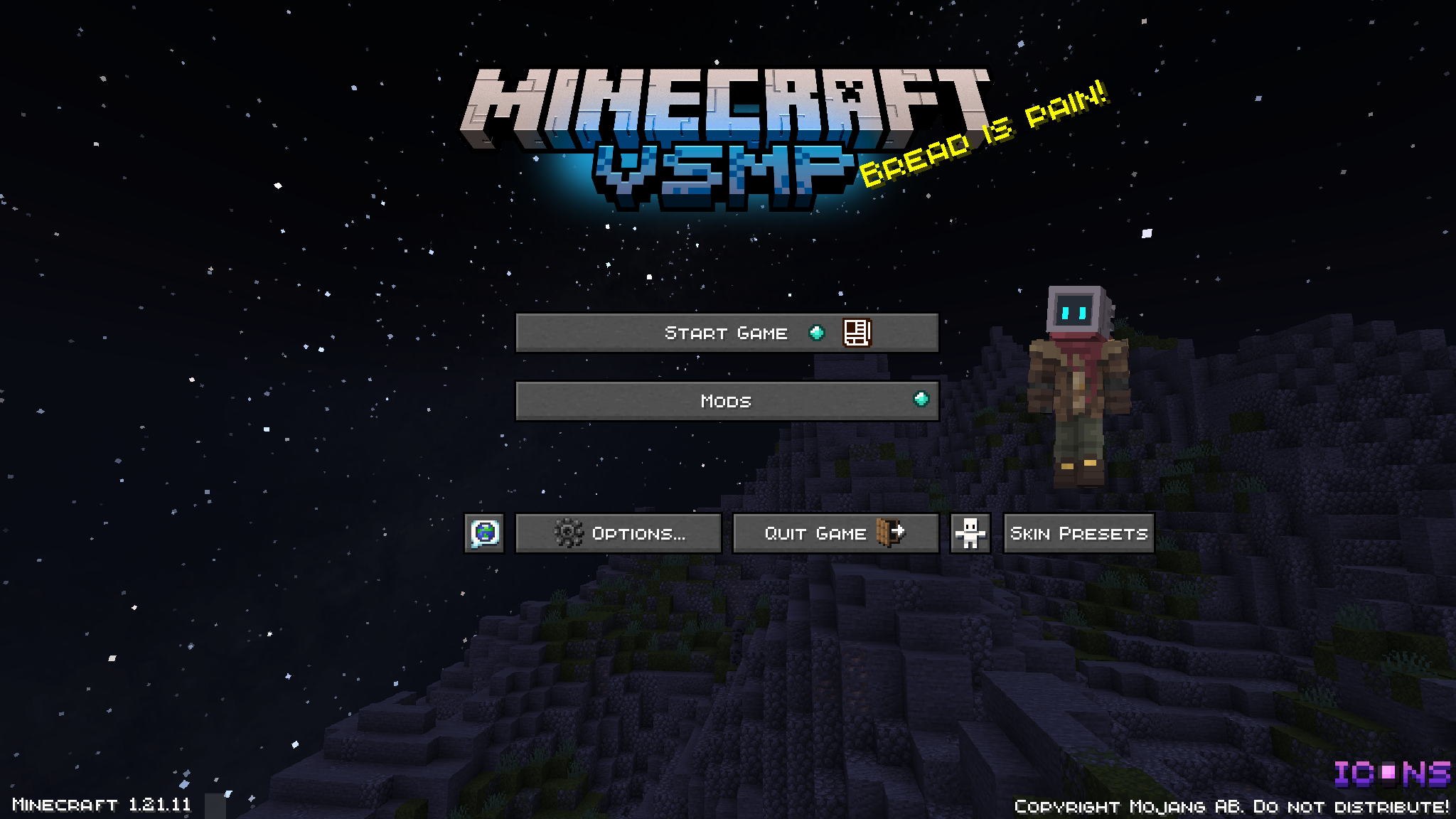
- FancyMenu — Fully customize the main menu: backgrounds, buttons, animations, music.
- Drippy Loading Screen — Stylish loading screen with progress bar, custom background and logo.
- ModMenu — Browse installed mods in settings with direct access to each mod's config.
Advancements
- BetterAdvancements — Redesigned advancements screen: smooth navigation, stats, search.
- Advancements+ — Extra achievement hints and progress information.
Tooltips & Inventory
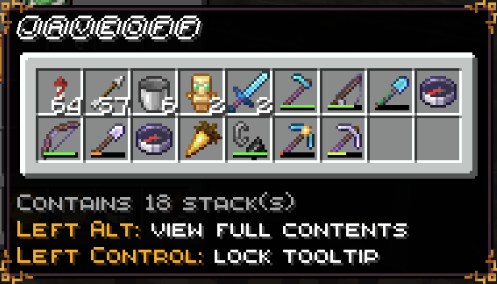
- ShulkerBox Tooltip — Hover over a shulker box to preview its contents without opening.
- Dynamic Tooltips — Animated item tooltips with smooth fade-in appearance.
- Enchantment Descriptions — Shows a description of each enchantment directly in the item tooltip.
- TierTagger — Colored rarity/tier badge on items in inventory.
- ClickThrough+ — Click through signs and item frames to interact with blocks behind them.
HUD
- Simple Armor HUD — Compact on-screen display showing armor durability at a glance.
- EffectTimerPlus — Remaining duration overlay for every active status effect.
- Effectual — Visual improvements to status effect icons and their layout.
- Stendhal — Better formatting and display of long text in books and chat.
🧭 Utilities & Gameplay
Building & Navigation
- Litematica — Schematic tool: load a structure and build it block by block with a ghost overlay.
- VanillaWaypoints — Waypoints integrated into the vanilla interface — no bloated UI.
- LocatorLodestones — Compass can point to lodestones directly from your inventory.
- Legacy Freecam — Detached free camera for screenshots and scouting without moving your character.
Exploration
- BookshelfInspector — Hover over a bookshelf to see the books stored inside.
- Spyglass Astronomy — Point your spyglass at the night sky to observe constellations and planets.
- Legacies & Legends — RPG elements: artifacts, legendary items and unique abilities hidden in the world.
💬 Social & Personalization
- Simple Voice Chat — In-game voice chat with positional audio, walkie-talkie mode and channels.
- CraftPresence — Discord Rich Presence showing exactly what you're doing and where in Minecraft.
- SkinShuffle — Switch skins without restarting; manage multiple skin profiles.
- BetterCapes — Custom capes: upload your own or pick from a community collection.
- Chat Animation — Messages in chat appear with a smooth slide-in animation.
🎨 Resource Packs
Mob Animations
- FreshAnimations v1.10.4 — Complete overhaul of every mob's animations: fluid movement, expressive faces, lifelike behavior. The flagship pack.
- FA+Details — Addon to FreshAnimations adding high-detail textures and fine surface details.
- Eating Animation — Unique eating animations in the player's hand for every food item.
- AL's Enderman Revamped — Enderman rebuilt for FA: new model, animations and menacing expression.
- AL's Piglins Revamped — Piglins and Brutes with detailed new FA-style animations.
- AL's Skeletons Revamped — All skeleton variants with improved models and Fresh-style movement.
- AL's Zombies Revamped — Zombies with reworked motion and detailing tuned for FreshAnimations.
- AL's Scorpions & Crabs — Spiders reimagined as scorpions and crabs with unique animations.
- Drodi's Blazes FA — Blazes with reworked models and smooth Fresh-compatible animations.
- Drodi's Illagers x FA — Pillagers, Evokers and Vindicators with detailed FA animations.
World Enhancement
- Simple Grass Flowers — Sprinkles small flowers and plants into grass for a lush, lived-in look.
- Fancy Crops — Crops (wheat, carrot, potato) rendered as full, voluminous plants as they grow.
- Connected Bricks — Seamless brick textures that flow across block boundaries.
- Connected Paths — Cobblestone and stone slab paths connect without hard edges.
- Connected Rocks — Stone and cobblestone form monolithic rock surfaces on large walls.
- Vanilla Experience+ — Large-scale vanilla texture refresh that stays true to Minecraft's original style.
UI & HUD
- Default Dark Mode — Dark theme for the entire Minecraft UI: inventory, menus, books.
- MandalasGUI Dark Mode — Ornate dark-themed GUI with mandala patterns for an elegant look.
- Numbered Hotbar — Slot numbers on the hotbar for instant orientation.
- Icons — Improved icons for status effects, tools and other HUD elements.
- TGK Enchants — Enchantments displayed as clean symbolic icons on items.
- qrafty's Capitalized Font — All-caps style font for clean, readable in-game text.
- Chat+ — Enhanced chat formatting with icons, dividers and better layout.
- Wynn Ranks — WynnCraft-style rank prefixes and badges in chat.
- BACAP Language Pack — Localization pack for Better Advancements Completion achievements.
🌟 Shaders
- Complementary Reimagined r5.7.1 — The gold standard for vanilla-style shaders. Soft lighting, volumetric clouds, realistic shadows — beautiful without breaking Minecraft's aesthetic.
Available Versions
How to Set Up a Vanilla SMP Server
Order Server
Choose at least 4 GB RAM (6 GB recommended for Vanilla SMP). Based on player count: per 8 players.
Install Modpack in Dashboard
Open the modpack browser in the dashboard, search for "Vanilla SMP" and click "Install". The fabric loader and Minecraft 1.21.11 are configured automatically.
Start Server & Play
Start the server – all mods are loaded automatically. Share the server IP with friends and play together!
Frequently Asked Questions
Vanilla SMP server crashes or won't start – what to do?
Most common causes: insufficient RAM or wrong fabric loader. Check latest.log for "OutOfMemoryError" → increase RAM to at least 6 GB. For "Mixin" or "ClassNotFoundException" errors: modpack version and loader don't match. With Mado Hosting, loader and Minecraft version are auto-configured on modpack install – preventing most startup issues.
How much RAM does a Vanilla SMP server really need?
Minimum 4 GB, recommended 6 GB for stable performance. per 8 players. Important: Minecraft modpacks need more RAM than vanilla – plan extra per additional player. With Mado Hosting, you can scale RAM up live at any time without data loss (from €8/month).
Can I add custom mods to Vanilla SMP without conflicts?
Yes, but check compatibility: only use mods for the same loader (fabric) and same Minecraft version (1.21.11). Common issues: ID conflicts with recipe mods and incompatible coremod versions. The Mado dashboard mod browser only shows compatible mods and warns about known conflicts.
Vanilla SMP server lagging – performance tips
1) Increase RAM to 6 GB+. 2) Reduce server view-distance to 8 (server.properties). 3) Pre-generate chunks with the "Chunky" plugin. 4) Use /spark profiler to check which mods consume the most tick time. With Mado Hosting, all servers run on NVMe SSDs with dedicated CPU cores – eliminating hardware as a bottleneck.
Similar Modpacks


![Cobblemon Official Modpack [Fabric]](https://cdn.modrinth.com/data/5FFgwNNP/e7f9ee2e9d361623847853fe2ddce42f519ee64f.png)
![COBBLEVERSE - Pokemon Adventure [Cobblemon]](https://cdn.modrinth.com/data/Jkb29YJU/581ecf54530972afb18a04660afd820f2f24f6c7.png)
![Better MC [FABRIC] - BMC2](https://cdn.modrinth.com/data/shFhR8Vx/a19c2bcb51d38f32f138d3607e91cb2b7b8e387f_96.webp)

Rent Vanilla SMP Server
Start your own server with automatic modpack installation.
Supported Versions
Start your Vanilla SMP Server now
From €8.00/month with 6 GB RAM for the best performance.
Configure Server →