
Velocita Optimized
Lightweight, incredible fast, beautiful and QoL in a single package. Fabric & Neo
Screenshots


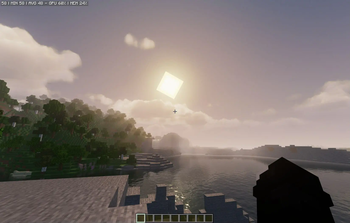
About this Modpack
Minecraft Velocita Edition 🚀
The Ultimate Vanilla Upgrade!
What is Velocita Edition?
Velocita Edition is a lightweight, stable, and visually enhanced modpack that transforms Minecraft into a smooth, optimized experience without compromising its vanilla charm.
Make sure to read everything!

Performance Comparison
Vanilla Minecraft FPS:
Velocita Edition FPS (Neoforge 1.20.4):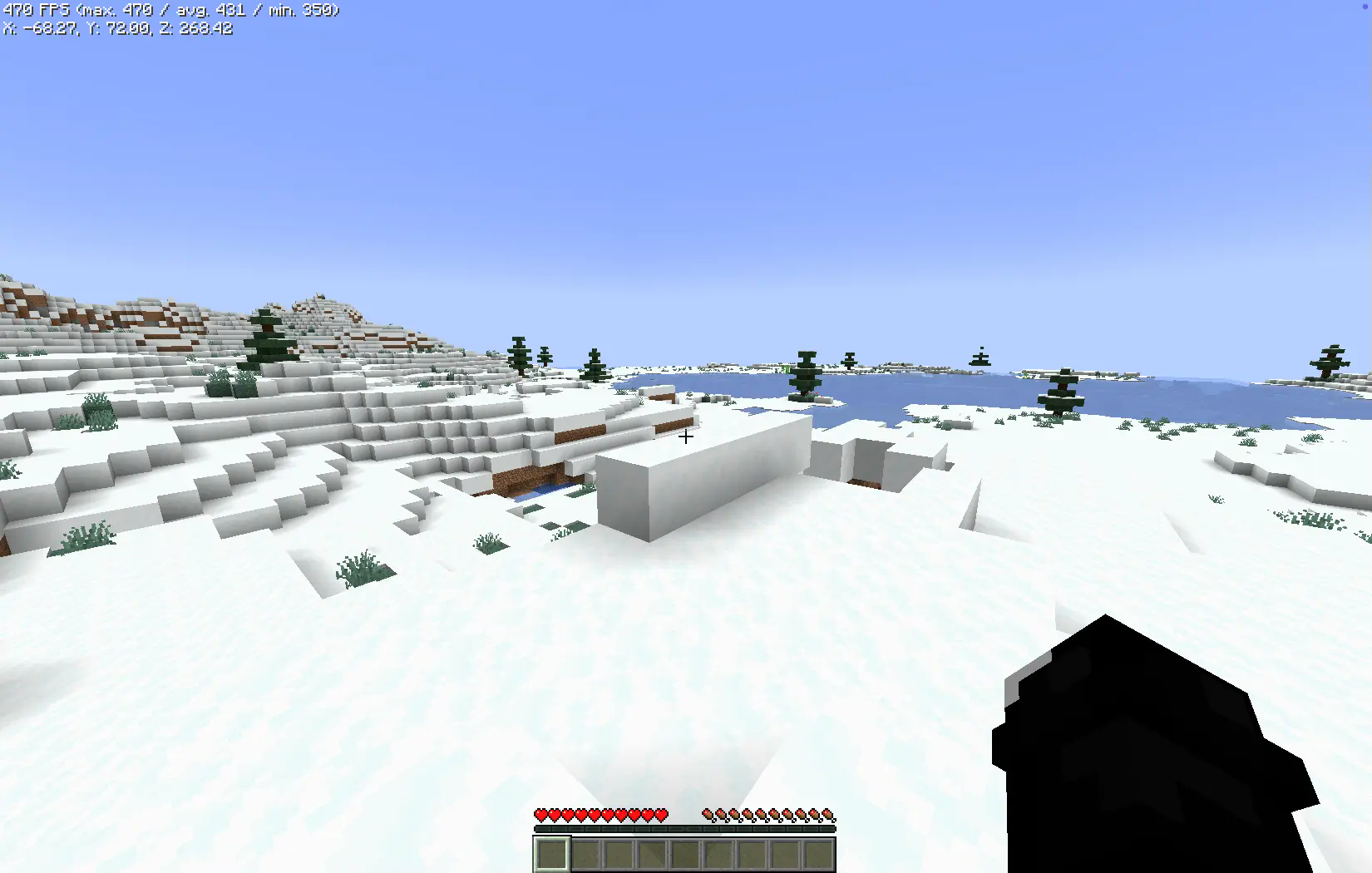
Enjoy unprecedented smoothness and stability, even on lower-end hardware.
These metrics were recorded on a MacBook M1 with just 2GB of allocated RAM.
Core Objectives
- Peak Performance: Utilizes cutting-edge optimization mods like Lithium, Sodium, and FerriteCore to achieve superior efficiency.
- Stable FPS: Significantly reduces lag spikes for consistent, fluid gameplay.
- Vanilla-Friendly Enhancements: Introduces subtle improvements to graphics and functionality without detracting from the vanilla aesthetic.
- Multi-Loader Support: Ensures compatibility across NeoForge, Fabric, and Quilt loaders, providing users with options to suit their preferences.
- Server Compatibility: Fully operational on vanilla servers, negating the need for server-side installations.
Why Choose Velocita Edition?
- User-Centric Design: Perfect for players of all skill levels, from casual minecraft to hardcore players.
- Hardware Flexibility: Optimized for performance across a wide spectrum of devices.
- Balanced Improvements: Enhances gameplay and visuals while preserving Minecraft’s core identity.
- Community-Oriented: Join our discord!
- Universal Compatibility: Operates smoothly on vanilla servers with no disruptions.
Understanding Velocita Edition Versions
Velocita Edition’s versioning strategy ensures adaptability to diverse user needs and hardware configurations:
- Standard Versions (e.g., Fabric 1.21.1): Exclusively focused on optimization mods, these editions prioritize performance and efficiency.
- ++ Versions (e.g., ++Fabric 1.21.1): Combines optimization with enhancements, such as improved user interfaces, visual tweaks, and quality-of-life features.
Note: This distinction pertains exclusively to mods and does not extend to included resource packs or shaders, which remain uniform across all editions.
Modrinth Versioning
Due to the development and upload sequence, older versions may appear first on Modrinth. Support for legacy versions was introduced after completing stable iterations for newer Minecraft versions. While unconventional, this approach ensures comprehensive backward compatibility.
Creator Notes
- All included mods remain the intellectual property of their respective creators, and full credit is attributed to them.
- Server compatibility remains the user’s responsibility; ensure compliance with server-specific rules and mod policies.
- Performance outcomes are hardware-dependent. Testing was primarily conducted on a Mac M1, and results may vary.
- In instances where mods lack direct alternatives, functionality is preserved to the greatest extent possible.
- FancyMenu Top Bar Fix(It appears or it disappeared):
- Mac Users: Press
COMMAND + OPTION + C - Windows Users: Press
CTRL + ALT + C
- Mac Users: Press
Any questions? Join our discord server or check our wiki!
From a Minecraft Player, For Minecraft Players
Have fun! 🌟❤️
Available Versions
How to Set Up a Velocita Optimized Server
Order Server
Choose at least 4 GB RAM (6 GB recommended for Velocita Optimized). Based on player count: per 5 players.
Install Modpack in Dashboard
Open the modpack browser in the dashboard, search for "Velocita Optimized" and click "Install". The fabric loader and Minecraft 1.21.4 are configured automatically.
Start Server & Play
Start the server – all mods are loaded automatically. Share the server IP with friends and play together!
Frequently Asked Questions
Velocita Optimized server crashes or won't start – what to do?
Most common causes: insufficient RAM or wrong fabric loader. Check latest.log for "OutOfMemoryError" → increase RAM to at least 6 GB. For "Mixin" or "ClassNotFoundException" errors: modpack version and loader don't match. With Mado Hosting, loader and Minecraft version are auto-configured on modpack install – preventing most startup issues.
How much RAM does a Velocita Optimized server really need?
Minimum 4 GB, recommended 6 GB for stable performance. per 5 players. Important: Minecraft modpacks need more RAM than vanilla – plan extra per additional player. With Mado Hosting, you can scale RAM up live at any time without data loss (from €8/month).
Can I add custom mods to Velocita Optimized without conflicts?
Yes, but check compatibility: only use mods for the same loader (fabric) and same Minecraft version (1.21.4). Common issues: ID conflicts with recipe mods and incompatible coremod versions. The Mado dashboard mod browser only shows compatible mods and warns about known conflicts.
Velocita Optimized server lagging – performance tips
1) Increase RAM to 6 GB+. 2) Reduce server view-distance to 8 (server.properties). 3) Pre-generate chunks with the "Chunky" plugin. 4) Use /spark profiler to check which mods consume the most tick time. With Mado Hosting, all servers run on NVMe SSDs with dedicated CPU cores – eliminating hardware as a bottleneck.
Similar Modpacks

![Cobblemon Official Modpack [Fabric]](https://cdn.modrinth.com/data/5FFgwNNP/e7f9ee2e9d361623847853fe2ddce42f519ee64f.png)
![COBBLEVERSE - Pokemon Adventure [Cobblemon]](https://cdn.modrinth.com/data/Jkb29YJU/581ecf54530972afb18a04660afd820f2f24f6c7.png)
![Better MC [FABRIC] - BMC2](https://cdn.modrinth.com/data/shFhR8Vx/a19c2bcb51d38f32f138d3607e91cb2b7b8e387f_96.webp)


Rent Velocita Optimized Server
Start your own server with automatic modpack installation.
Supported Versions
Start your Velocita Optimized Server now
From €8.00/month with 6 GB RAM for the best performance.
Configure Server →