
Venturecraft
Get ready for a new Adventure!
Screenshots

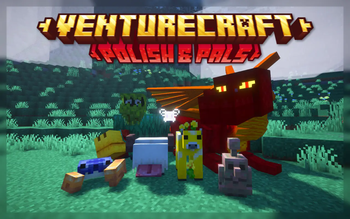

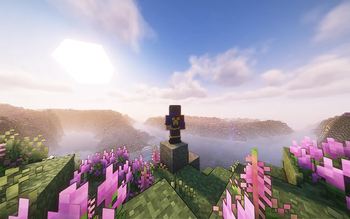
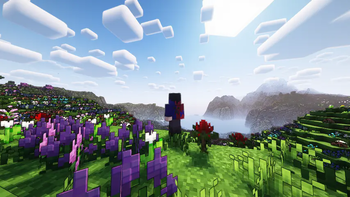
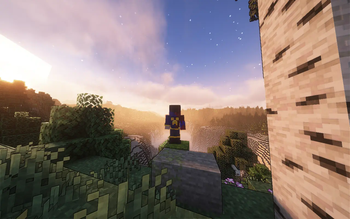
About this Modpack
Welcome to Venturecraft!
Are you ready for a new adventure?
This has been a passion project of mine on and off for a while. With over 230 mods, handpicked, configured, and tested to create a cohesive modded experience. I aim to expand upon almost every part of the game, with my main focus on exploration and building, while keeping with the spirit of Minecraft. Hopefully this pack will be a great start to many modded Minecraft adventures!
Worldgen:
See the sights with countless biomes spread across overhauled terrain, and discover forgotten ruins and grand structures on your travels.
Ambience & Visuals:
Immerse yourself in your surroundings with ambient particles, sounds, and visual effects, including shader options (BSL and Complimentary) to further enhance your visual experience. Witness the beauty of nature as the seasons pass in this ever changing world.
Mobs:
Meet all kinds of new and exciting creatures. Study wild animals in their habitats, make helpful friends to join in your travels, and challenge dangerous foes for experience and loot.
Combat:
Find your combat style with various weapons, tools, and enchantments with fun mechanics.
Items:
Craft useful new tools and items to aid in your adventures. From survival essentials like backpacks and sleeping bags, to specialized adventuring gear like gliders and grapple hooks, you're bound to find something to suit your needs.
Blocks:
Build and decorate your bases with a stylish selection of blocks. Whether you're looking for more wood types in a wide array of colors, more stone variants and more complete blocksets, or small decorative and functional details, you'll surely find something to inspire you!
And so much more!
Future Plans
With future updates, I hope to add a more personal touch and make the pack more unique.
- Eventually I might set up a Quests/Advancements/Tips system of some kind to introduce major mechanics and features ingame.
Notes
- You may customize the pack for personal playthroughs and use the pack in videos.
- Links to mods and resource packs can be found under Dependencies for each version on the Versions tab.
- You may need to change your shader settings depending on your device's performance specs. BSL has been tuned to have low-medium impact, while Complimentary has heavier settings enabled.
- Other shaders may not work with the Nicer Skies or Euphoria Patches mods, so you may need to disable those if you add other shaders.
- Also be sure to change the settings for your shader's clouds and the Better Clouds mod to fit your preferences.
Thanks
- Thanks to the developers of every mod, resource, and shader in this pack for making this possible!
- Thanks to me for putting the modpack together.
- Thanks to my brother and my friends for believing in me.
- And thanks to you for reading this far and hopefully trying the pack!
Available Versions
How to Set Up a Venturecraft Server
Order Server
Choose at least 6 GB RAM (8 GB recommended for Venturecraft). Based on player count: per 5 players.
Install Modpack in Dashboard
Open the modpack browser in the dashboard, search for "Venturecraft" and click "Install". The fabric loader and Minecraft 1.20.1 are configured automatically.
Start Server & Play
Start the server – all mods are loaded automatically. Share the server IP with friends and play together!
Frequently Asked Questions
Venturecraft server crashes or won't start – what to do?
Most common causes: insufficient RAM or wrong fabric loader. Check latest.log for "OutOfMemoryError" → increase RAM to at least 8 GB. For "Mixin" or "ClassNotFoundException" errors: modpack version and loader don't match. With Mado Hosting, loader and Minecraft version are auto-configured on modpack install – preventing most startup issues.
How much RAM does a Venturecraft server really need?
Minimum 6 GB, recommended 8 GB for stable performance. per 5 players. Important: Minecraft modpacks need more RAM than vanilla – plan extra per additional player. With Mado Hosting, you can scale RAM up live at any time without data loss (from €12/month).
Can I add custom mods to Venturecraft without conflicts?
Yes, but check compatibility: only use mods for the same loader (fabric) and same Minecraft version (1.20.1). Common issues: ID conflicts with recipe mods and incompatible coremod versions. The Mado dashboard mod browser only shows compatible mods and warns about known conflicts.
Venturecraft server lagging – performance tips
1) Increase RAM to 8 GB+. 2) Reduce server view-distance to 8 (server.properties). 3) Pre-generate chunks with the "Chunky" plugin. 4) Use /spark profiler to check which mods consume the most tick time. With Mado Hosting, all servers run on NVMe SSDs with dedicated CPU cores – eliminating hardware as a bottleneck.
Similar Modpacks
![Cobblemon Official Modpack [Fabric]](https://cdn.modrinth.com/data/5FFgwNNP/e7f9ee2e9d361623847853fe2ddce42f519ee64f.png)
![COBBLEVERSE - Pokemon Adventure [Cobblemon]](https://cdn.modrinth.com/data/Jkb29YJU/581ecf54530972afb18a04660afd820f2f24f6c7.png)
![Better MC [FABRIC] - BMC2](https://cdn.modrinth.com/data/shFhR8Vx/a19c2bcb51d38f32f138d3607e91cb2b7b8e387f_96.webp)


![Better MC [FORGE] - BMC4](https://cdn.modrinth.com/data/4BV47HRn/7f5ef7cc61b2593609aabef3ed07a866a4f11b73_96.webp)
Rent Venturecraft Server
Start your own server with automatic modpack installation.
Supported Versions
Start your Venturecraft Server now
From €12.00/month with 8 GB RAM for the best performance.
Configure Server →