
Vexillum
The most standard assortment of Minecraft Mods, which only improve FPS
Screenshots

About this Modpack

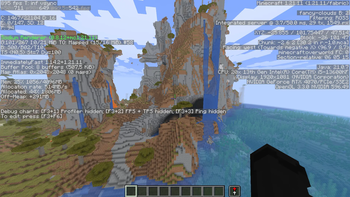
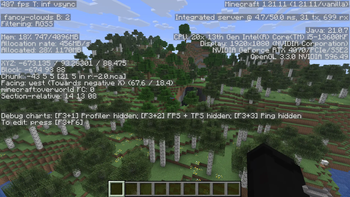
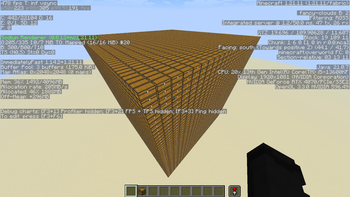
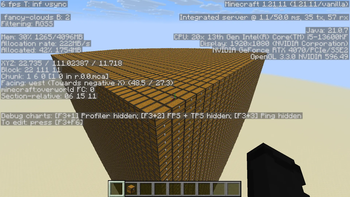
Vexillum was built to provide Minecraft players with a clean, fast, and reliable FPS boost pack that just works. Designed with performance in mind, it focuses on maximizing frame rates, reducing stuttering, and improving overall gameplay smoothness without adding unnecessary clutter or features.
Unlike many modpacks that mix performance with unrelated utility mods, Vexillum stays focused on one goal: better performance. Every mod included serves a clear purpose, whether it improves rendering, memory usage, chunk loading, networking, or general client responsiveness.
⸻
✦ Why choose Vexillum?
⚡ Performance-first
Carefully selected optimization mods such as Sodium, Lithium, FerriteCore, ImmediatelyFast, and EntityCulling help improve FPS, reduce lag, and make Minecraft feel noticeably smoother.
🧠 Memory & efficiency improvements
Mods like FerriteCore and BadOptimizations reduce memory overhead and remove inefficient vanilla behavior, helping the game run more efficiently even on lower-end systems.
🌍 Smoother world loading
Concurrent Chunk Management Engine and Krypton improve chunk handling and networking performance, helping reduce delays and make the game feel more responsive in both singleplayer and multiplayer.
🎨 Better rendering performance
More Culling, and ImmediatelyFast reduce unnecessary rendering work, allowing Minecraft to focus on what you can actually see on screen.
🛠️ Stable & compatible
Built on a solid Fabric-based mod stack with essential libraries and configuration tools to keep the pack stable, flexible, and easy to manage.
🧰 Clean and focused
No unnecessary feature bloat. Vexillum is designed purely as a lightweight performance pack for players who want more FPS and less lag.
Mods
Alternate Current (https://modrinth.com/mod/r0v8vy1s) by Space Walker
BBE (https://modrinth.com/mod/ONZm0H7Y) by ceeden
BadOptimizations (https://modrinth.com/mod/g96Z4WVZ) by Thosea
Cloth Config v20 (https://modrinth.com/mod/9s6osm5g) by shedaniel
Clumps (https://modrinth.com/mod/Wnxd13zP) by Jared
Concurrent Chunk Management Engine (https://modrinth.com/mod/VSNURh3q) by RelativityMC, ishland
Cubes Without Borders (https://modrinth.com/mod/ETlrkaYF) by Kir_Antipov
EntityCulling (https://modrinth.com/mod/NNAgCjsB) by tr7zw
Fabric API (https://modrinth.com/mod/P7dR8mSH) by FabricMC
Fabric Language Kotlin (https://modrinth.com/mod/Ha28R6CL) by FabricMC
FastQuit (https://modrinth.com/mod/x1hIzbuY) by contaria
FerriteCore (https://modrinth.com/mod/uXXizFIs) by malte0811
Fzzy Config (https://modrinth.com/mod/hYykXjDp) by fzzyhmstrs
ImmediatelyFast (https://modrinth.com/mod/5ZwdcRci) by RK_01
Ixeris (https://modrinth.com/mod/p8RJPJIC) by decce
Krypton (https://modrinth.com/mod/fQEb0iXm) by tuxed
Lithium (https://modrinth.com/mod/gvQqBUqZ) by JellySquid, 2No2Name
Mod Menu (https://modrinth.com/mod/mOgUt4GM) by Prospector, haykam821, TerraformersMC
More Culling (https://modrinth.com/mod/51shyZVL) by FX - PR0CESS, 1Foxy2
Packet Fixer (https://modrinth.com/mod/c7m1mi73) by TonimatasDEV
Particle Core (https://modrinth.com/mod/RSeLon5O) by fzzyhmstrs
Placeholder API (https://modrinth.com/mod/eXts2L7r) by Patbox
ScalableLux (https://modrinth.com/mod/Ps1zyz6x) by Spottedleaf, ishland
Server Pinger Fixer (https://modrinth.com/mod/iqK5uv72) by JustAlittleWolf
Simply No Shading (https://modrinth.com/mod/9gx5Xvc5) by StartsMercury
Sodium (https://modrinth.com/mod/AANobbMI) by JellySquid (jellysquid3)
kennytv's epic force close loading screen mod for Fabric (https://modrinth.com/mod/blWBX5n1) by kennytv
WHY NO VULKAN 🤓🫵
Since Vulkan is incompatable with many popular mods I am not gonna use it, people may want to add their own mods
Available Versions
How to Set Up a Vexillum Server
Order Server
Choose at least 4 GB RAM (6 GB recommended for Vexillum). Based on player count: per 8 players.
Install Modpack in Dashboard
Open the modpack browser in the dashboard, search for "Vexillum" and click "Install". The fabric loader and Minecraft 1.21.11 are configured automatically.
Start Server & Play
Start the server – all mods are loaded automatically. Share the server IP with friends and play together!
Frequently Asked Questions
Vexillum server crashes or won't start – what to do?
Most common causes: insufficient RAM or wrong fabric loader. Check latest.log for "OutOfMemoryError" → increase RAM to at least 6 GB. For "Mixin" or "ClassNotFoundException" errors: modpack version and loader don't match. With Mado Hosting, loader and Minecraft version are auto-configured on modpack install – preventing most startup issues.
How much RAM does a Vexillum server really need?
Minimum 4 GB, recommended 6 GB for stable performance. per 8 players. Important: Minecraft modpacks need more RAM than vanilla – plan extra per additional player. With Mado Hosting, you can scale RAM up live at any time without data loss (from €8/month).
Can I add custom mods to Vexillum without conflicts?
Yes, but check compatibility: only use mods for the same loader (fabric) and same Minecraft version (1.21.11). Common issues: ID conflicts with recipe mods and incompatible coremod versions. The Mado dashboard mod browser only shows compatible mods and warns about known conflicts.
Vexillum server lagging – performance tips
1) Increase RAM to 6 GB+. 2) Reduce server view-distance to 8 (server.properties). 3) Pre-generate chunks with the "Chunky" plugin. 4) Use /spark profiler to check which mods consume the most tick time. With Mado Hosting, all servers run on NVMe SSDs with dedicated CPU cores – eliminating hardware as a bottleneck.
Similar Modpacks

![Cobblemon Official Modpack [Fabric]](https://cdn.modrinth.com/data/5FFgwNNP/e7f9ee2e9d361623847853fe2ddce42f519ee64f.png)
![COBBLEVERSE - Pokemon Adventure [Cobblemon]](https://cdn.modrinth.com/data/Jkb29YJU/581ecf54530972afb18a04660afd820f2f24f6c7.png)
![Better MC [FABRIC] - BMC2](https://cdn.modrinth.com/data/shFhR8Vx/a19c2bcb51d38f32f138d3607e91cb2b7b8e387f_96.webp)


Rent Vexillum Server
Start your own server with automatic modpack installation.
Supported Versions
Start your Vexillum Server now
From €8.00/month with 6 GB RAM for the best performance.
Configure Server →