
Vanilla Fine Tuned
A modpack that adds a few features to enhance the vanilla game—nothing over the top, just pure, finely tuned vanilla.
Screenshots
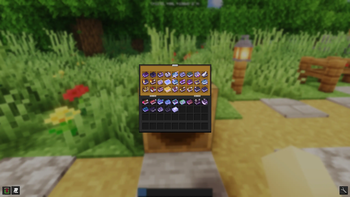

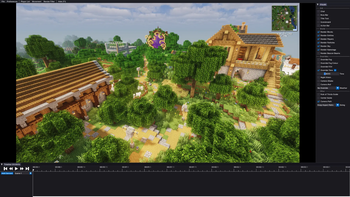
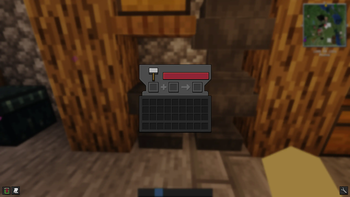
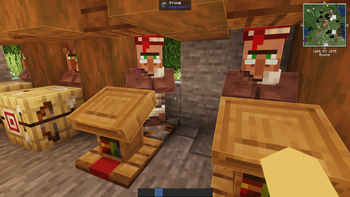
About this Modpack

With Vanilla Fine Tuned, you can enjoy Minecraft with enhanced features. Mods that make the vanilla gameplay more enjoyable, combined with carefully selected resource packs and our custom Mellow shader preset, offer both fun and visual appeal.

- 📷 Record with the Flashback Recording Mod
- 📢 Realistic / Advanced Sound Physics
- 🚶➡️ More Animations with Smoth look
- 🔨 Better Mending, Item & Effect Info
- 💻 High performance optimization for more fun

Thanks to all these mod creators who created these incredible mods/datapacks.
Full Mod List here
- 3D Skin Layers
- Accurate Block Placement Reborn
- AppleSkin
- Armor Hud
- Balm
- Better Block Entities
- Better Statistics Screen
- Blur+
- Centered Crosshair
- Chat Animation [Smooth Chat]
- Chat Heads
- CICADA
- Clear Water/Lava/PowderSnow
- Client Sort
- Cloth Config API
- Clumps
- Collective
- Continuity
- Double Doors
- Entity View Distance
- Explosive Enhancement
- Fabric API
- Fabric Language Kotlin
- Fancy Door Animations - Hold My Doors
- Fast IP Ping
- Flashback
- Fortunate Ancient Debris
- Freecam
- Full Brightness Toggle
- Held Item Info
- I See My Armored Hand
- ImmediatelyFast
- Infinite Trading
- Inventory Mending
- Iris Shaders
- Jade 🔍
- Just Enough Items (JEI)
- Konkrete
- Leash Villager
- Loadstone - Chunk Loader
- Locator Heads
- MaLiLib
- Melody
- Mod Menu
- More Culling
- Mouse Tweaks
- NetherPortalFix
- Punchy!
- Shulker Box Tooltip
- Simple Blueprints
- Smooth Gui
- Sodium
- Sound Physics Remastered
- Status Effect Bars
- TCDCommons API
- Text Placeholder API
- Tree Harvester
- Villager Lock
- Villager Trading Plus
- Visuality
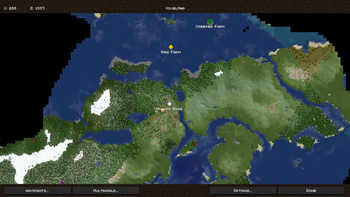
- VoxelMap-Updated
- Wavey Capes
- XP Stream
- YetAnotherConfigLib (YACL)
- Zoomify
These mods are what make our modpack stand out; by combining them, we simplify and improve various Minecraft mechanics, such as trading, with faster transactions and easier villager setup

Here another thanks to all these creators who created these incredible Resource Packs.
Full Resource Pack List here
These resource packs give the game a beautiful and polished look; thanks to various animations and coordinated textures, it feels like a completely revamped version of Minecraft.

Thanks to TheCMK for this perfectly optimized and visually stunning shader. For our modpack, we’ve configured it with a custom preset that combines Vibrant Visuals with Complementary - Reimagined Shaders. This style, paired with Continuity and the resource packs, creates a powerful and high-quality look for our Modpack.
Available Versions
How to Set Up a Vanilla Fine Tuned Server
Order Server
Choose at least 4 GB RAM (6 GB recommended for Vanilla Fine Tuned). Based on player count: per 8 players.
Install Modpack in Dashboard
Open the modpack browser in the dashboard, search for "Vanilla Fine Tuned" and click "Install". The fabric loader and Minecraft 26.1.1 are configured automatically.
Start Server & Play
Start the server – all mods are loaded automatically. Share the server IP with friends and play together!
Frequently Asked Questions
Vanilla Fine Tuned server crashes or won't start – what to do?
Most common causes: insufficient RAM or wrong fabric loader. Check latest.log for "OutOfMemoryError" → increase RAM to at least 6 GB. For "Mixin" or "ClassNotFoundException" errors: modpack version and loader don't match. With Mado Hosting, loader and Minecraft version are auto-configured on modpack install – preventing most startup issues.
How much RAM does a Vanilla Fine Tuned server really need?
Minimum 4 GB, recommended 6 GB for stable performance. per 8 players. Important: Minecraft modpacks need more RAM than vanilla – plan extra per additional player. With Mado Hosting, you can scale RAM up live at any time without data loss (from €8/month).
Can I add custom mods to Vanilla Fine Tuned without conflicts?
Yes, but check compatibility: only use mods for the same loader (fabric) and same Minecraft version (26.1.1). Common issues: ID conflicts with recipe mods and incompatible coremod versions. The Mado dashboard mod browser only shows compatible mods and warns about known conflicts.
Vanilla Fine Tuned server lagging – performance tips
1) Increase RAM to 6 GB+. 2) Reduce server view-distance to 8 (server.properties). 3) Pre-generate chunks with the "Chunky" plugin. 4) Use /spark profiler to check which mods consume the most tick time. With Mado Hosting, all servers run on NVMe SSDs with dedicated CPU cores – eliminating hardware as a bottleneck.
Similar Modpacks


![Cobblemon Official Modpack [Fabric]](https://cdn.modrinth.com/data/5FFgwNNP/e7f9ee2e9d361623847853fe2ddce42f519ee64f.png)
![COBBLEVERSE - Pokemon Adventure [Cobblemon]](https://cdn.modrinth.com/data/Jkb29YJU/581ecf54530972afb18a04660afd820f2f24f6c7.png)
![Better MC [FABRIC] - BMC2](https://cdn.modrinth.com/data/shFhR8Vx/a19c2bcb51d38f32f138d3607e91cb2b7b8e387f_96.webp)

Rent Vanilla Fine Tuned Server
Start your own server with automatic modpack installation.
Supported Versions
Start your Vanilla Fine Tuned Server now
From €8.00/month with 6 GB RAM for the best performance.
Configure Server →